Using Portable File Transfer Program (PTFER)
User’s Guide 75
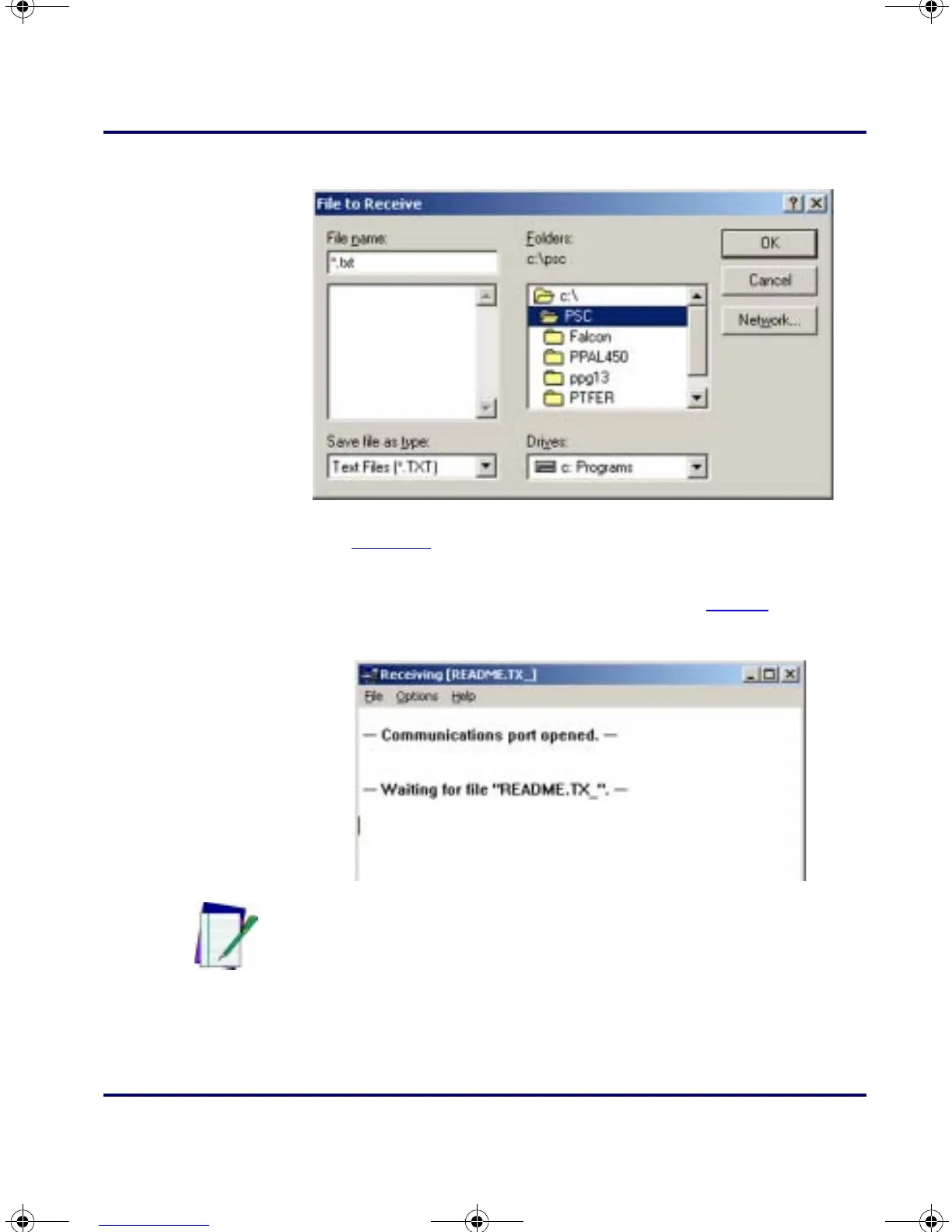
Figure 5-2: The File to Receive dialog box
2.
PTFER displays a message saying that it is expecting the file (refer
to
Figure 5-3).
3. Make the appropriate selections on the portable to upload the
data into the specified file on the PC (refer to
page 49).
Figure 5-3: The PTFER window during an upload
4.
When the file has been successfully transferred, a message appears
in the
PTFER window.
Note: If no success message appears, select a different port.
PT2000.book Page 75 Thursday, February 26, 2004 9:34 AM


 To Next Page