PT200MI instruction manual 6
4. INDICATOR AND KEYS
4.1 INDICATOR
Indicator On/Off : Press the MODE key for 3 seconds.
Function mode : Enter by pressing MODE and G/N keys for 2 seconds, “FUNC” is displayed.
Calibration mode : Enter by pressing MODE and TARE keys for 2 seconds, “CAL” is displayed.
kg/lb conversion : Press G/N key for 2 seconds, the “kg” annunciator flashes. The unit is in 1b mode
while the “kg” annunciator is flashing. Pressing G/N key for 2 seconds will return
the unit to kg. (Note: 1kg = 2.2046 lb)
HI/LO set-point mode : Enter by pressing MODE and ZERO keys for 2 seconds, “SET” is displayed.
Note: For entering setting modes, press and hold the MODE key first then immediately pressing G/N, TARE
or ZERO as appropriate.
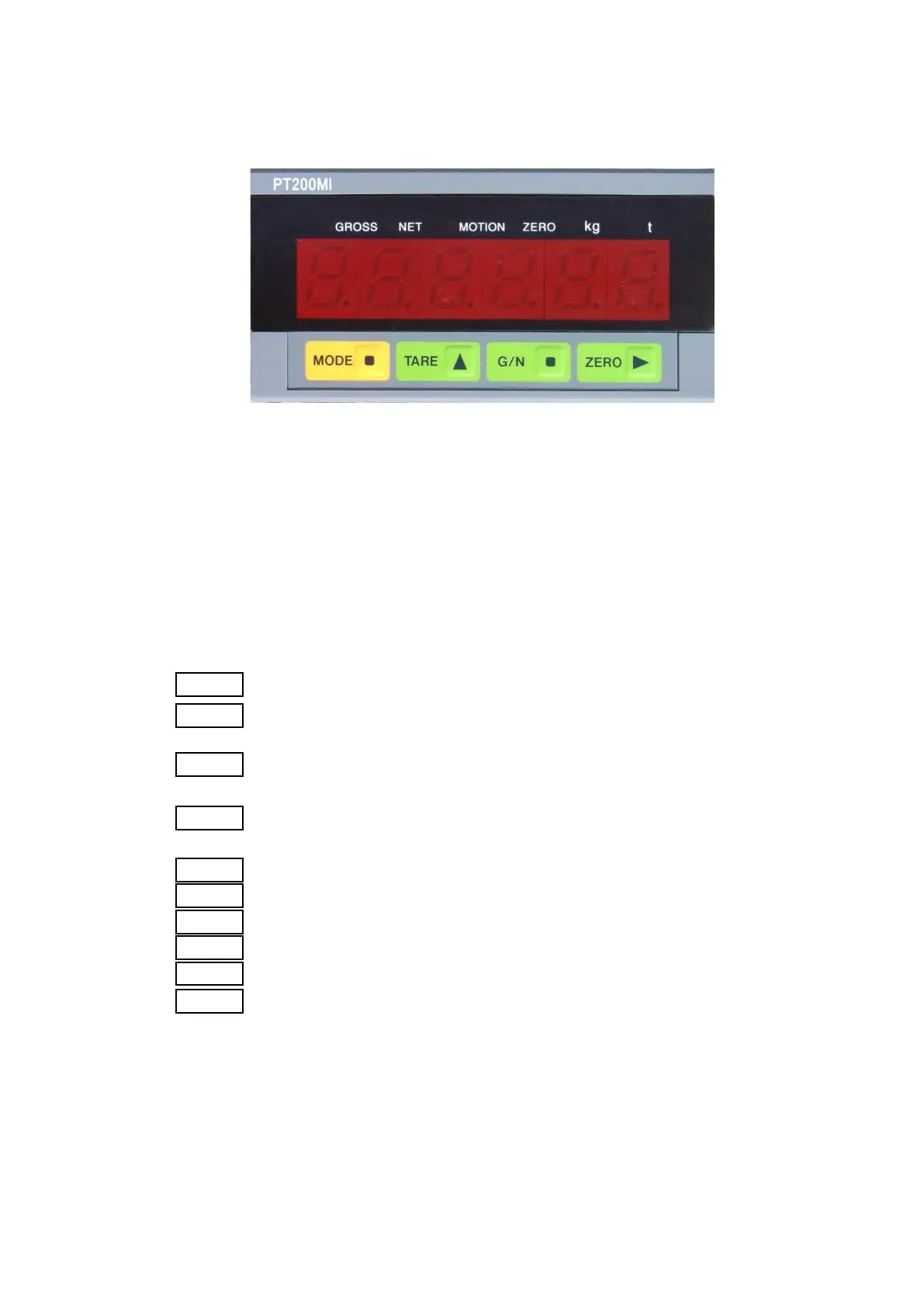
4.2 FRONT PANEL DESCRIPTION
1. key: Enters data or skips span setting during calibration.
2. key: Selects set data items or changes the gross/net value displayed or skip
zero setting during calibration.
3. key: Selects the digit during data setting or tares the reading and changes the
display mode to net mode.
4. key: Selects the digit during data setting or if the zero offset is within 1% to
10% of maximum capacity, press this key to zero the reading.
5. annunciator: Indicates gross weight is displayed
6. annunciator: Indicates net weight is displayed
7. annunciator: Indicates motion detection
8. annunciator: Indicates gross value is within zero band
9. annunciator: Indicates unit is “kg” or “lb” if flashing
10. annunciator: Indicates unit is “ton”
Note: The decimal point in the setting digit will blink during data setting to indicate which digit is being
altered. Data entered can not be a negative value.



 To Next Page