EasyManua.ls Logo

PTI security systems APEX - Page 22

PTI security systems APEX
64 pages
Print Icon
To Next Page IconTo Next Page
To Previous Page IconTo Previous Page
Loading...
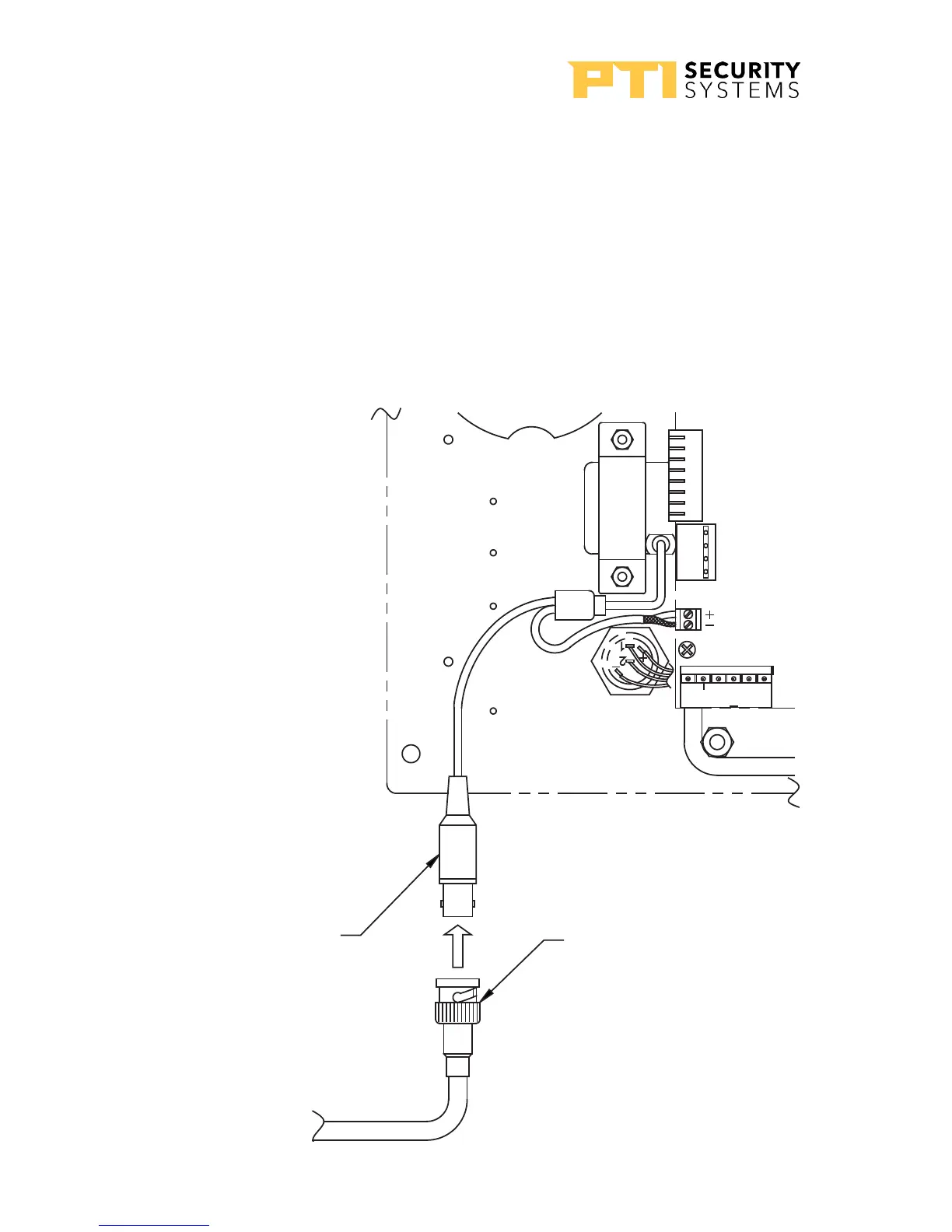
Pinhole Camera
Connect the video signal cable using RG59U cable and BNC type
connectors. This will give the best picture from the keypad camera.
The keypad circuit board provides pinhole camera power.
In some situations, it may be necessary to install a video amplifier
or a video isolator depending on how the video system is
installed.”Drawing 16: Pinhole camera wiring” on page 18 for
information on connecting the camera.

CAMERA PLUG
(OPTIONAL)
BNC PLUG
TO VIDEO DISPLAY
EQUIPMENT
CAMERA
P8
P9
P5
IN 4
IN 4
IN 4
IN 4
P1
RX
V+
TX
GND
AC/+
AC/
ERTH
DAT+
SHLD
DAT-
Drawing 16: Pinhole camera
wiring
APEX Access Device
18
114A3863.E rev. 7-2017

Related product manuals