62
ENT
ENT
ENT
ENT
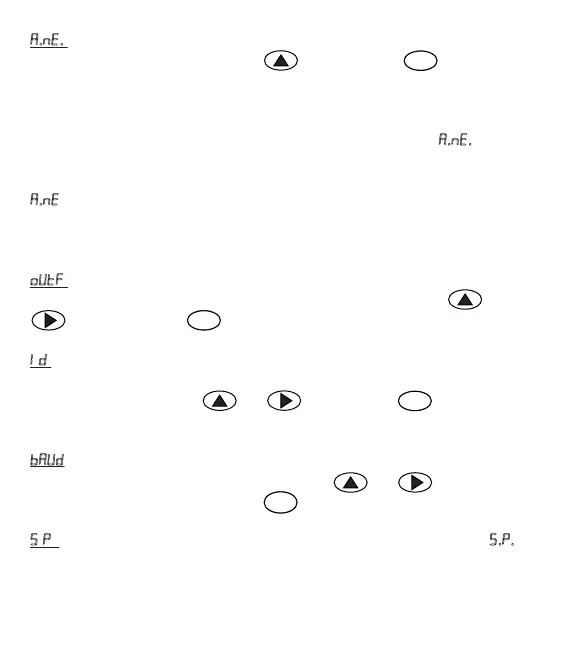
.. = The parameter is used in order to see that analogue output goes towards
negave (-). Value is selected via the key and confirmed by and saved by
pressing the key.
To illustrate it with an example; a major problem of users who use devices similar
to Transmier in the weighing systems is that they cannot see that weight system
they use goes to negave (-) due to any reasons. To see this, parameter.
.. is used in
this device.
..=1, then analogue output value will start from +100 mV. When we introduce this
value as zero in the PLC system, you can see that system goes to negave (-) for
analogue output decreasing from 100 mV.
= Is the page analogue output opons can be selected. Analogue output can be
adjusted as 0-10 V, 0-20 mA or 4-20 mA. Desired value can be entered by and
. keys. By pressing on key, value is confirmed and saved.
= The page where Modbus ID address is entered. It can take value 00-99. If ID is
entered as 0 (zero) then MODBUS is disabled, RS 485 Free Protocol is acvated. Desired
value is entered with the keys and . By pressing on key value is
confirmed and saved.
= The page where Baud Rate is entered. It can be one of values 9600 - 19200 -
38400-57600. Desired value is selected with the keys and . Value is
confirmed and saved by pressing the key .
.. = The page where operaon mode of the serial port is selected. If the Value .. is
entered as 1, Serial Port will run as MODBUS, as 2, then run as FREE PROTOCOL.


 To Next Page