When choosing where to place your StreamR Splash, your listening experience can be
affected by several factors. These factors include the physical location of your speaker
within a room, the distance from any surfaces, e.g. walls or floors, or the type of
materials in the surrounding area.
Controls
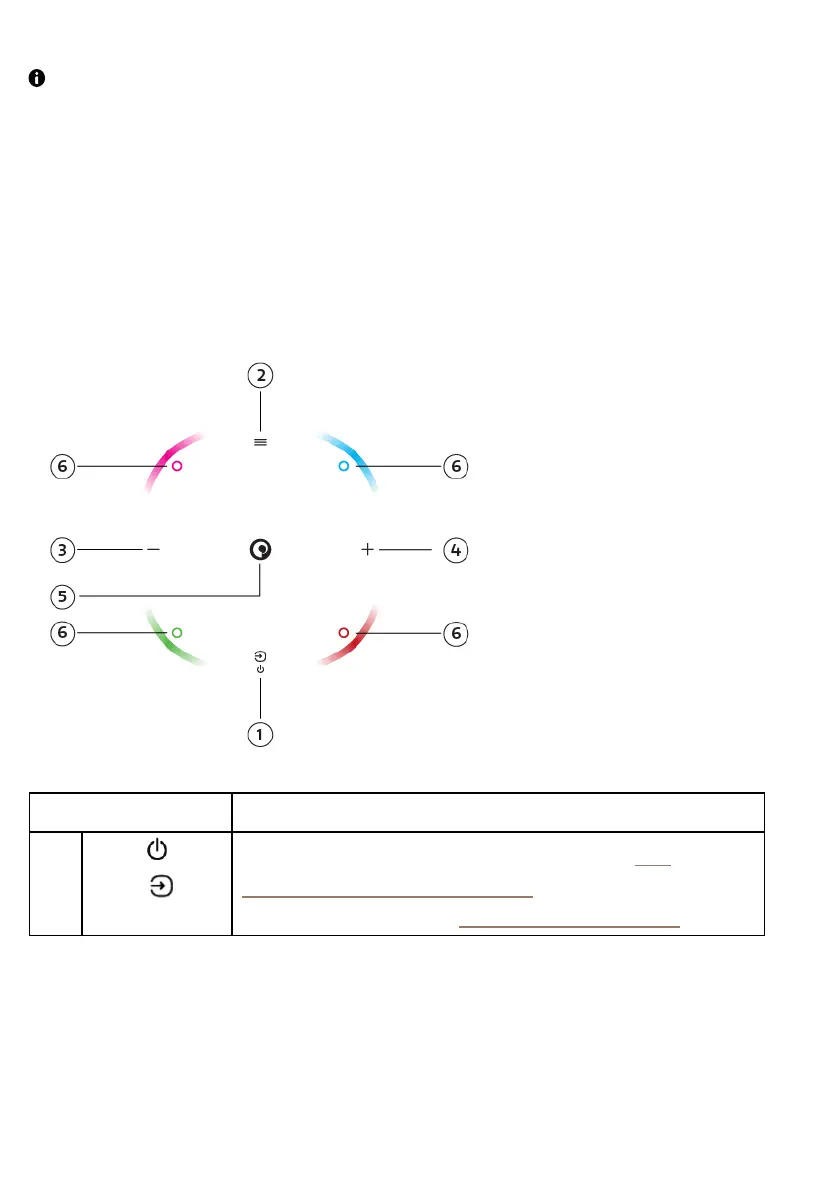
Control your StreamR Splash using the buttons on the top of the speaker.
Button Description
1
Power /
Source
Press and hold to switch your speaker on and off. See
"Switching your speaker on or off".
Press to change the source. See "Changing the source".
StreamR Splash User Guide 3



 To Next Page