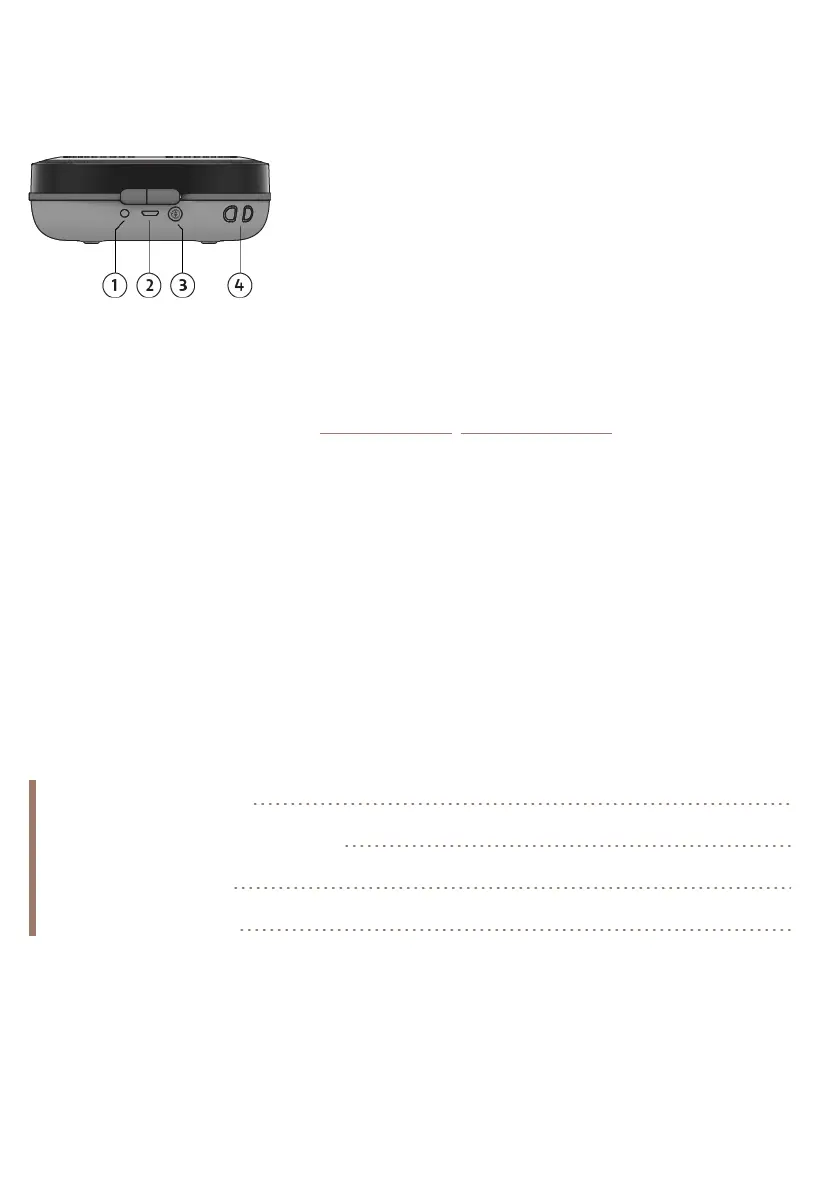
Connections and buttons
Your StreamR Splash has the following connections and buttons.
1. 3.5mm output for stereo headphones
2. Micro-USB port for charging
3. Bluetooth/Autotune button. See "Bluetooth". See "Digital radio".
4. Lanyard connector
Getting started
To get started with your StreamR Splash, you'll need the following;
• USB power adapter or socket. This lets you charge your StreamR Splash before you
continue the setup.
• Optional: Mobile device and the Pure Home app. This allows you to link your Amazon
Alexa account. Ensure that Bluetooth on your mobile device is switched on.
Charging your speaker 6
Switching your speaker on or off 6
Changing the source 7
Changing the volume 7
StreamR Splash User Guide 5



 To Next Page