28
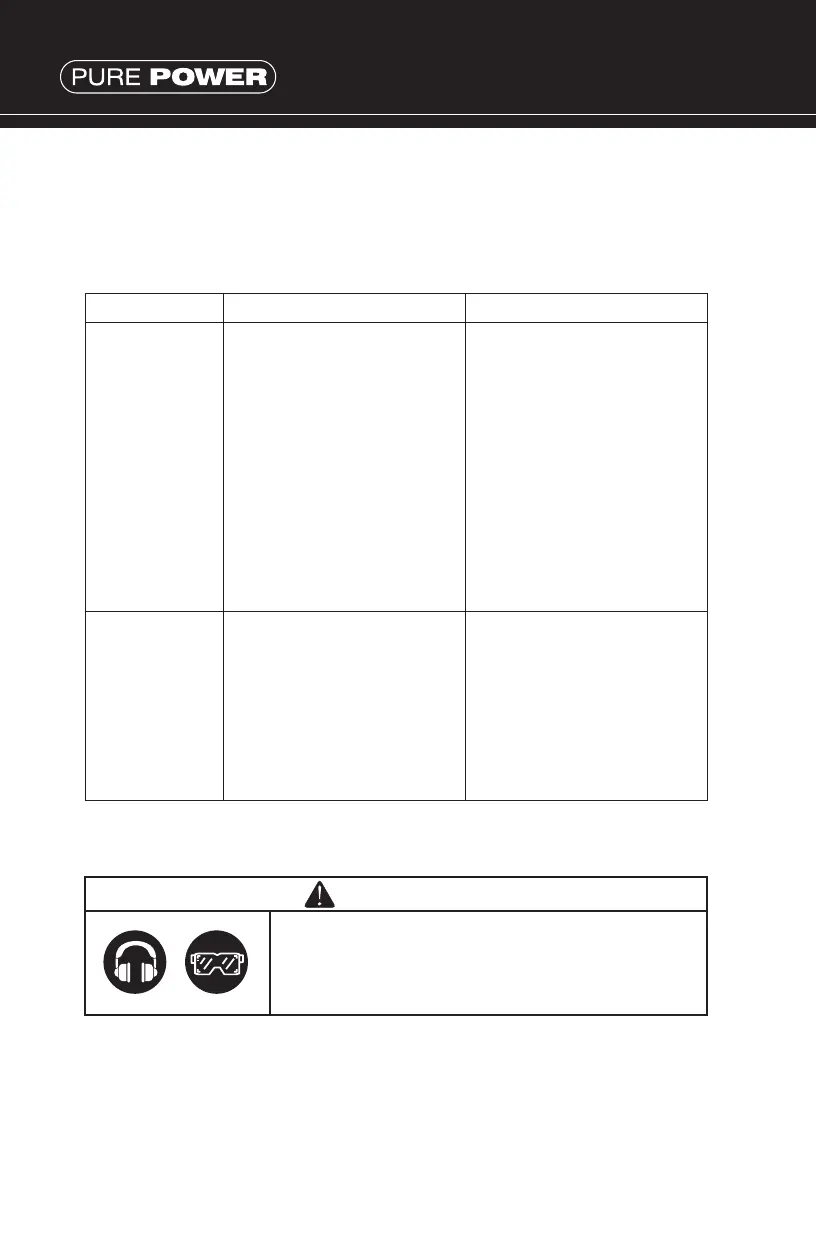
TROUBLESHOOTING CHART
If you are experiencing a problem that is not listed in this chart,
or have checked all the possible cause listed and you are still
experiencing the problem, see your authorized dealer.
troubleshooting
& maintenance
Problem Cause Correction
Engine will not
start
1. Check if engine switch
is off.
2. Fuel Tank empty.
3. Check to make
sure generator is
not connected to an
appliance.
4. Check spark plug for
loose spark plug cap
5. Check spark plug for
contamination.
6. Check engine oil level.
1. Turn engine switch to the
ON position.
2. Fill tank making sure not
to overll.
3. If connected, turn off
the power switch on the
connected appliance and
unplug.
4. If loose, push spark plug
cap back into place
5. Remove spark plug and
clean electrode.
6. If engine oil level is low,
add oil as per instructions.
Generator has
no output
1. Check if the DC circuit
breaker is turned off.
2. Check AC receptacle and
DC terminals for loose
connection.
3. Check to see if engine
starting was attempted
with appliances already
connected to generator.
1. Depress or ip the circuit
breaker into ON position.
2. Secure connection if
necessary.
3. Turn off switch on the
appliance, and disconnect
cable from receptacle.
Reconnect after generator
has been started properly.
NOTE: It is recommended to use ear protection when performing
operation, maintenance and repair of the generator. Maintenance,
replacement or repair of the emission control devices and systems
must be performed by an authorized service provider.
MAINTENANCE SCHEDULE
CAUTION
Make sure the engine is stopped before
starting any maintenance, servicing or repair.


 To Next Page