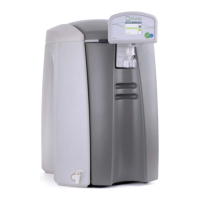
SELECT HP USER INSTRUCTIONS
Issue: A, part number L300954 32
o The filter is located in the exposed panel on the right hand side of
the unit.
To obtain access to the filter screen, unscrew the black knurled top anti-
clockwise. The screen will then be exposed. Pull the screen away from
the housing and clean away any debris.
Once cleaned, replace the screen and black top. Replace the side panel
and cover using the reverse procedure and switch on the water supply.
Start the unit from the power on screen
6.3 Cleaning procedure.
Ideally cleaning of the unit should be carried out when it is time to replace the
media packs. It is recommended that the Select HP is cleaned approximately
every 6 months.
It is generally recommended that the media packs should be replaced every
3-4 months.
Switch the unit, off, by pressing the STOP button
The unit will now have reverted to the power on screen
Turn off the water supply to the unit.
Remove the front door cover to reveal the media packs.
Loop Clean
Remove the right hand Puripac pack by pressing down the black lever.
To clean the unit insert the cleaning Pack Adaptor (Part No. L998549) into
the pack position.
Full clean
Remove both media packs ( Pretreatment and Puripac). Press down the
black lever above the media pack and then pull gently on the pack to
remove it.
To clean the unit insert a cleaning Pack Adaptor (Part No. L998549) into
both pack positions.


 To Next Page