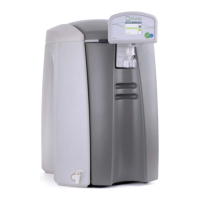
SELECT HP USER INSTRUCTIONS
Issue: A, part number L300954 33
Disconnect the tubing from the external storage tank and direct to drain.
Turn on the water supply.
Re-start the Select HP by pressing the start button on the power on screen.
If the command “PROCESS STANDBY” is displayed on the screen, drain off
some water from the external tank. This command indicates that the tank is full.
With the unit showing “PROCESSING” leave it run in this mode for 30 minutes.
Then “STOP” the unit as detailed above and leave to stand for a further 30
minutes.
After the full 60 minutes remove the disinfection pack adaptor and insert a new
puripac pack.
With the new pack installed run the unit to drain for an additional 30 minutes or
until all traces of chlorine have rinsed out.
Once rinsed STOP the unit and reconnect the tubing back to the external tank.
Re-start the unit, the display should indicate “PROCESSING” mode.
6.4 Replacing the filter
It is recommended that this filter is replaced every 6 months.
The filter is located in the left hand side of the unit.
Switch off the water supply at source
To relieve any residual water pressure, momentarily switch the unit on
then off.
Remove the side panel of the unit.
o To do so, first remove the front cover by pulling it gently from the
unit using the hand holds provided.
o Pull the pod assembly gently forward to disengage the top cover
retaining pin.
o Remove the top cover by lifting up at the front and sliding it gently
backwards.
o Remove the four retaining screws holding the side panel in place
and slide gently backwards.


 To Next Page