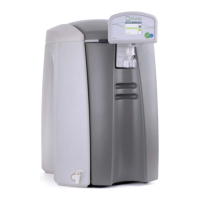
SELECT HP USER INSTRUCTIONS
Issue: A, part number L300954 34
o The filter is located in the exposed panel on the left hand side of the
unit.
Disconnect the tubing attached to the top and the bottom of the filter by
pressing on the collet retainer and pulling gently on the tubing.
Fit replacement.
Replace the side panel and cover using the reverse procedure and switch
on the water supply. Start the unit from the power on screen
6.5 Maintenance and service spares
Part no. Description
M996001 Select 40 RO membrane pack
M996002 Select 80 RO membrane pack
M996003 Select 160 RO membrane pack
M996004 Select 320 RO membrane pack
Membrane pack
L998542 PT8 pre-treatment pack
Pretreat cartridges
L998544 PT16 pre-treatment pack
L998543 PP8 Puripac
Puripac cartidges
L998545 PP16 Puripac
Internal Filter
R011053 0.1µm filter
L998410 50 litre external tank with UV
Tanks
L998411 100 litre external tank with UV
L300900 Select wall mount kit
PM00901 Installation kit
Extras
L991110 Feedwater pressure regulator
L991276 10" filter housing
External filtration
R011044 10" 10um filter element
Others
L998549 Cleaning pack adaptor
R083047 Level switch lead
L300954 Operator's Manual (extra copies)


 To Next Page