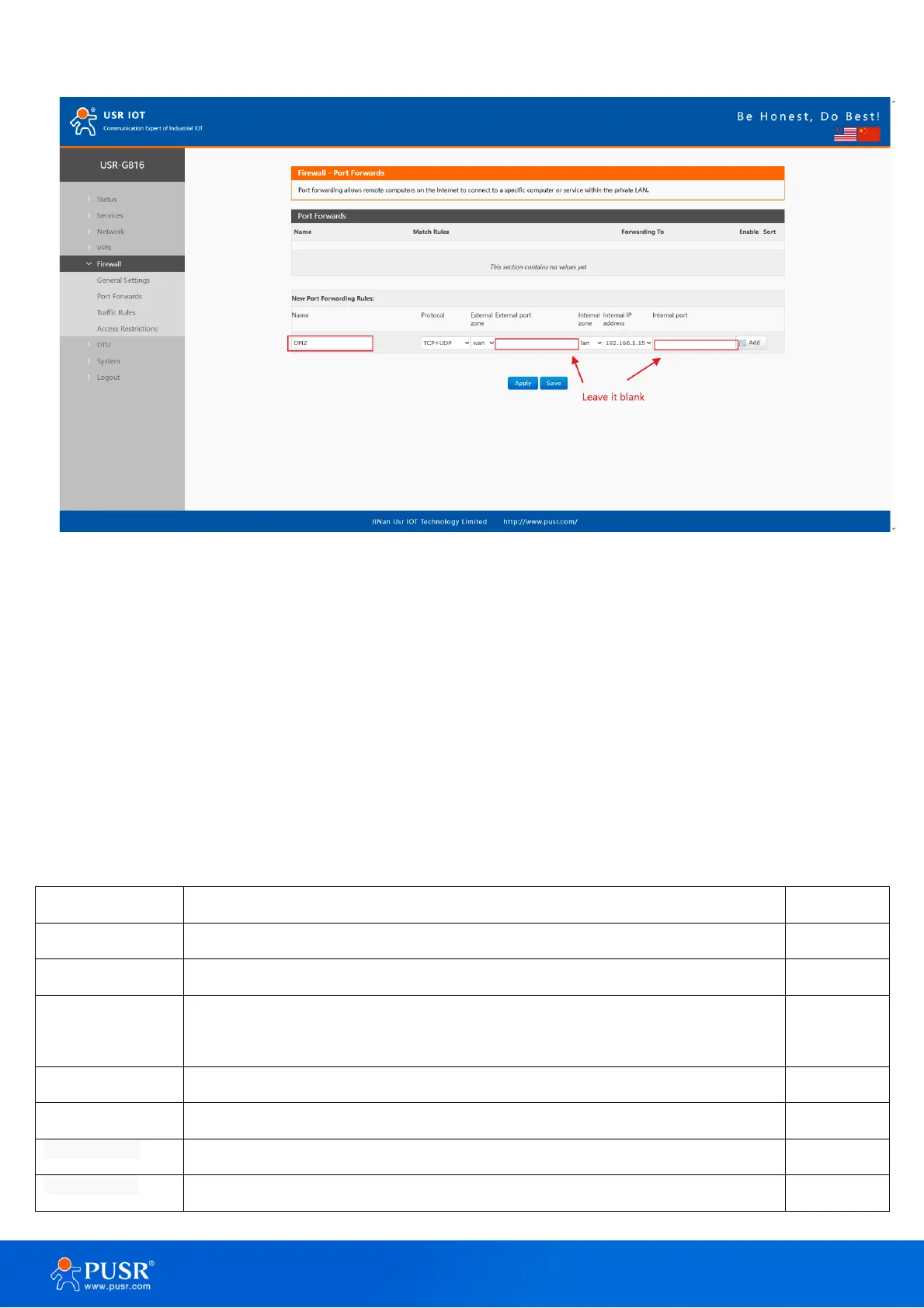
Figure 43. DMZ settings
6.3. Traffic rules
The Traffic Rules tab is a crucial feature of a firewall functionality that allows you to set rules to filter and
control network traffic moving through the device. In essence, traffic rules determine which firewall rules will be
applied to packets traveling through the network. These packets can be allowed, blocked, or rejected based on
various criteria such as the source and destination IP addresses and port numbers specified in the packet
headers.
Table 13. Parameter details of traffic rules
Whether to enable the traffic rules.
The name of traffic rules.
Restrict to
address family
IP address family to which to rule will apply.
It only supports IPv4 IP by now.
Choose the protocol of the traffic rules, including TCP+UDP, TCP, UDP, ICMP
Choose the ICMP type of the rules.
The zone to which the third party will be connecting.
MAC address(es) of connecting hosts.



 To Next Page