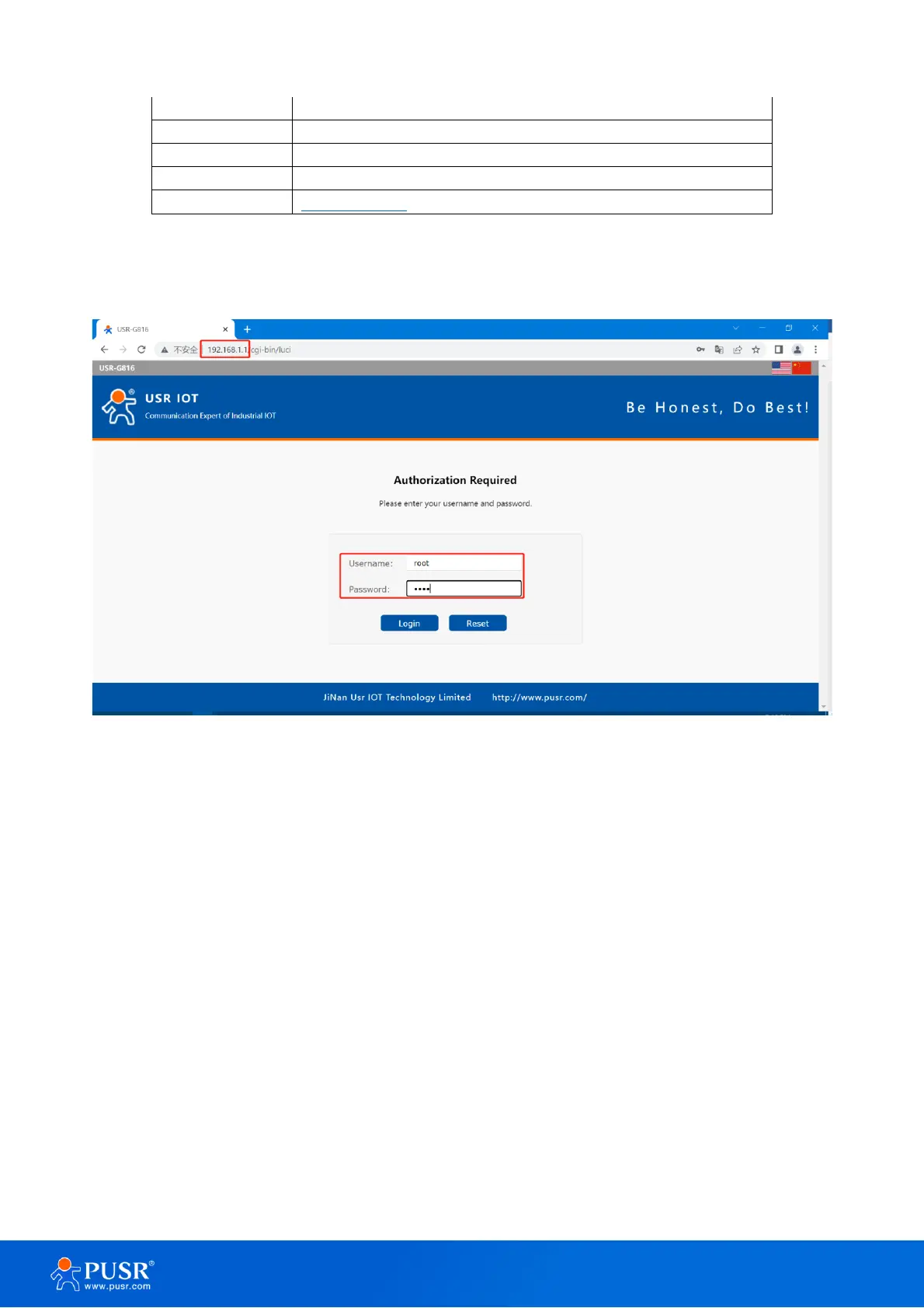
Open the browser, enter 192.168.1.1 in the URL blank, and press Enter, it will navigate to the following webpage.
After entering the login password, clicking login, the web page will show configuration page of USR-G816.
Figure 2. Login webpage
2.2. Brief introduction of the webpage
There are several tabs on the left side of the webpage, users can set parameters of USR-G816 on the tab
pages.
➢ Status:Mainly display device name, firmware version, running status, and routes etc.
➢ Service: Mainly some additional functions, including dynamic DNS, GPS (GPS version), PUSR cloud.
➢ VPN: Configuration of VPN, such as PPTP, L2TP and OpenVPN.
➢ Network: In this interface, there are many categories related to network connection. Users can set
parameters such as WAN port, LAN port and cellular network.
➢ Firewall: User can set firewall rule on this page such as inbound and outbound rules, port forwarding,
blacklist, whitelist, and other information.
➢ DTU: Configure parameters related to DTU such as serial port and SOCKET.
➢ System: Mainly some basic functions, including restart, restore factory settings, firmware upgrade,



 To Next Page