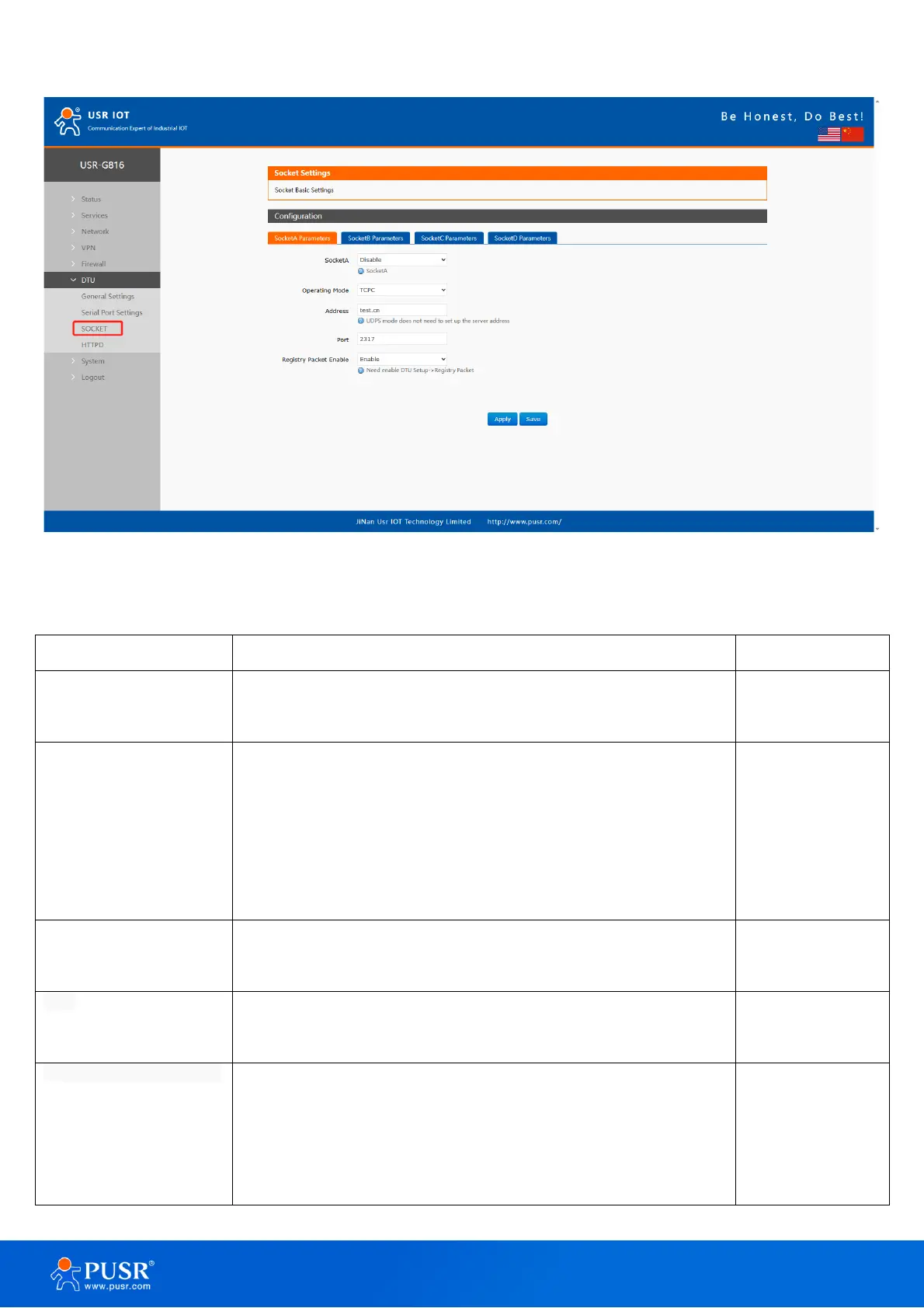
Figure 60. Settings of socket
Table 21. Parameters description of socket
Enable: Enable socket A communication.
Disable: Disable socket A communication.
TCPC: TCP client mode.
TCPS: TCP server mode, Support simultaneous access to 8 clients
(Only for SOCKA).
UDPC: UDP client mode.
UDPS: UDP server mode.
For TCPC and UDPC mode, it’s the IP address of remote server.
For TCPS and UDPS mode, it’s no practical meaning.
For TCPC and UDPC mode, it’s the listening port of remote server.
For TCPS and UDPS mode, it’s the listening port of USR-G816.
This switch button is used together with the function in “General
Settings”.
Enable: Enable the registration packet function corresponding to
the socket.



 To Next Page