
 To Next Page
C
Cody WatsonAug 26, 2025
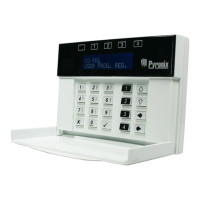
What to do if my Pyronix PCX 78 shows 'CASE TAMPER'?
- KKelly SheaAug 26, 2025
If your Pyronix Security System shows 'CASE TAMPER', ensure the tamper switch is closed.

What to do if my Pyronix PCX 78 shows 'CASE TAMPER'?
If your Pyronix Security System shows 'CASE TAMPER', ensure the tamper switch is closed.
How to resolve 'Code Guessing' on Pyronix Security System?
If your Pyronix Security System displays 'Code Guessing', wait 120 seconds for the keypad to unlock, then enter a valid code.
What does 'BAT LOAD FAIL' mean on my Pyronix PCX 78 Security System?
The 'BAT LOAD FAIL' message on your Pyronix Security System displays only if the option is selected. It indicates that the battery is uncharged or its capacity is below specification and may need replacing.
What does 'BAT CRITICAL' mean on my Pyronix PCX 78?
The 'BAT CRITICAL' message on your Pyronix Security System protects the battery from deep discharge damage during an extended mains failure. The system is about to be powered down.
What to do if my Pyronix PCX 78 shows 'BELL TAMPER'?
If your Pyronix Security System displays 'BELL TAMPER', ensure the terminal TR is at or near 0V. If not, check that the Bell Tamper switch is closed. Also, make sure fuse F1 is intact, and check the connections to SAB.
What to do if my Pyronix PCX 78 shows 'PS O/P FAULT xxx'?
If your Pyronix Security System shows 'PS O/P FAULT xxx', check all the fuses and the battery in the powered output expander.
What does 'MAINS FAIL xxx' mean on my Pyronix Security System?
The 'MAINS FAIL xxx' message on your Pyronix Security System means the system detects that the mains frequency is out of specification, as well as the voltage. The AC FAIL timer is active.
What does '485/COMMS LOST' mean on my Pyronix Security System?
The '485/COMMS LOST' message on your Pyronix Security System is part of the routine initialization procedure. If it persists, check the display at other keypads to confirm if the device failure is at the keypad or a complete system BUS failure. You can also temporarily install an additional keypad.
What to do if my Pyronix Security System shows 'DIGI Call Fail 100'?
If your Pyronix Security System displays 'DIGI Call Fail 100', check that all communication devices on the panel have a valid signal.
What to do if my Pyronix Security System shows 'CALL FAIL TO ARC'?
If your Pyronix Security System displays 'CALL FAIL TO ARC', check that ALL call details are programmed correctly and ensure the signaling format is correctly set for the ARC receiver.
Overview of the PCX hybrid alarm system.
Key considerations for safe and compliant wiring practices.
Accessing and navigating the primary programming menu.
Identifying and understanding device failure messages.
Troubleshooting common system faults and communication issues.
 General
| Wired zones | 8 |
|---|---|
| Partitions | 4 |
| Weight | 2.5kg |
| Type | Hybrid Alarm Control Panel |
| Wireless zones | 70 |
| Inputs | 8 |
| Operating Temperature | -10°C to +50°C |