EasyManua.ls Logo

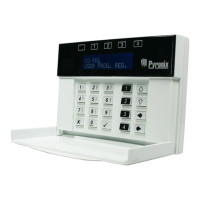
Pyronix PCX 78 - User Manual

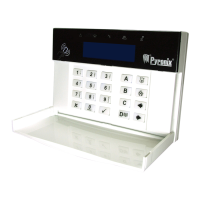
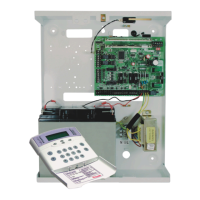
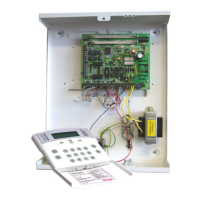
Pyronix PCX 78
100 pages
Print Icon
To Next Page IconTo Next Page
Loading...
102017852 - V01 Software V12.0
PCX 78
Installation Guide

Table of Contents

Questions and Answers

  • D
    David HensonSep 4, 2025
    What to do if my Pyronix PCX 78 Security System shows 'LINE FAULT'?
    • K
      Kevin RichardsSep 4, 2025
      If your Pyronix Security System displays 'LINE FAULT', ensure the modem has an adequate signal to communicate. If there is a physical line to the modem, make sure it is connected securely at each end.
  • J
    Justin MaxwellSep 4, 2025
    How to resolve 'MODEM FAULT' on Pyronix Security System?
    • A
      amypetersonSep 5, 2025
      To resolve a 'MODEM FAULT' on your Pyronix Security System: If the modem is not present, ensure that the 'Disable Digi' option is set to 'YES' and 'Download by' is set to 'NONE' or 'RS232'. If the modem is present but not detected, check that the Digi Modem cable is connected correctly.
  • J
    jadeloweSep 5, 2025
    What does 'Engineer Access Denied' mean on my Pyronix Security System?
    • L
      Lindsey RiceSep 5, 2025
      The 'Engineer Access Denied' message on your Pyronix Security System means that you should ensure that ALL areas are disarmed, using suitable User Codes / tags at appropriate keypads / readers.
  • T
    Taylor AllenSep 6, 2025
    What does 'Check Failed Input xxx' mean on my Pyronix PCX 78 Security System?
    • J
      jessekimSep 6, 2025
      The 'Check Failed Input xxx' message on your Pyronix Security System applies to 24-hour tamper, or other Input types that would generate an alarm condition if the system were returned to disarmed mode. It also applies to tamper faults on other Input types. Check for a fault on the Input, or omit it in programming.

Summary

System Description

Introduction

Overview of the PCX hybrid alarm system.

Installation

Important Installation Notes

Key considerations for safe and compliant wiring practices.

RS-485 Wiring

The Printed Circuit Board

Power and Battery Connections for the PCX S

Power and Battery Connections for the PCX L

Connecting Modems

Connecting to the Upload;Download Software

Serial Connection (RS232)

PyronixCloud Connection

Configuration

The Engineer Menu

Accessing and navigating the primary programming menu.

Entering the Engineer Menu

Learn Wireless Devices

Program Inputs

Program Outputs

Install Keypads;Readers

Change Codes

Engineer Tests

Communications (DIGI-GPRS)

Communications (DIGI-LAN)

Communications (DIGI-WIFI;XA)

Network Set-Up

ARC Signalling

User SMS Signalling

Options Up;Downloading

Download by Cloud (standard security)

Download by Serial Comm

Factory Default

Troubleshooting

Device Fail; Active Faults

Identifying and understanding device failure messages.

System Faults and Troubleshooting

Troubleshooting common system faults and communication issues.

SMS Commands

Pyronix PCX 78 Specifications

General IconGeneral
Wired zones8
Partitions4
Weight2.5kg
TypeHybrid Alarm Control Panel
Wireless zones70
Inputs8
Operating Temperature-10°C to +50°C

Related product manuals