3. Installation and Configuration
This chapter provides specific hardware and firmware installation and configuration steps.
Drive Installation
Installing 3.5-inch Hard Drives
Warning
Installing a drive deletes all data on the drive.
Observe electrostatic discharge (ESD) procedures to avoid damage to components.
1. Power off the NAS.
2. Disconnect the power cord from the electrical outlet.
3. Disconnect all cables and external attachments.
4. Remove the case cover.
a. Lay the NAS on its left side.
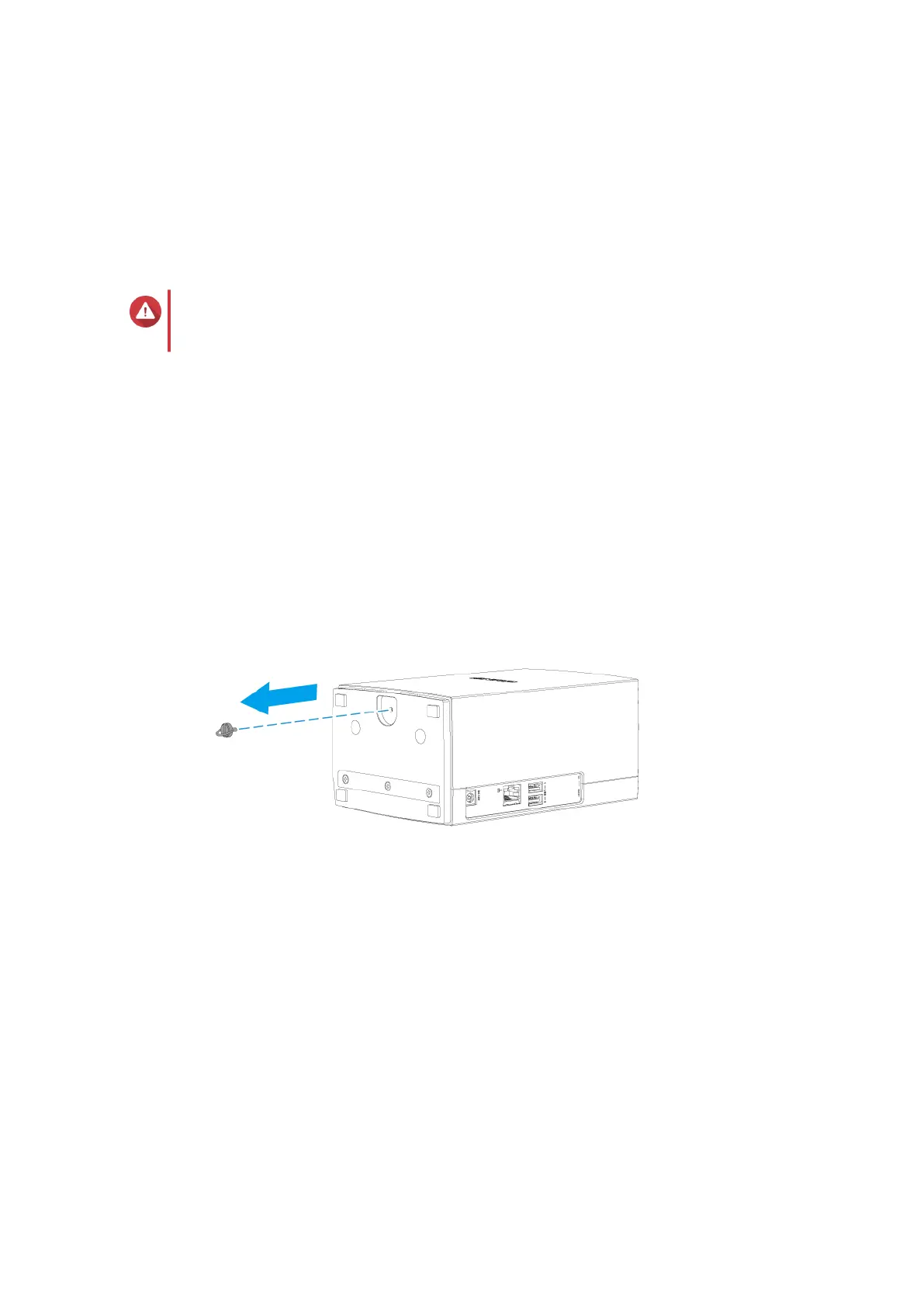
b. Remove the tool-less screw from the bottom of the NAS.
c. Slide the cover away from the base to unlock.
d. Pull the cover up until it completely detaches from the chassis.
TS-x28A User Guide
Installation and Configuration 7



 To Next Page
 Loading...