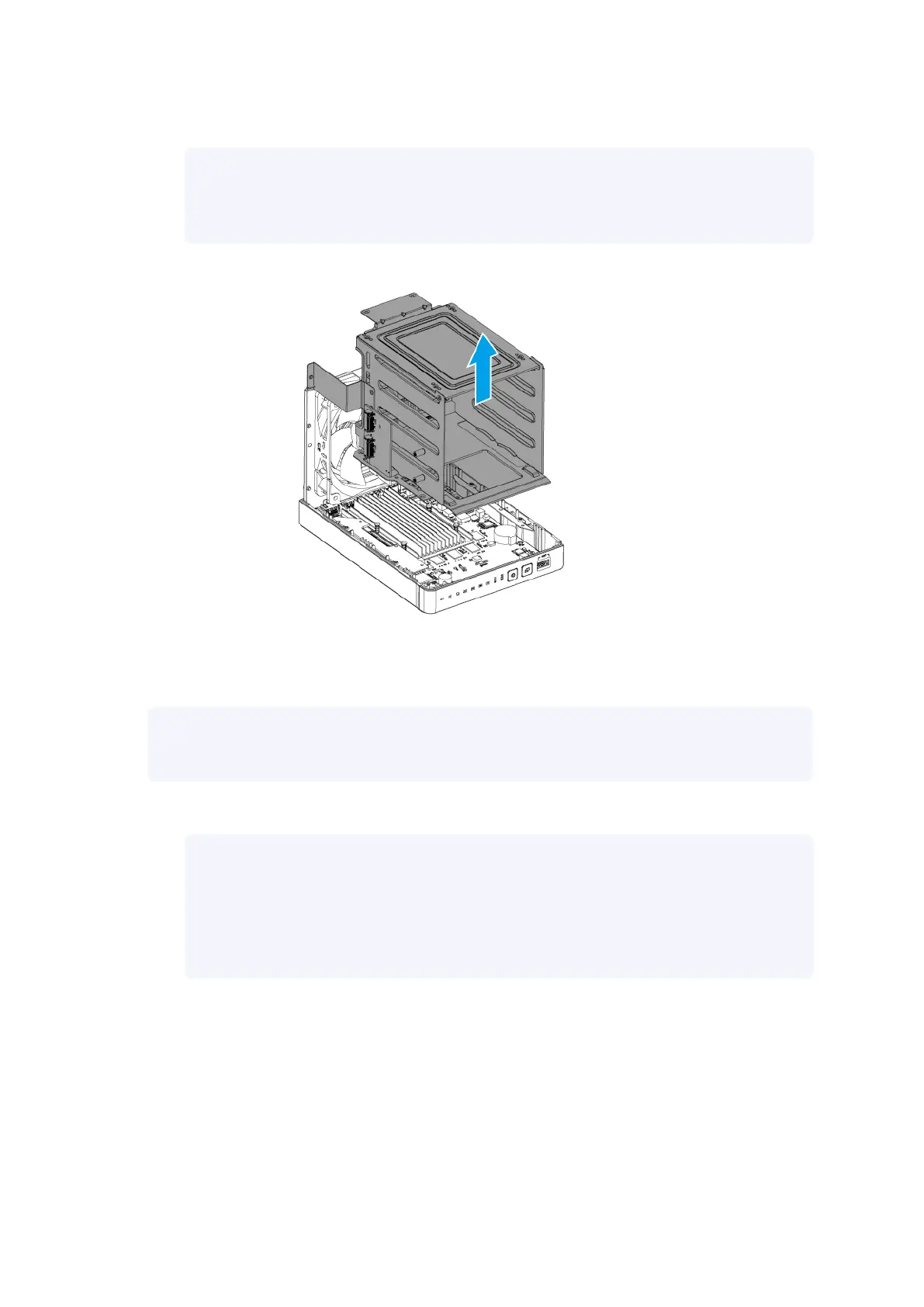
b. Lift the drive cage until it is completely detached.
Note
Detaching the drive cage also detaches the riser card and the backplane, which are
screwed to the drive cage, from their slots on the system board.
8. Position the drive cage on its bottom side by rotating clockwise 90 degrees.
9. Remove M.2 SSDs from the riser card.
Note
This step is necessary if you want to remove the riser card and there are M.2 SSDs installed.
a. Remove the screw that secures the M.2 SSD to the drive cage.
Note
• The pan head M2.5x3 screw requires a Phillips #2 screwdriver.
• A torque of 3 kgf.cm (2.60 lbf.in) ± 0.5 kgf.cm (0.43 lbf.in) is recommended for
electric screwdrivers.
| NAS Repair Manual
Category A NAS Models 16


 To Next Page
 Loading...