d. Verify that the bracket does not move.
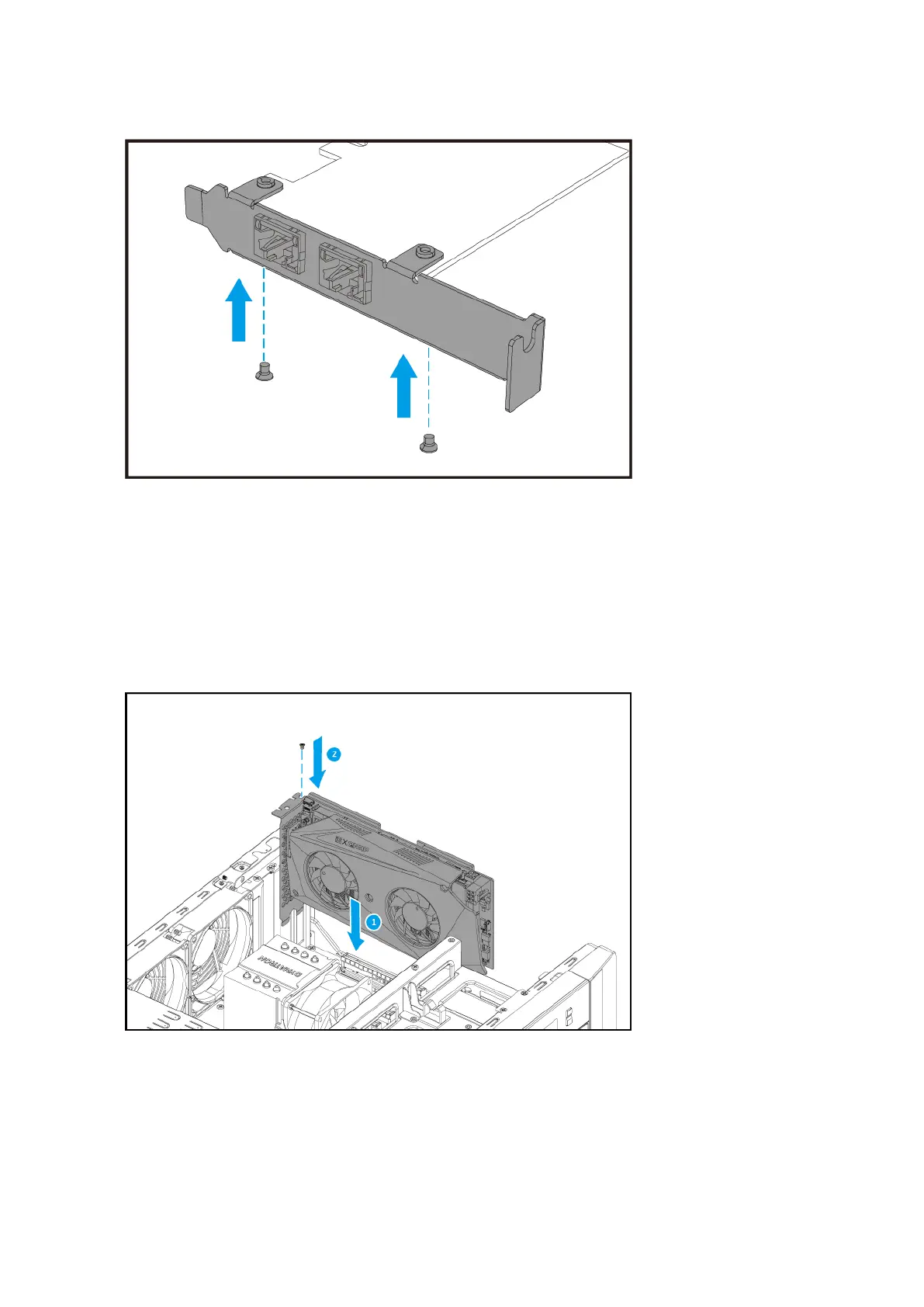
7. Install the expansion card.
a. Hold the card by the edges.
b. Insert the card into the slot.
c. Attach the screw.
d. Optional: Attach the PCIe power connector to the expansion card.
TS-h1290FX User Guide
Installation and Conguration 22


 To Next Page
 Loading...