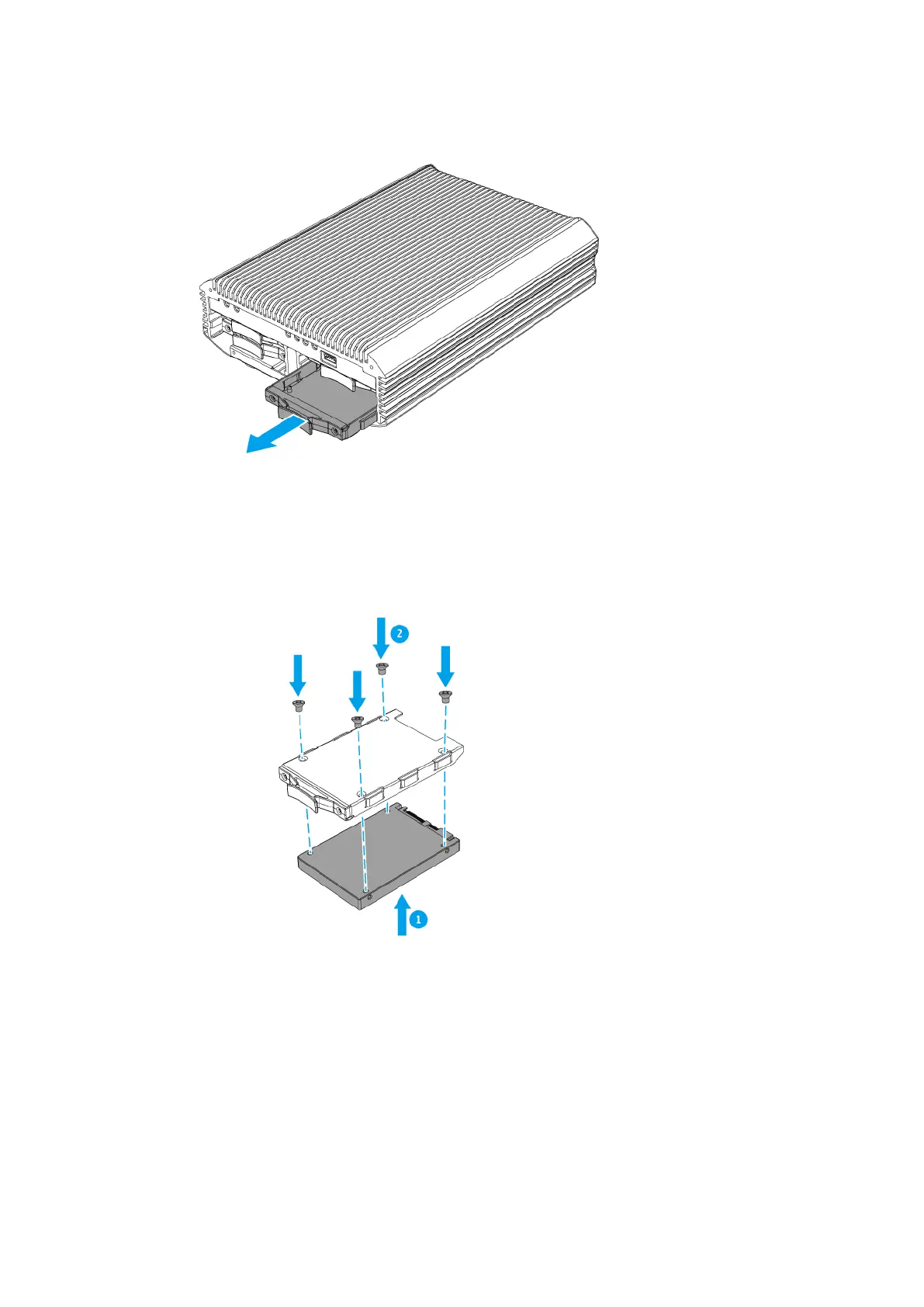
4. Install a drive on the tray.
a. Place the drive on the tray so that the holes on the bottom of the drive are aligned with the holes
on the bottom of the tray.
b. Attach the screws.
5. Load the tray into the bay.
a. Insert the tray into the bay.
TS-i410X User Guide
Installation and Conguration 12


 To Next Page
 Loading...