Playing a CD
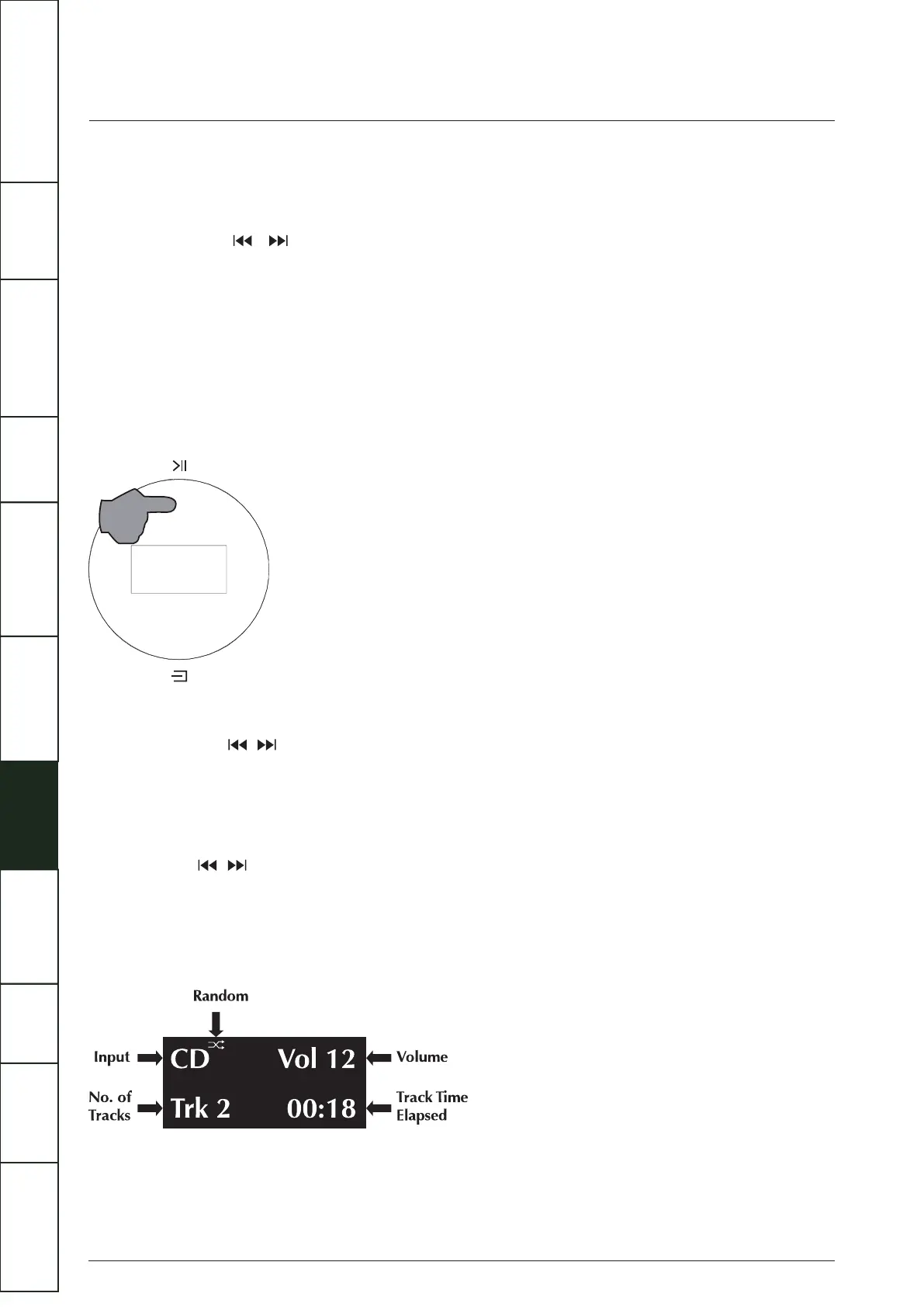
To play a CD from the start: Press the Play/Pause key on the handset or touch the Play/Pause button on the front panel.
To play a CD from a selected track:
(1) Repeatedly press the / on the handset. When the desired track is reached, stop pressing and the player will play from
(1) the selected track.
(2) Enter the required track number from the handset. The disc will play from the selected track.
Pausing a CD during play
Press the Play/Pause key on the handset or touch the Play/Pause button on the front panel, pause icon appears briefly on screen,
the CD will pause.
Press the Play/Pause key on the handset or touch the Play/Pause button on the front panel again, play icon appears briefly on
screen, the CD will resume play.
Note: The CD will stop if CD playback is paused for 3 minutes.
Selecting tracks during play
(1) Repeatedly press the / on the handset or quick touch the Play/Pause button on the front panel twice to continually select
(1) NEXT TRACK. When the wanted track is reached stop pressing and the player will play from the selected track.
(2) Enter the required track number from the handset. The disc will play from the selected track.
(2) For handset operation refer to Page 5.
Forward and Reverse Search during play:
Press and hold the / on the handset. The forward and reverse search will start. Play reverts to normal when the key is released.
Random Play
• Press the Random key on the handset to play all the tracks on the disc in random sequence. The Random On icon appears briefly
• on screen.
• Press the info key on the handset, the Random icon will be displayed.
• Press the Random key again to return to the normal sequence. The Random Off icon appears briefly on screen.
14
IMPORTANT
SAFETY INFORMATION
REMOTE
HANDSET
CONTROLS AND
FUNCTIONS
CONNECTIONS
SYSTEM
OPERATIONS
DTS PLAY-FI
®
WIRELESS...
MENU
OPTIONS
SPECIFICATIONS CONTENTSINTRODUCTION
WARRANTY
COVERAGE



 To Next Page