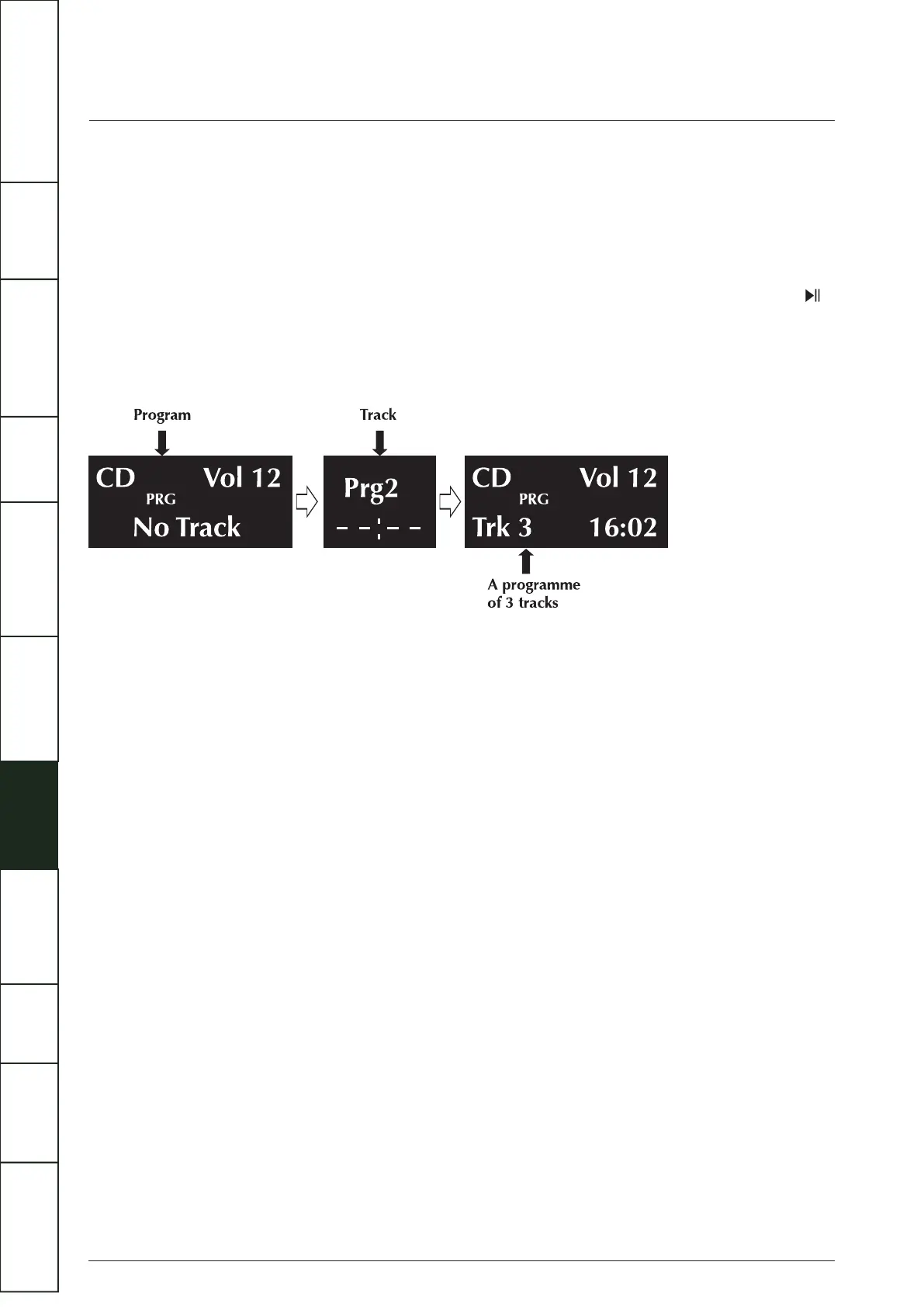
During Programme Play:
(1) Pause, Stop, Previous track, Next track, Fast Forward, Fast Reverse are available.
(2) Direct track selection with the number keys is disabled.(
(3) Repeat play (Repeat 1, Repeat All) is enabled but Random play is disabled.
Stopping Programme Play:
(1) Press Stop once to stop play, Playback stops but the programme is retained in memory. To replay the programme, press .
(2) When the programme is in stop mode, further tracks can be added following the procedure above.
(3) Press Stop twice to stop programme play and erase the programme. Program Off appears briefly on screen.
(4) Eject and load the disc will also erase the programme.
Volume Adjustment
To alter the volume level from the handset:
Press the Volume+/- keys to alter the level as required.
To alter the volume level from the front panel:
(1) Touch and hold the SOURCE button to enter the volume adjustment mode.
(2) Increase the volume level by touching the PLAY/PAUSE button.
(3) Decrease the volume level by touching the SOURCE button.
If there is a delay of more than 2 seconds between pressing the SOURCE button and altering the volume, the procedure will self
cancel.
The volume level is variable between 0 and 100.
Notes:
When first switched on: The system sets the default volume level to 50 - a safe low level.
When next switched on: If the unit was switched off with the volume level set above 50, the default level of 50 will be restored.
If the unit was switched off with the volume level set below 50, the lower level will be displayed when the unit is next switched on.
16
IMPORTANT
SAFETY INFORMATION
REMOTE
HANDSET
CONTROLS AND
FUNCTIONS
CONNECTIONS
SYSTEM
OPERATIONS
DTS PLAY-FI
®
WIRELESS...
MENU
OPTIONS
SPECIFICATIONS CONTENTSINTRODUCTION
WARRANTY
COVERAGE



 To Next Page