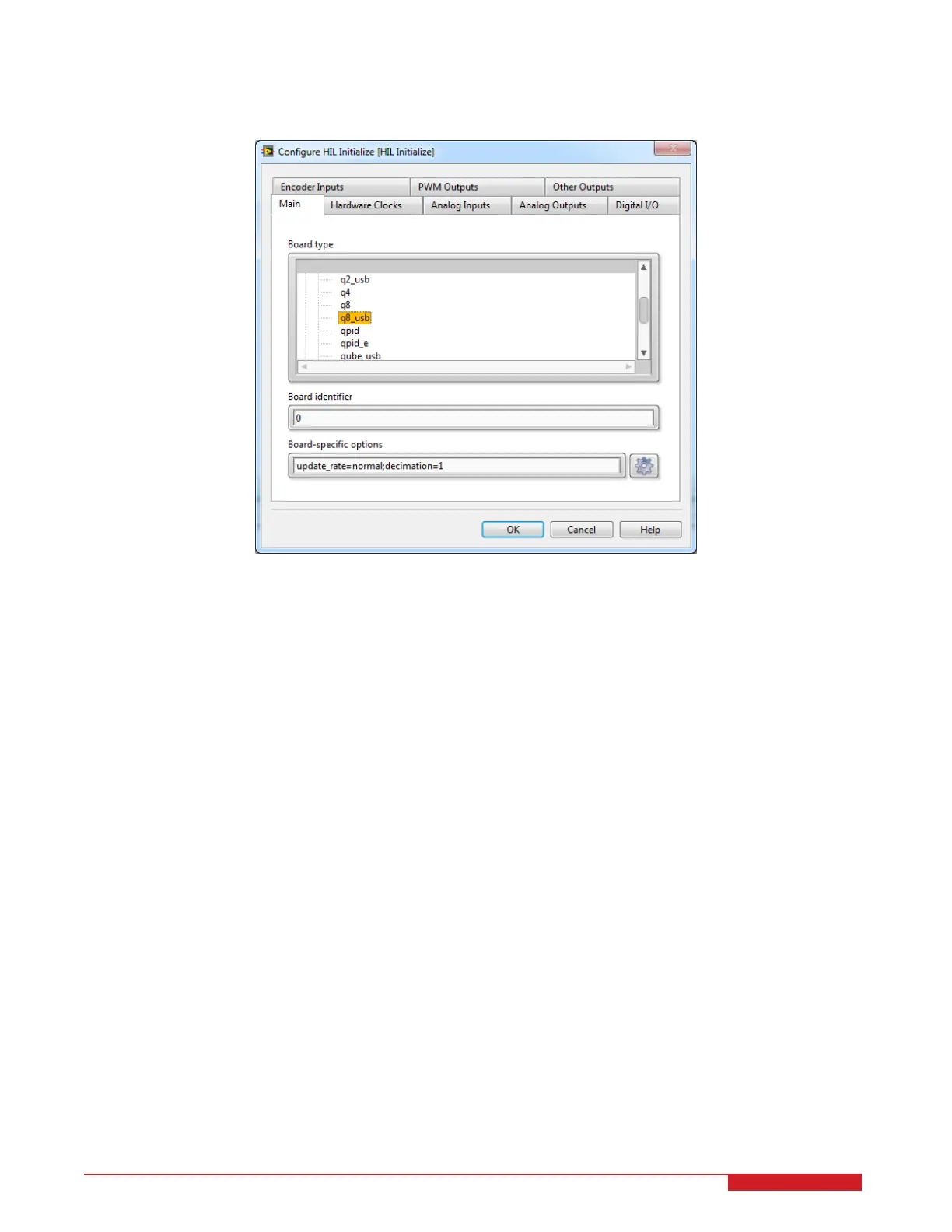
4. Under the Main tab, select the data acquisition device that is installed on your system in the Board type section.
For example, in Figure 4.4 the Q8-USB is chosen.
Figure 4.4: Selecting the q8_usb board
5. You are now ready to run and tune the LQR controller as outlined in Section 3.2.1.
3D GYRO Laboratory Guide 16


 To Next Page