18 Chapter 1 Getting Started
Special operating modes
You can set the generator to operate in various modes to accomplish specific functions.
When any special operational mode is set, it persists (until overridden) throughout
subsequent power cycles, which may be performed to set other modes.
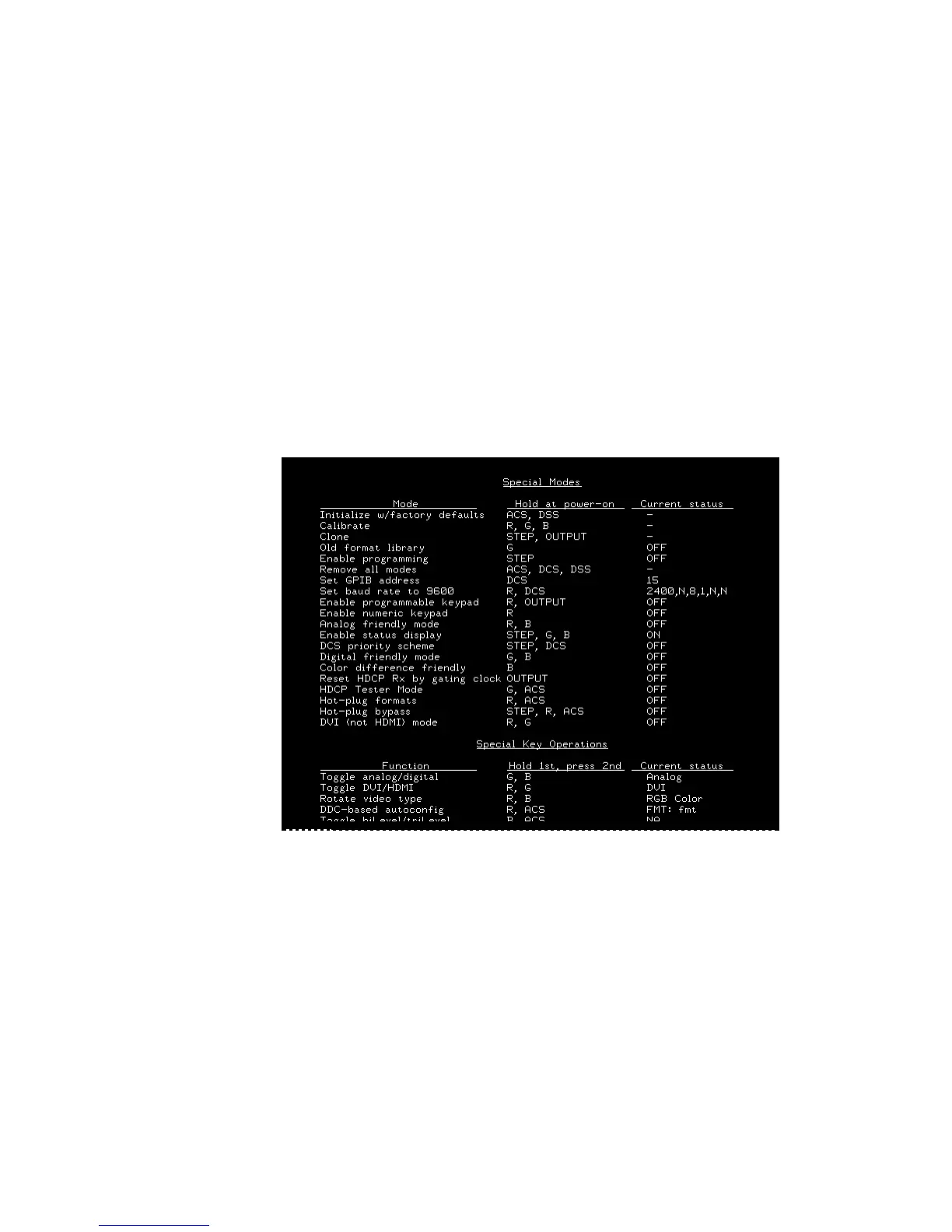
You can view the operational settings and special functions of the generator on a video
display by viewing the GenOps image. This image provides key sequences and the status
of special operating modes in the generator.
To determine the status of operating modes:
1. Connect the appropriate interface cable to the video display.
2. Using the Format knob, select a format suitable for the display.
3. Turn the Image knob to select the GenOps image.



 To Next Page