13
CHC1102M GB F - REV005B
GB
MAIN WINDOW
Once the initialization procedure has been completed, the main window is displayed:
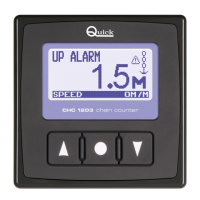
This window is divided into the following sections:
Count line - The length of the chain lowered is shown in this area.
Measure unit area - The unit of measurement currently being used is shown in this area. The values may
be displayed in "M" for meters and "FT" for feet.
State line - Messages regarding the state of the chain counter or faults detected are shown here.
Icon area - The icons regarding the state of the chain counter or faults detected are shown here.
Monitor line - The following information may be displayed here, depending on the selections made by the
user: date and time, supply voltage, chain speed and winch mode.
WED JAN
State line
Count line
Icon area
Measure unit area
Monitor line
CHAIN COUNTER OPERATION
Three elements are employed between user and counter interface:
A GRAPHIC DISPLAY SCREEN, CONTROL KEYS AND BUZZER.
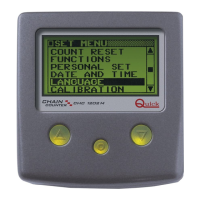
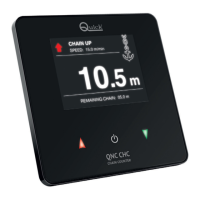
The graphic display shows the measure of chain lowered, state of the chain counter
along with other information. The control keys comes with three keys. The two largest
keys are used to move the anchor up (
p
,UP key) or down (
q
,DOWN key), move within the
system menus or modify the value of parameters. The middle key (
=
SELECT) is used to
turn the torch on and off, select the monitoring mode, go to the system menus or confirm
parameters. The buzzer signals when the keys have been pressed or when it is necessary
to call the user's attention. Use the switch on the power supply line to turn the chain
counter on and off.
When the chain counter is turned on, the following window is displayed for a few seconds:
Where XXXXX is the serial number, YY is the week of production
and ZZ is the year the chain counter was produced.
When the chain counter is turned on the first time, the menu used to select
the language in which messages are displayed appears.
The selected language can be changed later on.
SPEED 000 M/M
UP ALARM
CHC1102M
S/N : XXXXX/YYZZ
CHAIN COUNTER OPERATION



 To Next Page