44 9828 0934 73
• Section A shows information regarding the dryer operation (e.g. the Pressure in vessels A and B,
the Dryer Pressure Dewpoint, the Dryer Inlet temperature).
• Section B shows Status icons. Following icon types are shown in this field:
• Fixed icons
These icons are always shown in the main screen (e.g. Dryer stopped or running, Dryer status).
• Optional icons
These icons are only shown if their corresponding function is activated (e.g. week timer, automatic
restart after voltage failure, etc.).
• Pop up icons
These icons pop up if an abnormal condition occurs (warnings, shutdowns, service,...).
To call up more information about the icons shown, select the icon using the scroll keys and press
the enter key.
• Section C is called the Status bar.
This bar shows the text that corresponds to the selected icon. When the menu button is selected,
this text shows the operational state of the dryer.
• Section D shows the Action buttons. These buttons are used:
• to call-up or program settings.
• to reset a service message.
• to have access to all data collected by the regulator.
The function of the buttons depends on the displayed menu. The most common functions are:
To modify programmable settings
To reset a timer or message
To activate an action button, highlight the button by using the Scroll keys and press the Enter key. To go
back to the previous menu, press the Escape key.
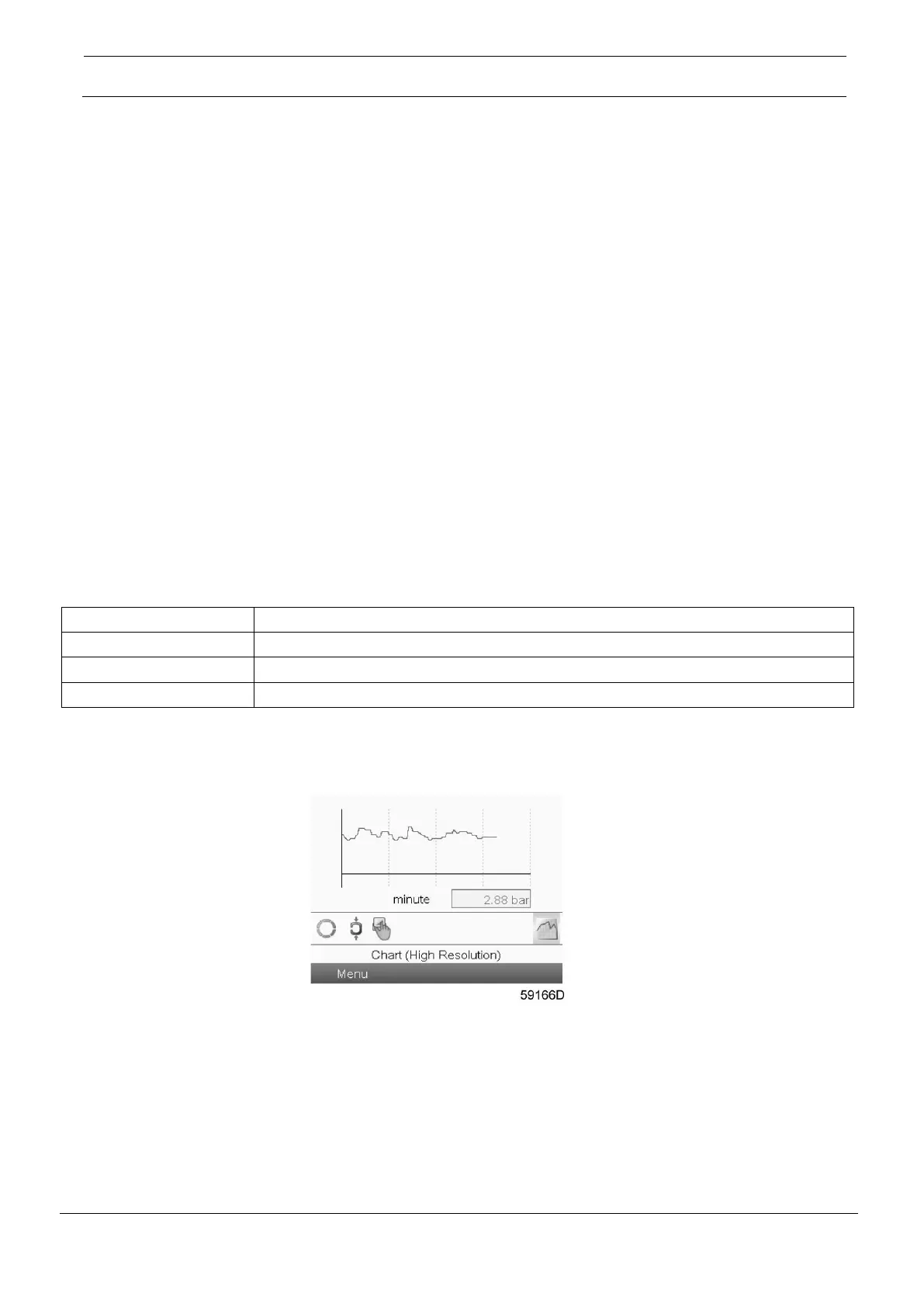
Chart views
When the Chart (High Resolution) is selected, a chart showing the value of a parameter selected in the
Inputs menu per minute is shown on the main screen. Each point in the chart is 1 second. The screen
shows 4 minutes.
The switch button (icon) for selecting other screens is changed into a small Chart and is highlighted (active).





 To Next Page