70 9828 0934 73
or to modify the manual drain time. Select the desired option and press the enter button (2).
• In case the drain test was chosen, the automatic drain will be opened for the time specified in the
manual drain time function.
• In case the manual drain time was chosen, a pop-up window appears. Use the up and down
buttons (1) to modify the value as required.
3.14 Service menu
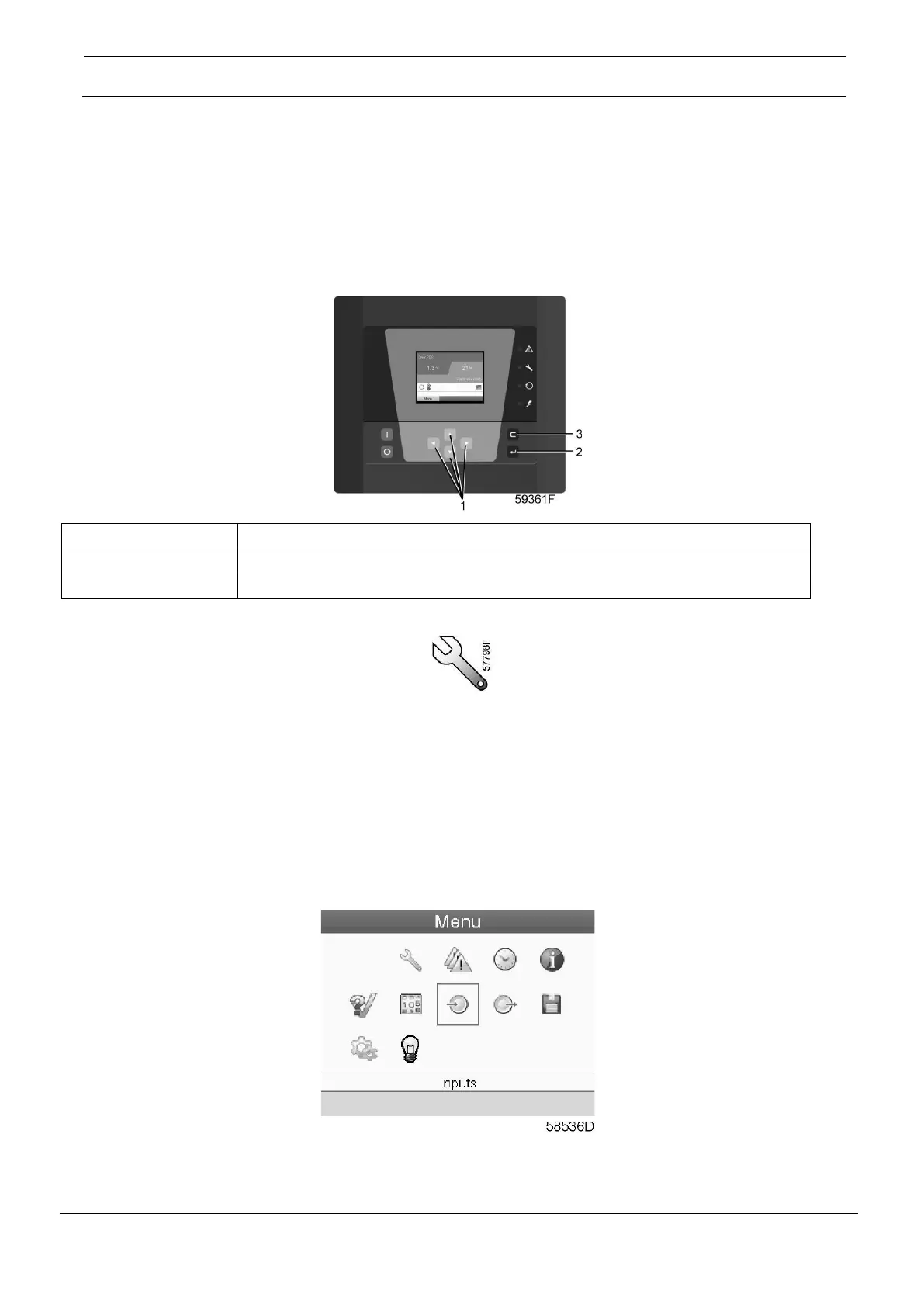
Control panel
Menu icon, Service
Function
• To reset the service plans which are carried out.
• To check when the next service plans are to be carried out.
• To find out which service plans were carried out in the past.
• To modify the programmed service intervals.
Procedure
Starting from the Main screen (see Main screen),
• Move the cursor to the action button Menu and press the Enter key. Following screen appears:
• Using the Scroll keys, move the cursor to the Service icon (see above, section Menu icon).
• Press the Enter key. Following screen appears:





 To Next Page