46 9828 0934 73
Description
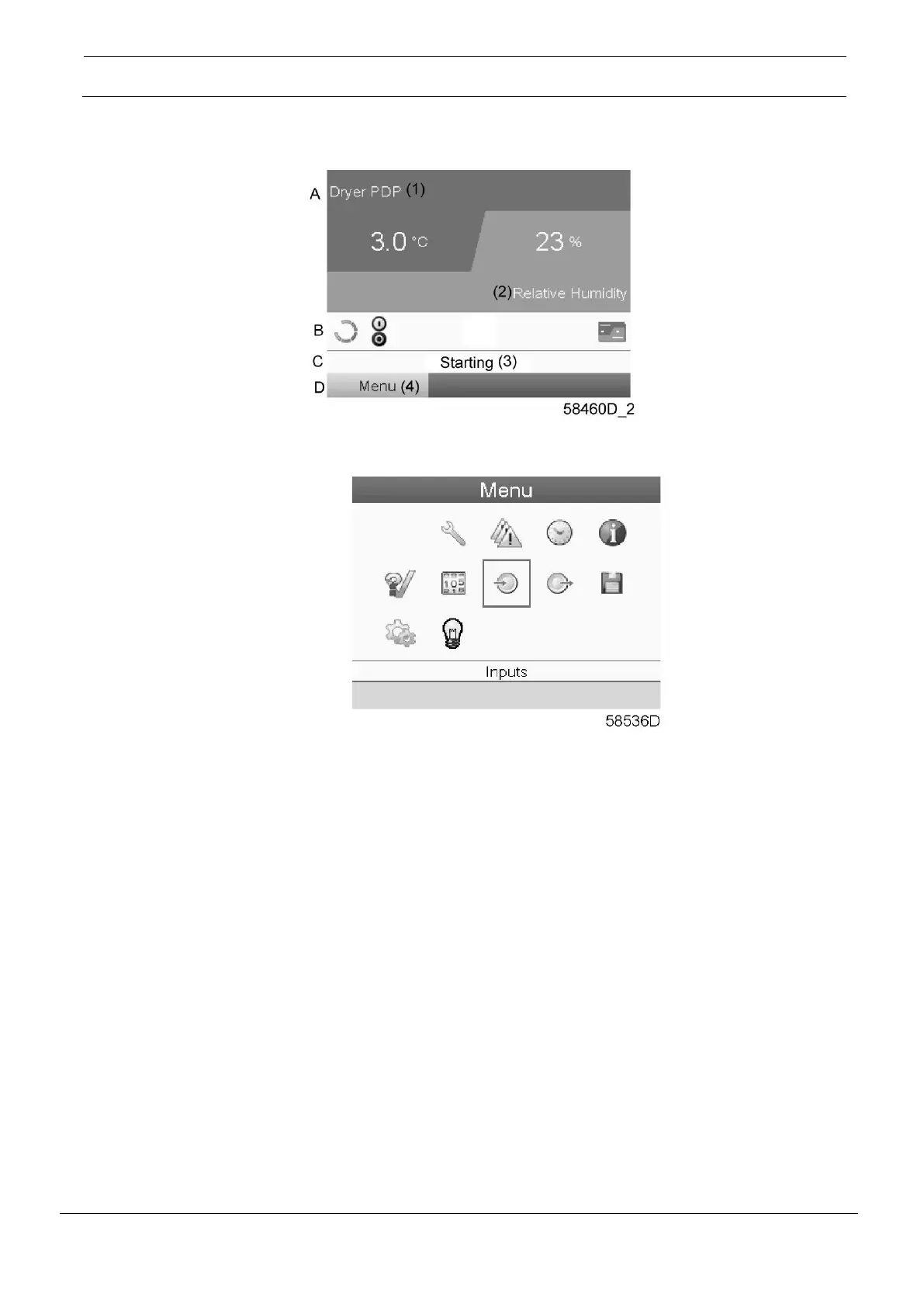
When the voltage is switched on, the main screen is shown automatically (see section Main screen):
• To go to the Menu screen, highlight the Menu button (2), using the Scroll keys.
• Press the Enter key to select the menu. Following screen appears:
• The screen shows a number of icons. Each icon indicates a menu item. By default, the Inputs
icon is selected. The status bar shows the name of the menu that corresponds with the
selected icon.
• Use the Scroll keys to select an icon.
• Press the Enter key (2) to open the menu or press the Escape key (3) to return to the Main screen.





 To Next Page