9828 0934 73 49
Function
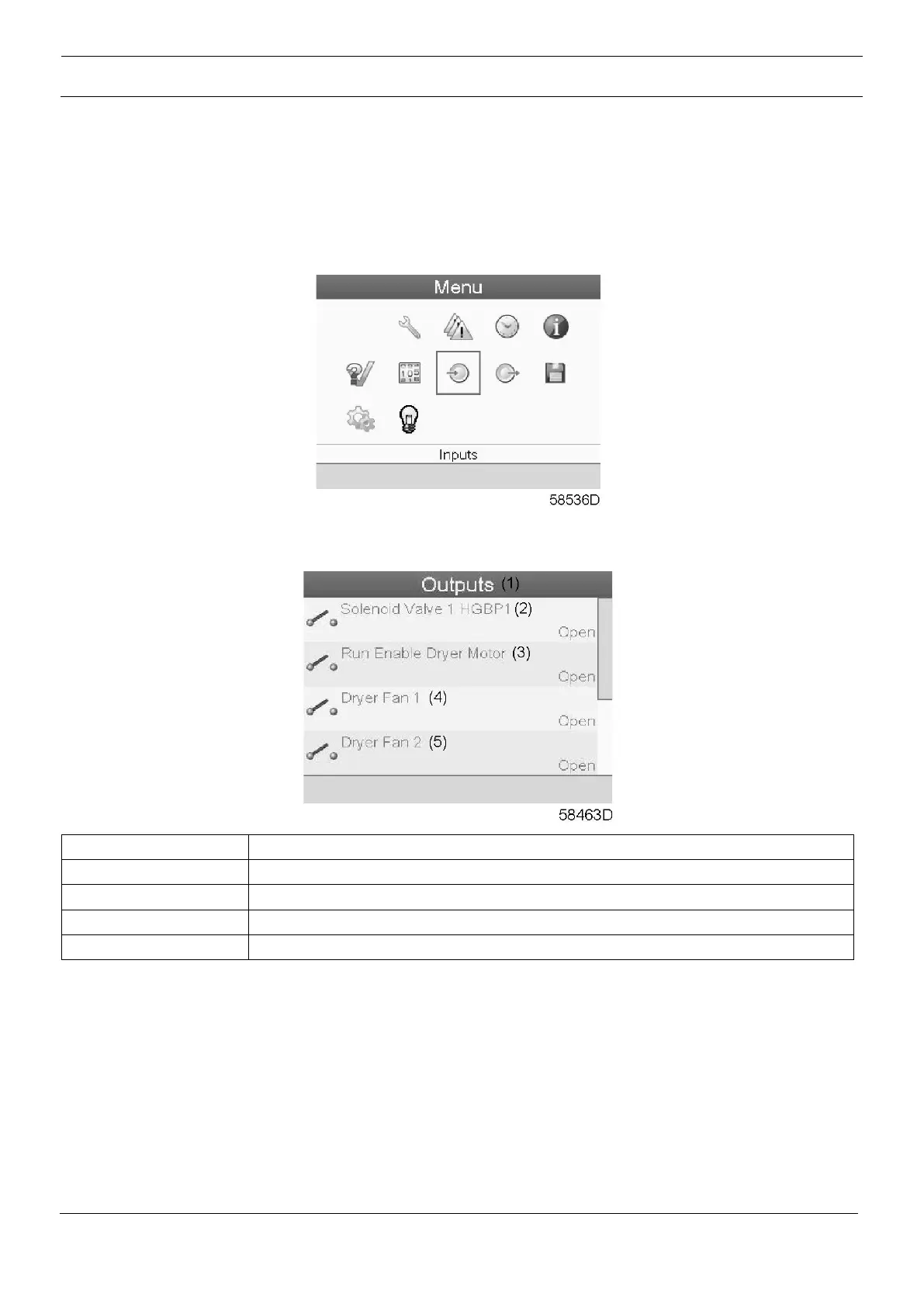
To call up information regarding the actual status of some outputs such as the Solenoid valve, Dryer fan,
etc.
Procedure
Starting from the Main screen (see Main screen),
• Move the cursor to the action button Menu and press the Enter key. Following screen appears:
• Move the cursor to the Outputs icon using the Scroll keys.
• Press the Enter key. A screen similar to the one below appears:
• The screen shows the first items of a list of all outputs with their corresponding icons and
readings. Use the scroll button to see the other items in the list.
• If an input is in warning or shutdown, the original icon is replaced by the warning or shutdown
icon respectively.





 To Next Page