3
True to the Music
Radial Engineering Ltd. SW8-USB™ Owner’s Manual
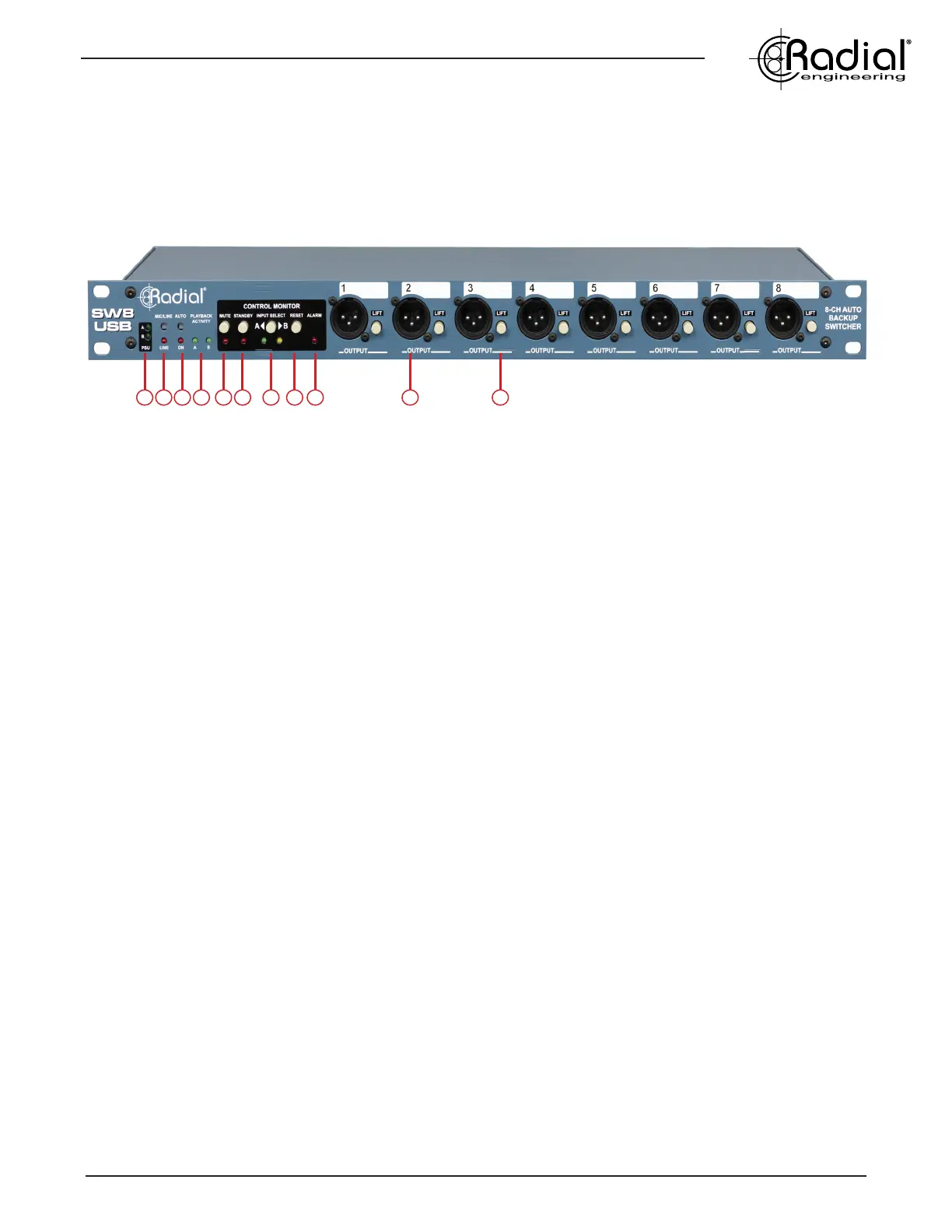
1. PSU A/B: Dual LEDs indicate that the SW8-USB is receiving power from each power supply. Only one connection is
required to power the SW8-USB, the other is provided for redundancy to eliminate loss of power.
2. MIC/LINE: Recessed switch determines whether the front panel XLRs are mic-level or line-level outputs. When set to mic (out
position), the XLR outputs are also transformer-isolated to reduce noise from ground loops. Red LED illuminates when set to line-
level operation.
3. AUTO: Recessed switch determines whether the SW8-USB switching is controlled manually by the user or set to Auto-Switch
mode where the SW8-USB will automatically select the B inputs should a fault be detected on the A side. Press in to engage Auto-
switch mode, the LED below will illuminate.
4. PLAYBACK ACTIVITY: Dual green LEDs illuminate to indicate that the SW8-USB is receiving MTC or tone via SPDIF - depending
on the Auto-Switch Input setting on the rear panel of the SW8-USB. Note that these LEDs will not light to signal audio playback.
5. MUTE: Latching switch with red LED indicator to mute the analog outputs of the SW8-USB. This will silence the XLR outputs, but
signal will still pass through the DB25 and TRS outputs on the rear panel, to allow for local signal monitoring.
6. STANDBY: Latching switch with ashing red LED indicator to direct the SW8-USB to hold on input A when in Auto-Switch mode,
regardless of whether MTC or tone via SPDIF is being received. This feature can also be activated remotely using the optional
JR-2 footswitch (by pressing MUTE on the JR-2).
7. INPUT SELECT: Latching switch allows you to select the active USB inputs. Green LED indicator for USB card A, amber LED
for USB card B. This switch is deactivated when the SW8-USB is in Auto-Switch mode, or when the optional JR-2 footswitch is
connected.
8. RESET: This momentary switch is used after a fault is detected, allowing the SW8-USB to switch back to the A inputs. Always
check that the Playback Activity A LED is illuminated (indicating good MTC or tone via SPDIF is being received) before pressing
this switch. (Used in Auto-Switch mode only)
9. ALARM: Flashing red LED indicator illuminates when a fault is detected on the primary playback computer (A), showing that the
SW8-USB is now playing back from the backup computer (B).
10. XLR OUTPUTS: Analog audio outputs playback from your primary or backup computer depending on the input select assignment.
These will output mic-level or line-level signals depending on the setting of the MIC/LINE switch.
11. GROUND LIFT: Lifts pin-1 on the XLR output to help eliminate hum and buzz from ground loops.
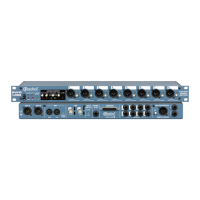
FRONT PANEL FEATURES
1 2 3 4 5 6 7 8 9 10 11


 To Next Page