AP70 Instructions for Use - English
Date: 2020/03 Page 8/14
Indicator guide
3.4 Setup instruction
1. Connect the amplifier to the audiometer with the RCA-XLR cable
2. Connect the audiometer’s and the amplifier’s power plugs to a power socket with ground connection
3. Adjust the audiometer to maximum unclipping output
4. Connect the one speaker plug into the amplifier (without speaker)
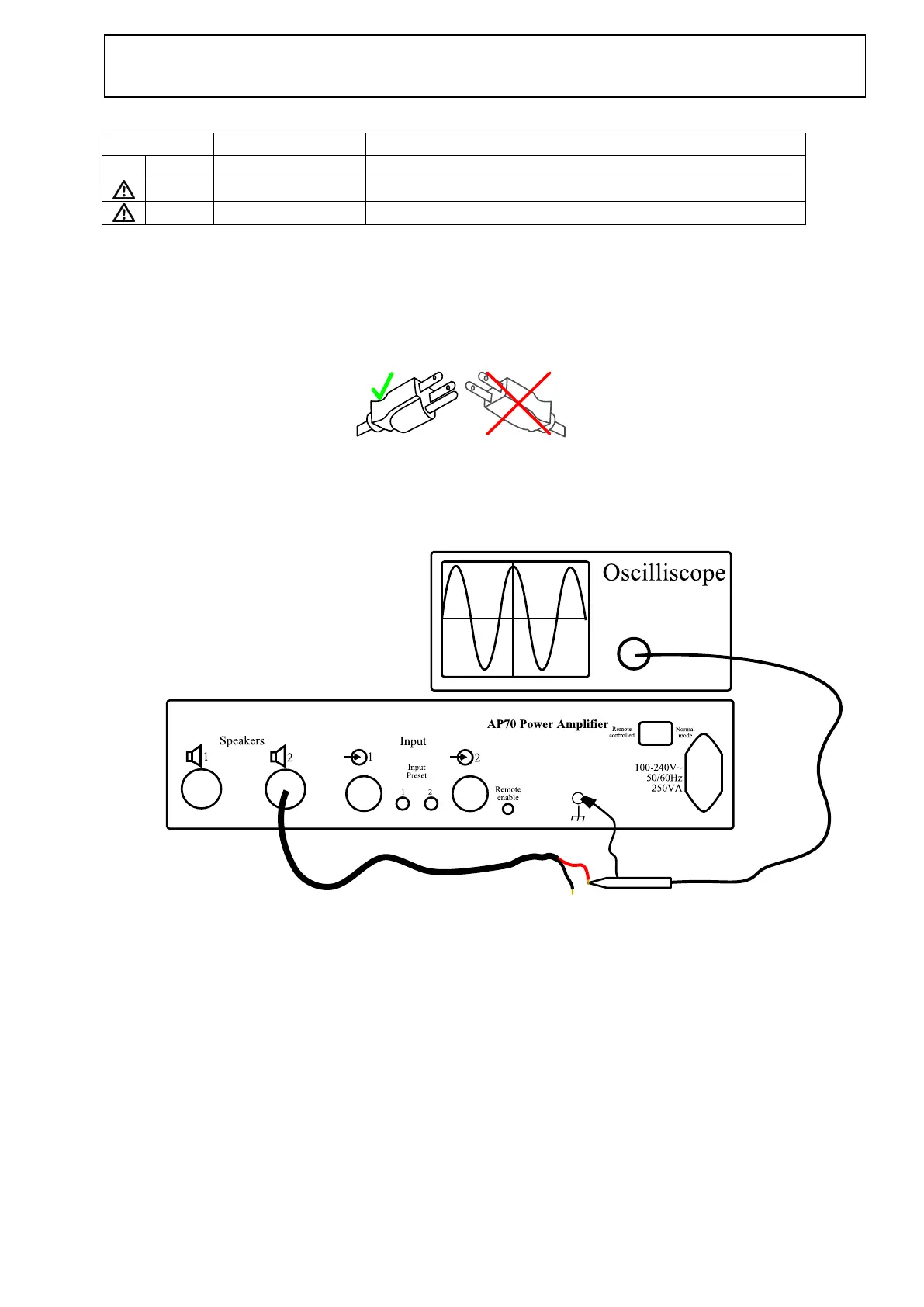
5. Connect an oscilloscope in AC-mode at the one pole at CH 2 speaker cable output.
The measurement of the output must be made between the GND-point and the one pole at the speaker connector,
as shown below.
Do not connect the GND alligator test lead of the oscilloscope to the output of the amplifier, only to the GND
terminal at the amplifier.
Turn off the amplifier, let it cool down and turn it on


 To Next Page
 Loading...