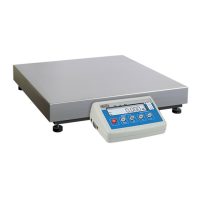
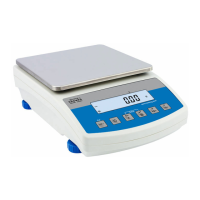
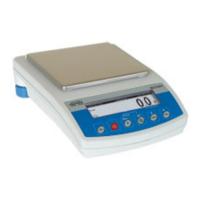
WTC Precision Scale Series
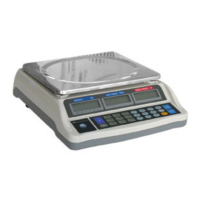
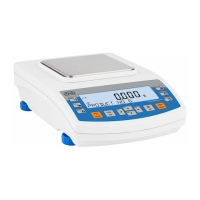
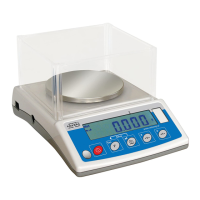
The WTC precision scale series, including models WTC 200, WTC 600, WTC 2000, and WTC 3000, is designed for fast and accurate mass measurements in laboratory environments. These scales are equipped with a stainless steel weighing pan and an anti-draft shield, which are integral components. A backlit LCD display ensures clear visibility of measurement results. An internal battery allows for operation in locations without direct access to mains power.
Technical Specifications
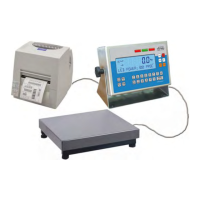
The WTC scale series features several interfaces for connectivity with peripheral devices such as printers, computers, or flash drives. These include:
- RS 232
- USB type A
- USB type B
- Wireless communication (optional)
For detailed technical specifications of specific WTC scale models, refer to the RADWAG website at www.radwag.pl.
Usage Features
Installation and Levelling:
- Unpack the device and place it on a flat, even surface, away from heat sources.
- Install the weighing pan and draft shield as illustrated in the manual.
- To level the instrument, turn its feet until the air bubble in the level indicator takes a central position (level - OK).
Power and Warm-Up:
- Connect the scale to the mains using only the power supply provided with the specific model. Ensure the nominal voltage of the power supply matches the mains nominal voltage.
- Plug the power supply into the socket at the back of the scale housing.
- Press the power key (on/off) for approximately 1 second to switch on the device.
- Upon startup, the display performs a test, shows the program name and number, followed by a ZERO indication with the reading unit.
- If the weighing result is not zero after stabilization, press the
+0+ key.
- For correct operation, the workroom temperature should be between +15°C and +30°C.
- A warm-up time of 30 minutes is required for thermal stabilization. During this period, indications on the screen may change.
- Adjustment operations should only be performed when the device is thermally stable.
- Temperature and humidity variations can cause indication errors, which can be corrected by performing user adjustment.
Battery Management:
- The scale is equipped with an internal battery, and its charge status is indicated by a pictogram in the top bar of the display.
- No pictogram: Battery charged, regular scale operation.
- Continuously displayed pictogram: Low battery, scale is about to shut down. Charge immediately.
- Blinking pictogram (approx. 1s frequency): Battery charging in progress. Device is connected to power supply.
- Blinking pictogram (approx. 0.5s frequency): Battery error, battery is damaged.
- To check the battery charge status, press the
Esc F and →T+ keys simultaneously. The status (e.g., "80%" for power given in percentage, or "CHARGE" for charging in progress) will be displayed for 2 seconds.
- An "-Err5-" message indicates a battery error or damaged battery.
Weighing Operations:
- Load the weighing pan steadily, avoiding mechanical shocks.
- Place loads centrally on the weighing pan to minimize eccentricity errors.
- Do not apply concentrated force (total load in one point).
- Avoid side loading, especially side shocks.
- Read the result when the stability marker is displayed.
- To ensure long-term operation and accurate mass measurements, adhere to the guidelines provided in the manual.
Operation Panel and Menu Navigation:
The operation panel includes several keys for various functions:
- Power key: Switches the device on/off (hold for ~1 second).
Esc F (Function key): Changes the working mode.@ key: Sends the weighing result to a printer or computer.+0+ key: Zeros the scale.→T+ key: Tares the scale.
Some key combinations change the functions of given keys:
Esc F + @: Enters the main menu.A -0- + →T+: Enters tare manually, enters tare from tare database, changes value by 1 digit up, scrolls the menu up.Esc F + →T+: Checks battery/accumulator state.Esc F + +0+: Views date/time.A -0-: Scrolls the menu down, changes current parameter value.→T+: Enters given submenu, modifies given parameter.@: Confirms modification.Esc F: Exits, function remains unmodified, moves one menu level up.- Menu modifications are automatically saved upon returning to the home screen. To return to the home screen, press the
Esc F key repeatedly.
Maintenance Features
Safety Precautions:
- Before any installation, use, or maintenance, carefully read and follow the user manual.
- Use the weighing device only as intended.
- Disconnect the device from the mains before cleaning to ensure safety.
- Cleaning the weighing pan while it is still installed may damage the measuring system.
- Do not operate the WTC scale in hazardous areas with explosion risk from gases or in dusty environments.
- In case of damage, immediately unplug the device from the mains.
- Scales to be decommissioned must be handled according to valid legal regulations.
- Avoid prolonged storage of the device in low temperatures with a discharged battery.
- Worn-out batteries must be replaced only by the manufacturer or authorized service.
- Accumulators are not regular household waste and must be collected and disposed of separately for recycling. Symbols (Pb = lead, Cd = cadmium, Hg = mercury) identify harmful compounds. Users are obliged to dispose of worn-out batteries as regulated.
Cleaning Procedures:
- ABS Components: Use clean, non-coloring cloths (cellulose or cotton) with a solution of water and detergent (soap, dishwashing detergent, glass cleaner). Gently rub and let dry. For stubborn contamination (adhesives, rubber, resin, polyurethane foam), use special cleaning agents based on aliphatic hydrocarbons that do not dissolve plastics. Test cleansers on a small area first. Do not use abrasive substances.
- Stainless Steel Components: Avoid corrosive chemicals (e.g., bleach, chlorine) and abrasive substances. Use a microfiber cloth to remove dirt. For daily maintenance, use a cloth dipped in warm water, optionally with a little dishwashing detergent.
- Powder-Coated Components: For preliminary cleaning, use running water or a wet sponge with large holes to remove loose, heavy dirt. Do not use abrasive substances. Then, use a cloth with a cleanser-water solution (soap, dishwashing liquid) to gently rub the surface. Ensure a large amount of water mixed with cleanser is used to avoid damaging the surface.
- Aluminium Components: Use acidic products like spirit vinegar or lemon. Avoid abrasive substances and hard brushes to prevent scratches. Use a microfiber cloth and circular movements for polishing. Finish with a clean, dry cloth for shine.
Service and Repair:
- In case of any damage, immediately disconnect the device from the mains. The damaged component must be replaced or repaired directly by RADWAG service.
- The user is strictly prohibited from carrying out any repairs or modifications to the device. Any unauthorized attempts will void manufacturer-issued certificates, declarations, and warranty.
- For problems with scale operation, contact the closest manufacturer's service point. If the product cannot be delivered, call the service to report the defect, and the repair scope and method will be determined.
Recycling:
- WTC scales must be recycled and should not be treated as regular household waste. Decommissioning must comply with valid legal regulations.
Warranty Conditions:
- RADWAG is responsible for repairing or exchanging faulty elements due to production or construction defects.
- Defining defects of unclear origin requires assistance from both manufacturer and user representatives.
- RADWAG is not responsible for damages or losses from unauthorized or inadequate production or service processes.
- The warranty does not cover:
- Mechanical damage from unintended product exploitation, thermal/chemical damage, damage from lightning or power network overvoltage, or other random events.
- Inappropriate cleaning habits.
- The warranty is void if:
- Repairs are carried out outside a RADWAG authorized service point.
- Unauthorized persons intrude into the mechanical or electronic construction.
- The device lacks company security stickers.
- The warranty period for rechargeable batteries is 12 months.
- For detailed warranty conditions, refer to the warranty certificate.
- Contact central authorized service at +48 (48) 386 63 30.
Error Messages
The manual provides a list of error messages and their corresponding causes and solutions:
- -Err2-: Value beyond zero range.
- -Err3-: Value beyond tare range.
- -Err4-: Adjustment weight or start mass out of range (±1% for adjustment weight, ±10 for start mass).
- -Err5-: Battery error, battery is damaged.
- -Err8-: Time of operations (taring, zeroing, start mass determining, adjustment) exceeded.
- -null-: Zero value from converter.
- -FULL-: Weighing range exceeded.
- -LH-: Start mass error, indication out of range (±10% of start mass).
- -Hi-: Display range of total mass on scale display exceeded in 'Totalizing' mode.
- -uLo-: Too low battery charge, scale is about to shut down.
- -Err Lo-: Determined mass of single part in 'Parts counting' mode too small; Value of 'Min' threshold greater than 'Max' threshold in '+/- control' mode.
- -Err Hi-: Entered value of single part greater than maximum capacity in 'Parts counting' mode; Entered value of 'Max' threshold greater than maximum capacity in '+/- control' mode; Entered reference mass greater than maximum capacity in 'Percent weighing' mode.


 To Next Page

 General