EasyManua.ls Logo

RADWAG WLC/A2 - User Manual

RADWAG WLC/A2
54 pages
Print Icon
To Next Page IconTo Next Page
Loading...
WLC
USER MANUAL
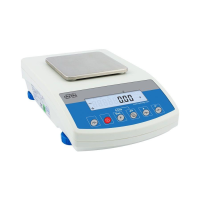
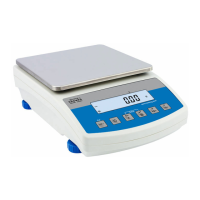
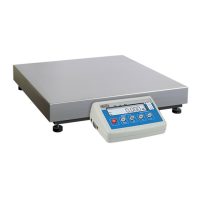
WLC/A1/C/2 Precision Scale
WLC/A2/C/2 Precision Scale
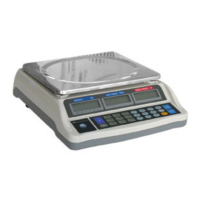
WLC/A2 Precision Scale
ITKU-105-08-11-18-EN

Table of Contents

Questions and Answers

  • Z
    Zoe WrightAug 4, 2025
    What to do if RADWAG Scales do not switch on?
    • C
      Christopher KingAug 5, 2025
      If your RADWAG Scales don't switch on, it could be due to a discharged battery. Try connecting the scale to the mains to charge the battery. Alternatively, the issue might be due to missing or incorrectly installed batteries. Ensure the batteries are installed correctly, paying attention to the correct polarization.
  • L
    Linda LeeAug 9, 2025
    Why do RADWAG Scales switch off automatically?
    • J
      Jill AlvarezAug 9, 2025
      If your RADWAG Scales are automatically switching off, it's likely due to the parameter being set to a value that enforces shutdown after a specific time. To resolve this, navigate to the 'Othr' menu and set the parameter to 'nonE'.
  • K
    Kathleen GuerreroAug 13, 2025
    What to do if my RADWAG WLC/A2 Scales fail to start?
    • J
      jenniferwrightAug 14, 2025
      If your RADWAG Scales fail to start, there are several possible causes: * The power supply may be disconnected. Connect the power supply to the scale. * The battery may be discharged. Connect the power supply to the mains to charge the battery. * There might be no battery installed, or it might be installed incorrectly. Check if the battery is installed correctly, paying attention to the polarization.
  • K
    Kristen ClarkAug 17, 2025
    Why is there no printout from my RADWAG Scales connected printer?
    • A
      Amber McneilAug 17, 2025
      If you are not getting any printouts from your RADWAG Scales connected printer, consider the following: * The printer port might be set incorrectly in the parameter. To fix this, go to the submenu and set the correct parameter value. * The transmission parameters for the selected printer port could be incorrect. Access the menu and adjust the transmission parameters for the selected printer port. * There might be no variable declared in the weighing printout project. Enter the submenu and declare the variables that you want to be printed.
  • E
    Elizabeth FischerAug 22, 2025
    What to do if the displayed mass unit on RADWAG WLC/A2 doesn't match the data plate?
    • C
      Christy CarpenterAug 22, 2025
      If the displayed mass unit on your RADWAG Scales does not comply with the scale data plate, it could be due to: * A changed scale start unit in the parameter. To correct this, enter the submenu and set the unit to comply with the scale data plate. * A changed custom unit in the parameter. To fix this, enter the submenu and set the unit to comply with the scale data plate.
  • J
    jamessmithAug 26, 2025
    How to fix communication issues with the additional display on RADWAG WLC/A2 Scales?
    • J
      Jared LopezAug 26, 2025
      If you are experiencing communication issues with the additional display on your RADWAG Scales, consider the following: * The additional display port might be set incorrectly in the parameter. To resolve this, enter the < P5.ducE / 5.3.AdSP> submenu and set the correct parameter value. * The transmission parameters for the selected computer port could be incorrect. Enter the menu and set the correct transmission parameters for the selected additional display port.
  • S
    Shawn Salazar DDSAug 30, 2025
    What to do if RADWAG Scales display 'LH' during start-up?
    • D
      Daniel HayesAug 30, 2025
      If your RADWAG Scales display the message 'LH' during start-up, it means the weighing pan was loaded during the start-up. Unload the weighing pan to display zero indication.

Summary

GENERAL INFORMATION AND SAFETY

PRECAUTIONS AND WARRANTY

Essential safety precautions, battery handling, and warranty conditions.

START-UP AND BASIC OPERATION

MAINTENANCE AND CLEANING

OPERATION PANEL AND KEYS

WEIGHING OPERATIONS

SCALE ADJUSTMENT

SCALE PARAMETERS

COMMUNICATION AND DATA TRANSFER

PRINTOUTS AND REPORTS

WORKING MODES OVERVIEW

SPECIFIC WORKING MODES

WEIGHING MODE

Details the standard weighing mode and its specific local settings.

PARTS COUNTING MODE

Explains the parts counting mode and its setup, including sample mass determination.

+;- CONTROL MODE

Covers the checkweighing mode for setting Min/Max limits.

PERCENT WEIGHING MODE

Explains comparing loads to a reference sample.

PEAK HOLD MODE

Explains capturing maximum force during weighing.

TOTALIZING MODE

Explains the totalizing mode for summing multiple weighing results.

ANIMAL WEIGHING MODE

Details the mode for weighing unstable subjects like animals.

DATA MANAGEMENT AND EXPORT

INPUTS AND OUTPUTS SETUP

TROUBLESHOOTING AND ERROR MESSAGES

SOLVING COMMON PROBLEMS

Offers solutions for common problems like power issues or scale switching off.

UNDERSTANDING ERROR MESSAGES

Lists and explains various error messages displayed on the scale.

RADWAG WLC/A2 Specifications

General IconGeneral
Readability0.01 g
Pan Size195 x 195 mm
CalibrationExternal
DisplayLCD (backlit)
CommunicationRS 232
Power Supply100 - 240 V AC 50 / 60 Hz
Repeatability0.01 g
Stabilization Time3 s
Operating Temperature+15°C - +30°C

Related product manuals