Setting the Date and Time Chapter 6
RADWIN 1000/2000/5000 User ManualVersion 2.5.30p3 6-8
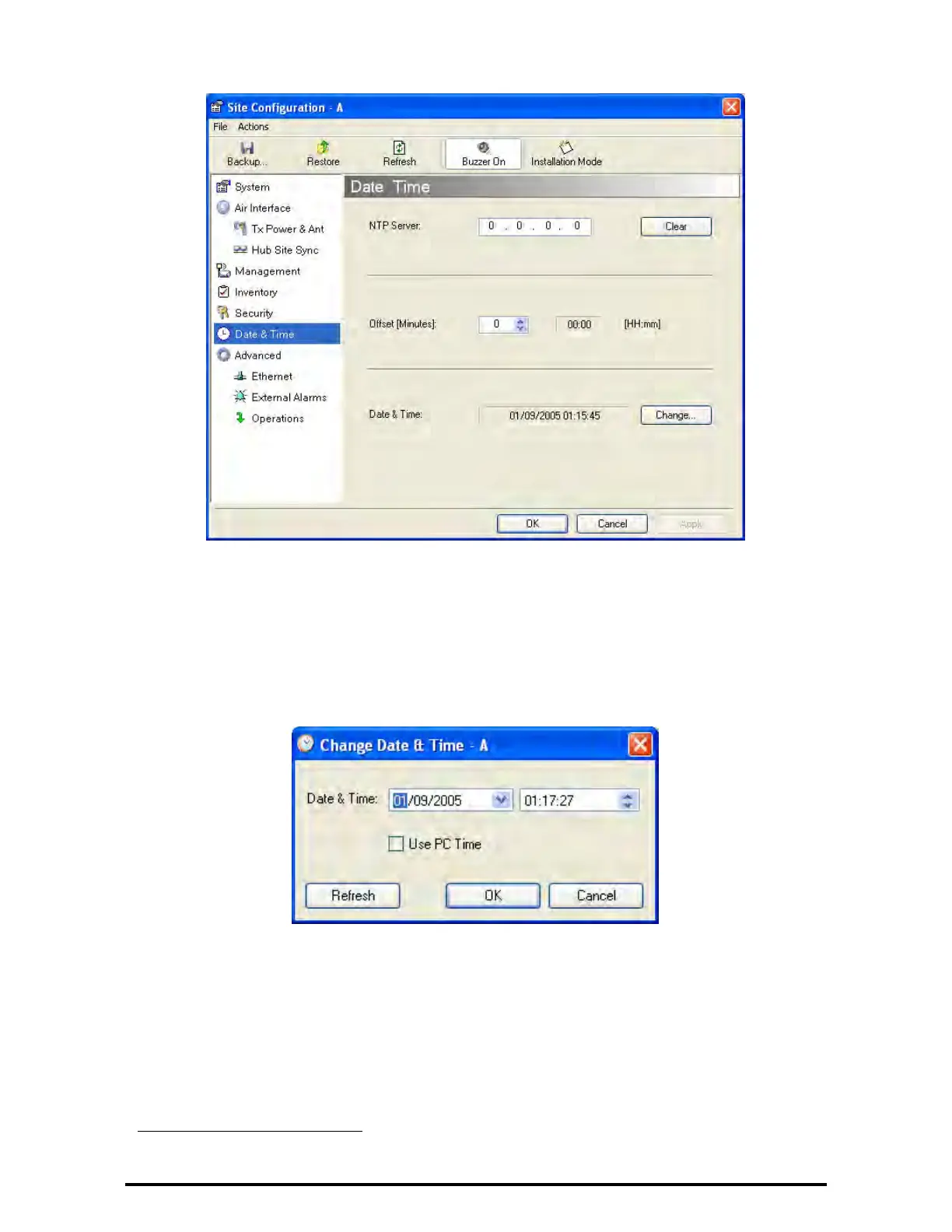
Figure 6-6: Date and Time Configuration
5. If entering an IP address for the NTP Server, click Clear, and then enter
the new address.
6. Set your site Offset value in minutes ahead or behind GMT
1
.
7. To manually set the date and time, click Change and edit the new values.
Figure 6-7: Change Date and Time
If you used an NTP Server, you will see a window like this:
1. Greenwich Mean Time


 To Next Page
 Loading...