EasyManua.ls Logo

Radwin 2000 Series - User Manual

Radwin 2000 Series
446 pages
Print Icon
To Next Page IconTo Next Page
Loading...
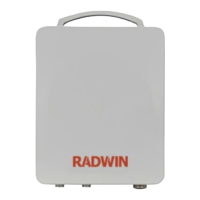
RADWIN 2000
Broadband Wireless Transmission System
USER MANUAL
RELEASE 2.6.40
UM 2000-2640/07.11
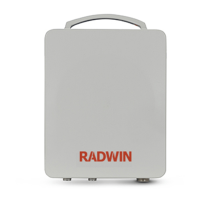
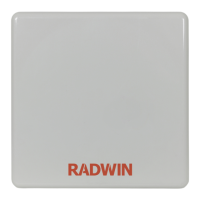
RADWIN 2000 C-Series PtP Radios :
RW-2049-0200, RW-2050-0100, RW-2050-0200, RW-2954-0100,
RW-2954-0200
RADWIN 2000 B-Series PtP Radios:
RW-2049-B350, RW-2050-B350, RW-2954-B350
RADWIN IDUs:
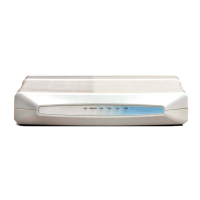
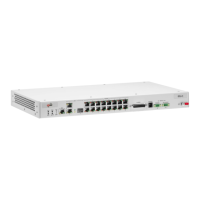
RW-7216-2000, RW-7208-2000, RW-7204-2000, RW-72000-2000
Information in this User Manual refers to these products:

Questions and Answers

  • Y
    Yolanda VasquezAug 16, 2025
    How to fix 'No signal' on Radwin 2000 Microphone system?
    • S
      smithjamieAug 16, 2025
      To address a 'No signal' issue with your Radwin Microphone system: First, complete the installation procedure using the RADWIN Manager. Next, verify the antenna alignment. Finally, ensure that the radio configuration (channel settings and Link ID) is identical on both site A and site B units.
  • M
    Michelle LeeAug 19, 2025
    What to do if Radwin 2000 Microphone system has a weak signal?
    • Y
      ymooreAug 19, 2025
      To resolve a 'Weak signal received' issue on your Radwin Microphone system, check the antenna alignment and reconfigure the link. Also, ensure the alignment tone sounds the Best Signal sequence.
  • E
    edward07Aug 22, 2025
    Why is the AIR I/F Red on my Radwin 2000?
    • R
      Robert HarperAug 22, 2025
      If the AIR I/F indicator on your Radwin Microphone system is red, first check the antenna alignment. Then, verify that the radio configuration, specifically the Channel and Link ID, is the same for both site A and site B units.
  • L
    loriprattAug 26, 2025
    What does 'SVC Orange Red Off' mean on Radwin 2000?
    • C
      Christopher PrattAug 26, 2025
      If the SVC indicator on your Radwin Microphone system displays Orange Red Off, it means an alarm has been detected at the Site B interface, or a Local or Remote loopback Alarm has been detected at the Site A interface Ethernet only IDU, or E1/T1 is not configured.
  • K
    Kaitlyn BaileyAug 28, 2025
    What does HSS Red Orange mean on Radwin Microphone system?
    • L
      Lauren DuncanAug 28, 2025
      If the HSS indicator on your Radwin Microphone system is showing Red Orange, it indicates that the HSS is not operational due to improper signal detection. This could mean: 1. The ODU is not transmitting. 2. The ODU is a master generating and detecting signals. 3. The ODU is a master generating signals but detecting improper signals. 4. The ODU is a client in “Continue Tx” mode but not detecting signals. 5. The ODU is a client in “Disable Tx” mode and detecting signals from multiple sources.
  • M
    Mrs. Mary OconnorAug 31, 2025
    What to do if AIR I/F is Orange on Radwin 2000 Microphone system?
    • S
      stephanie77Aug 31, 2025
      If the AIR I/F indicator on your Radwin Microphone system is orange, complete the installation procedure from the RADWIN Manager.
  • M
    Melinda LawrenceSep 3, 2025
    What does STBY Red Orange indicate on Radwin 2000?
    • G
      Gabriela HarperSep 3, 2025
      If the STBY indicator on your Radwin Microphone system shows Red Orange, it means: 1. The MHS mode is Primary, and the Link state is not active. 2. The MHS mode is Secondary, and the Link state is active.
  • C
    cbanksSep 6, 2025
    Why is ODU Red on my Radwin 2000 Microphone system?
    • B
      Bradley ClarkSep 6, 2025
      If the ODU indicator on your Radwin Microphone system is red, check that the IDU/ODU cable is properly wired and connected.
  • S
    Sandra GarciaSep 9, 2025
    Why is IDU Red on my Radwin 2000?
    • M
      Michelle HumphreySep 9, 2025
      If the IDU indicator on your Radwin Microphone system is red, check that the IDU/ODU cable is properly wired and connected.
  • M
    Michael RoseSep 12, 2025
    What to do if Radwin Microphone system shows 'PWR Off'?
    • J
      John HansenSep 12, 2025
      If your Radwin Microphone system displays 'PWR Off', check that power is connected to the IDU.

Summary

Chapter 2 Site Preparation

The Site Survey

Introduces the site survey process and recommended equipment.

Chapter 3 Hardware Installation

Safety Practices

Details safety precautions for RF energy, grounding, and lightning protection.

Outdoor installation

Covers preparing and mounting ODUs and external antennas.

Indoor Installation

Describes the installation process for IDU-E and IDU-C units.

Chapter 4 Getting Started with the RADWIN Manager

Getting Started with the RADWIN Manager

Explains how to start the RADWIN Manager and establish connectivity.

The RADWIN Manager log-on Concept

Describes user types, default passwords, and the log-on procedure.

Chapter 5 Installing the Link

Setting Monitored Hot Standby Mode

Explains how to install and use the Hot Standby feature.

Chapter 6 The RADWIN Manager: Main Window

The Monitor pane

Details the real-time performance information displayed in the monitor pane.

Chapter 7 Configuring the Link

Step 2, System Parameters

Details configuration of system parameters like Link ID and Site details.

Step 3, Channel Settings

Explains how to configure channel settings, including Automatic Channel Selection.

Step 4, Tx Power and Antenna Settings

Covers configuration of transmission power, antenna type, and MIMO/Diversity modes.

Step 5, Hub Site Synchronization Settings

Describes the configuration of Hub Site Synchronization (HSS) settings.

Step 6, Services

Guides on selecting services and configuring transmission ratio for asymmetric allocation.

Step 7, TDM Clock Configuration

Details the configuration of TDM clock parameters.

Chapter 8 Site Configuration

Editing the Configuration Parameters by Site

Details the functions available for editing site parameters.

Changing the Transmit Power

Guides on how to change the transmit power level for each site.

Site Management: IP Address, VLAN and Protocol

Covers configuration of IP address, VLAN, and protocols for ODUs.

Configuring VLAN Settings

Explains how to enable VLAN management for traffic separation.

Security Features

Details security features including Link Password and SNMP Community strings.

Changing the Link Password

Guides on changing the link password for security.

Link Lock Security Feature

Explains the Link Lock feature for preventing unauthorized ODU usage.

Ethernet Properties

Covers ODU mode (Hub/Bridge) and bridge configuration.

VLAN Tagging for Ethernet Service: Configuration

Explains VLAN tagging for Ethernet service in ODU and IDU modes.

Chapter 9 Monitoring and Diagnostics

Retrieving Link Information (Get Diagnostics)

Details how to collect and save link and manager information for diagnostics.

TDM Loopbacks

Describes how to activate internal and external loopbacks for TDM connection testing.

Local Line Loopback

Explains how to test local E1/T1 ports and their connection to user equipment.

Remote Reverse Loopback

Describes how to test connection between local and remote units and user equipment.

Reinstalling and Realigning a Link

Covers the procedure for reinstalling a link if ODUs need realignment.

Troubleshooting

Provides tables for troubleshooting LED fault indications and system symptoms.

Replacing an ODU

Guides on replacing an ODU, ensuring software version consistency.

Chapter 10 Hub Site Synchronization

What is Hub Site Synchronization?

Explains how Hub Site Synchronization (HSS) prevents interference in collocated sites.

Connecting an HSS Unit

Provides instructions for connecting ODUs to an HSS unit.

Chapter 11 Using the RADWIN GSU

Typical GSU Scenarios

Illustrates scenarios for GSU usage in independent and communicating distributed sites.

GSU Redundancy

Details the GSU's design for redundancy and improving robustness.

Configuring the GSU

Explains how to configure the GSU through the RADWIN Manager.

Site Configuration: GPS Sync Unit

Details setting the RFP for HSS and configuring the GSU.

Site Configuration: Management

Covers setting the GSU IP address, subnet mask, and trap addresses.

Chapter 12 Monitored Hot Standby Installation Procedure

What is a RADWIN Monitored Hot Standby

Defines RADWIN Monitored Hot Standby (MHS) as a duplicated link setup.

What RADWIN MHS provides

Details redundancy and backup features for TDM services.

Air-Interface Protection

Covers unique RADWIN air-interface protection and channel selection.

Maintaining a RADWIN MHS Link

Provides procedures for IDU and ODU replacement in an MHS link.

IDU Replacement

Details the steps for replacing IDUs in an MHS link, considering different situations.

ODU Replacement

Guides on pre-configuring and replacing ODUs in an MHS link.

Switching Logic

Explains the logic for switching between primary and secondary links.

Switching from Primary Link to Secondary Link

Describes the process of switching from the primary to the secondary link.

Switching back from the Secondary to the Primary Link

Details the procedure for switching back to the primary link.

Chapter 13 The RADWIN Ethernet Ring

Protection Switching

Explains how protection switching occurs upon ring failure and restoration times.

Using RADWIN Manager to Set up a Ring

Guides on creating a ring using RADWIN Manager in two stages.

Chapter 14 VLAN Functionality with RADWIN 2000

VLAN Configuration Using the RADWIN Manager

Guides on configuring VLANs using the RADWIN Manager.

Chapter 15 Software Upgrade

Upgrading an Installed Link

Details the procedure for upgrading software for a link.

Chapter 16 FCC;IC DFS Installation Procedure

FCC;IC 5.4;5.3 GHz Links: Background

Provides background on FCC/IC regulations for 5.4/5.3 GHz links and DFS.

FCC;IC 5.4;5.3 GHz Link Activation

Guides on activating FCC/IC 5.4/5.3 GHz links using RADWIN Manager.

FCC;IC 5.4;5.3 GHz Link Configuration

Details the configuration procedure for FCC/IC 5.4/5.3 GHz links.

Chapter 19 Preloading an ODU with an IP Address

Chapter 20 Link Budget Calculator

Calculations

Provides formulas for EIRP, Expected RSS, Fade Margin, and Range.

Chapter 21 Changing the Factory Default Band

The procedure

Details the step-by-step procedure for changing the factory default band.

Chapter 22 Quick Install Mode

Using Quick Install

Details how to suspend service traffic and enter Installation mode using Quick Install.

Chapter 23 Spectrum View

Running Spectrum View in Installation Mode

Guides on launching Spectrum View and obtaining a spectrum analysis.

Chapter 24 BRS;EBS Considerations

Setting up a BRS;EBS link using RADWIN 2000 2.5 GHz Band

Guides on setting up a BRS/EBS link by choosing appropriate channel bandwidth.

Chapter 25 Quality of Service

Setting up QoS

Guides on defining QoS settings using Installation or Configuration wizards.

Chapter 26 Using the Web Interface

Logging on

Guides on how to log on to the Web Interface using IP address and credentials.

Using the Configuration Wizard

Guides on configuring a link using the Web Interface Configuration Wizard.

Appendix A Technical Specifications

ODU

Provides technical specifications for the Outdoor Unit (ODU), including capacity, range, and modulation.

IDU

Lists specifications common to IDU-C and IDU-E, with differences highlighted.

Appendix C Small Form-factor Pluggable Transceiver

Appendix D MIB Reference

Trap Parameters

Provides a table of MIB trap messages, their severity, and descriptions.

Appendix F RF Exposure

Safety Distances for RADWIN 2000 FCC and IC Products

Specifies minimum separation distances for FCC and IC products.

Appendix G Regional Notice: French Canadian

Mise à la terre

Details grounding requirements for RADWIN products during operation.

Précautions de sécurité pendant le montage de ODU

Provides safety precautions during ODU mounting on poles or walls.

Radwin 2000 Series Specifications

General IconGeneral
BrandRadwin
Model2000 Series
CategoryMicrophone system
LanguageEnglish

Related product manuals