12
Options and Special
Features
Install Batteries
The ESP-RZXe can keep Date and Time if batteries
are installed for backup.
NOTE: Your programming is stored in Non-
Volatile memory and will remain in the controller
even if batteries are not installed.
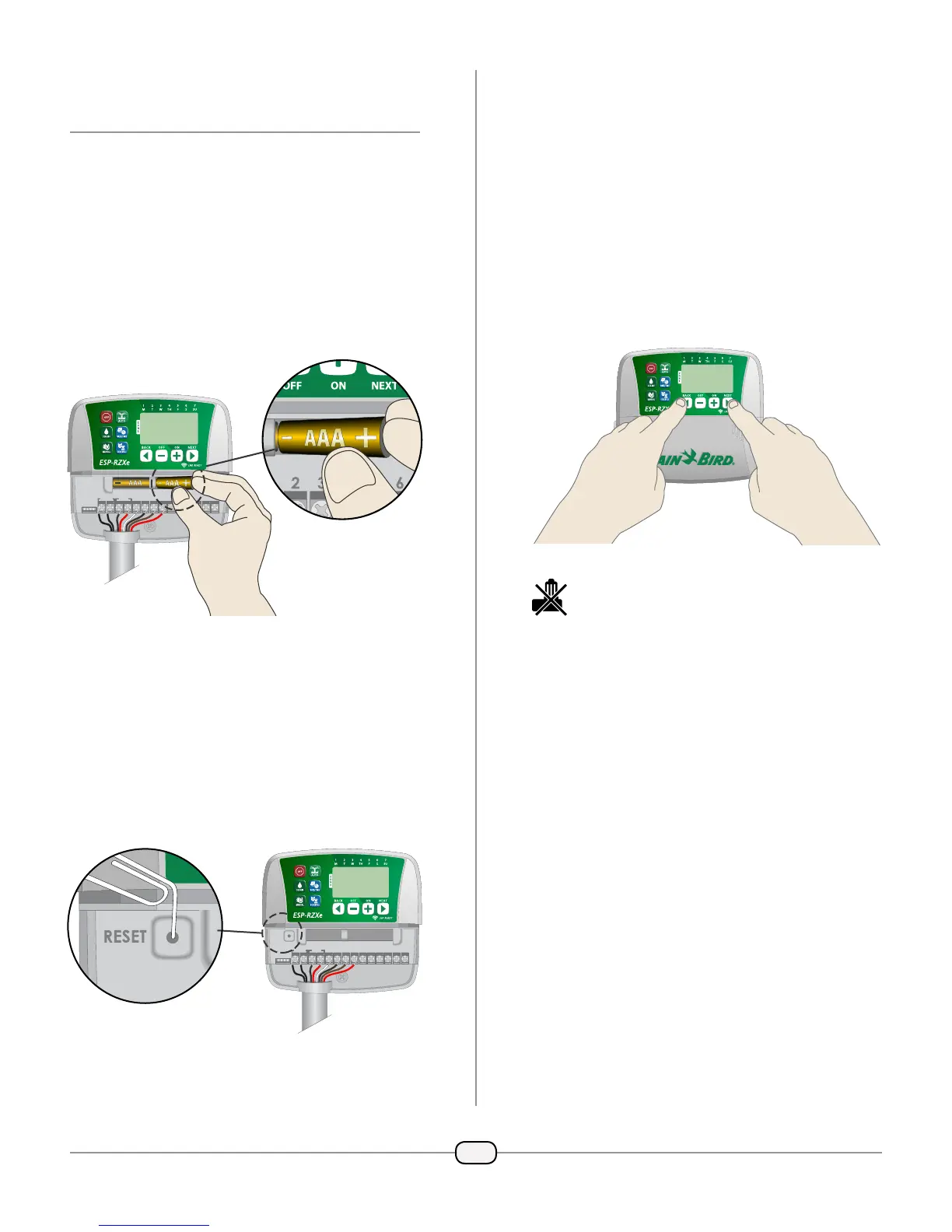
Insert two AAA batteries into the battery slot
above the terminal block, as shown below.
REMOTE
24VAC SENS
12345678CM
ACCESSORY
Reset Button
If the controller is not working properly, you can
try pressing RESET.
NOTE: All previously programmed watering
schedules will remain stored in memory, but the
current Date/Time will need to be set again.
Insert a small tool such as a paper clip, into the
access hole and press until the controller is reset.
REMOTE
24VAC
ACCESSORY
SENS
12345678CM
RESET
Rain Sensor Bypass
The controller can be set manually to either OBEY
or IGNORE a Rain Sensor.
NOTE: Rain Sensor Bypass settings cannot be
changed while the controller is irrigating.
Set Bypass for All Zones
Press the AUTO key.
Press and release both BACK and NEXT keys
at the same time to toggle between OBEY and
IGNORE.
The NO RAIN SENSOR symbol will show on the
display when IGNORE is selected.



 To Next Page
 Loading...