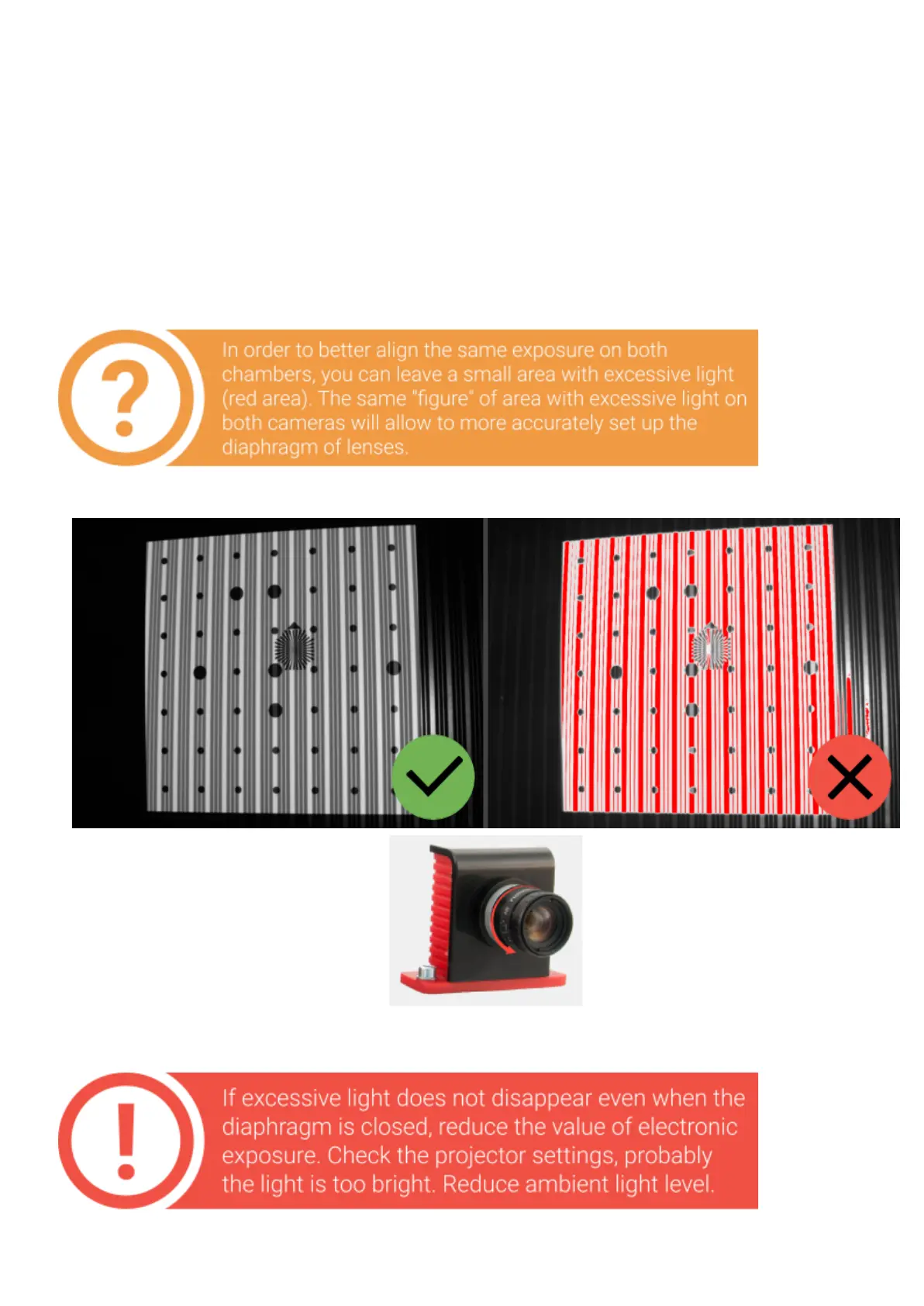
Settheprojectortothelinesandstripesmode.Settheexposureforthecameras
between 30and60(lessifthe scanning object is dark and more if it is bright).
By default the value is 49~50.
Areasilluminatedwithredmeanoverexposedareaswhere the image istoobright.
Configurelensesirissothatthelinesonthecalibrationplateareasbrightas
possible,butwithoutasignificantamountofexcessivelight.Imagebrightnessof
bothcamerasmustbethesame!


 To Next Page