NEW FIELD + CREATE NEW LINE | CR7/CR12 | QUICK START GUIDE
PAGE 11/35 | User manual | 116-8000-017 | Rev. B2
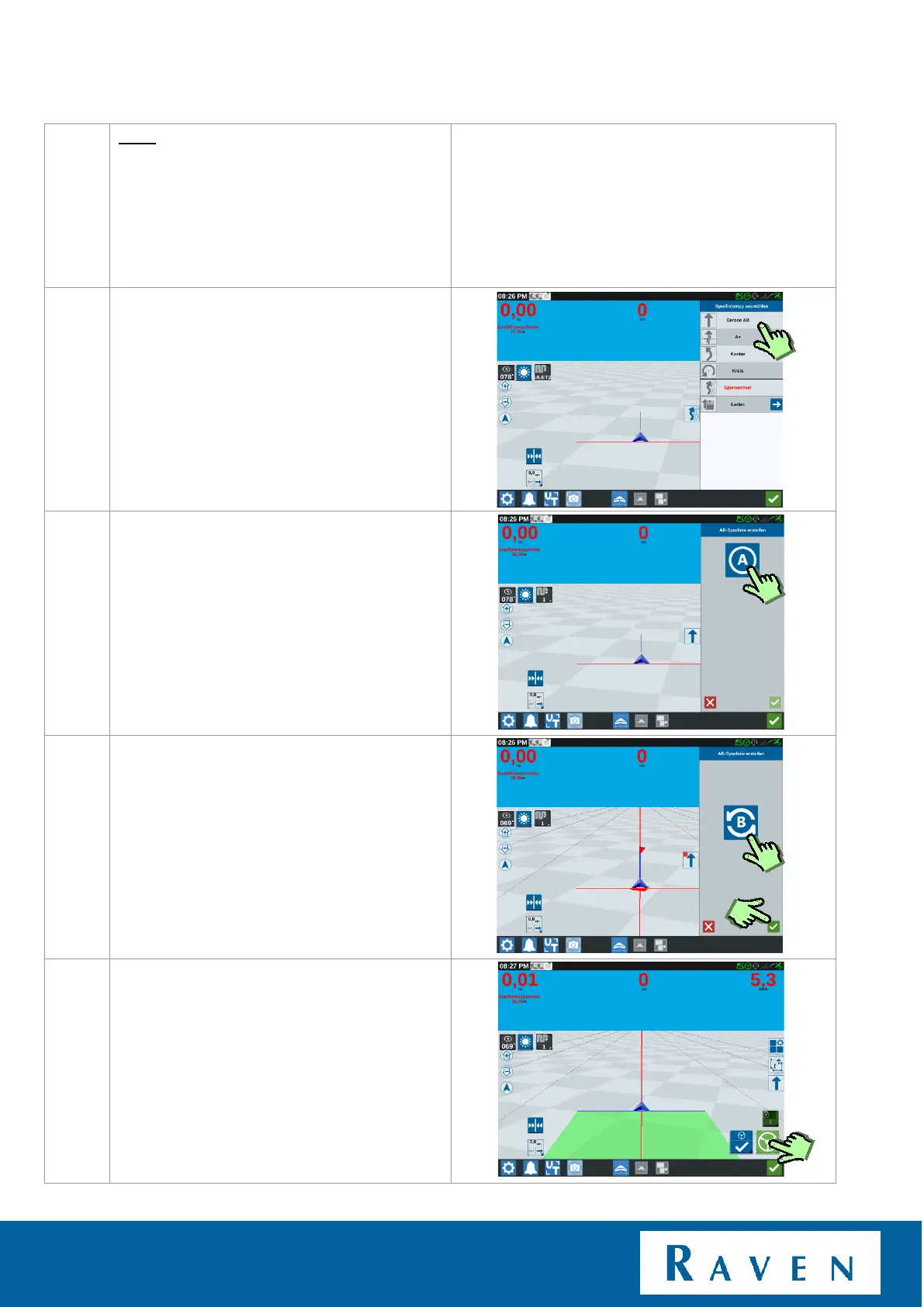
Now press AB line, to create an A-B line.
Press A+ to enter an existing direction.
Press on Curve when you want to create a bend or
pendulum.
Press "A" when you want to set the A point.
Drive to the other side of the field, press "B"
when you want to set the B point.
After pressing “B”, press the green check
mark this will confirm your line.
Automatic steering can now be activated by
pressing the steer icon.



 To Next Page
 Loading...








