LOAD FIELD | CR7/CR12 | QUICK START GUIDE
PAGE 14/35 | User manual | 116-8000-017 | Rev. B2
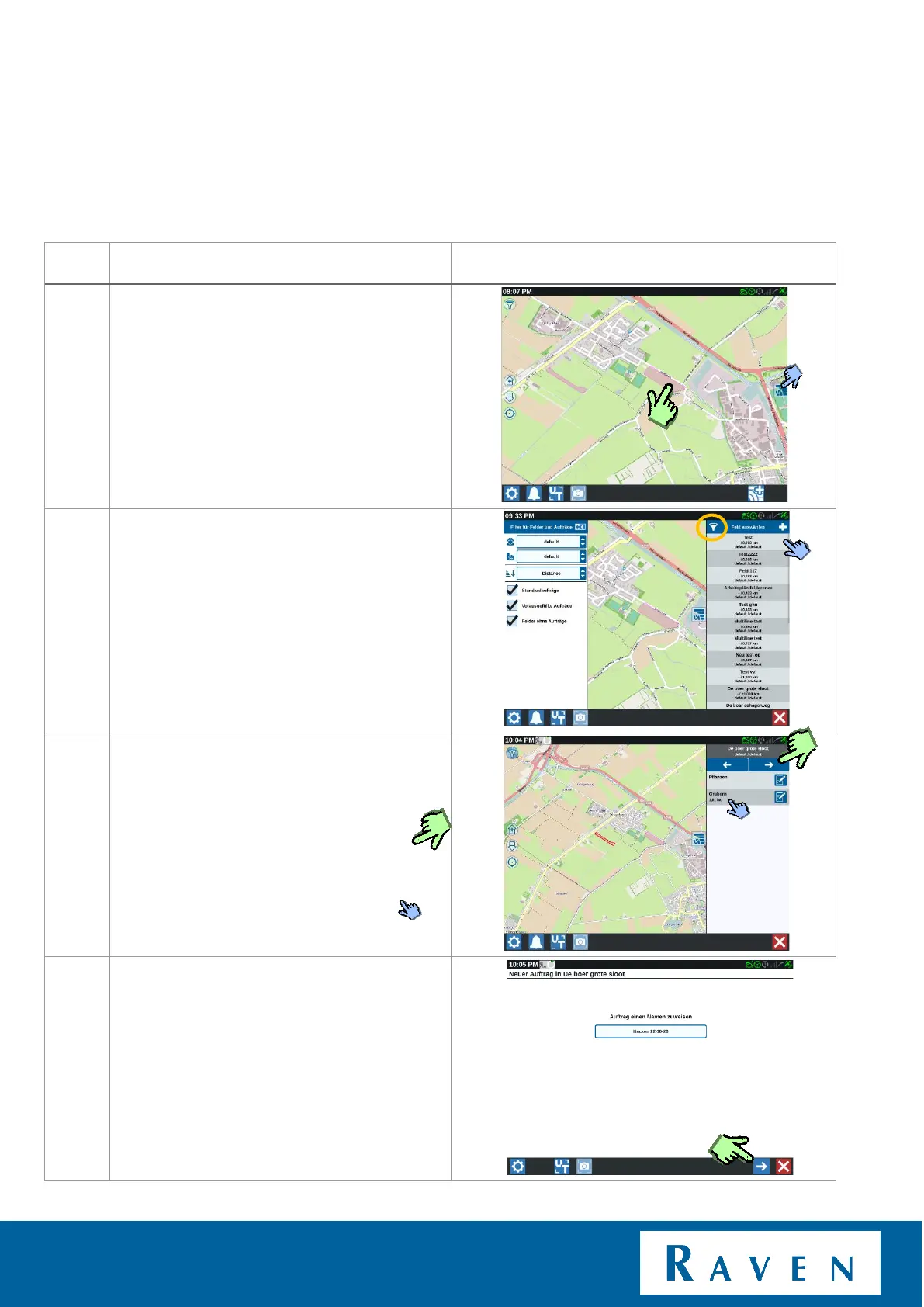
Simply press an existing field on the map in
the background.
Or
Open via the overview of all fields and press
the desired field.
Tip! By pressing the filter, the order of the fields
can be changed. (distance= the closest field will
be the first in the list).
Now you will see an overview of the existing
tasks in the desired field.
• Create a new task in the existing
field; press the right arrow.
• Continue in existing task; then press
the open task.
When a new task is chosen, you can also
rename that task.
Press the indicated arrow.



 To Next Page
 Loading...








