NEW FIELD + CREATE NEW LINE | CR7/CR12 | QUICK START GUIDE
PAGE 10/35 | User manual | 116-8000-017 | Rev. B2
4 NEW FIELD + CREATE NEW LINE
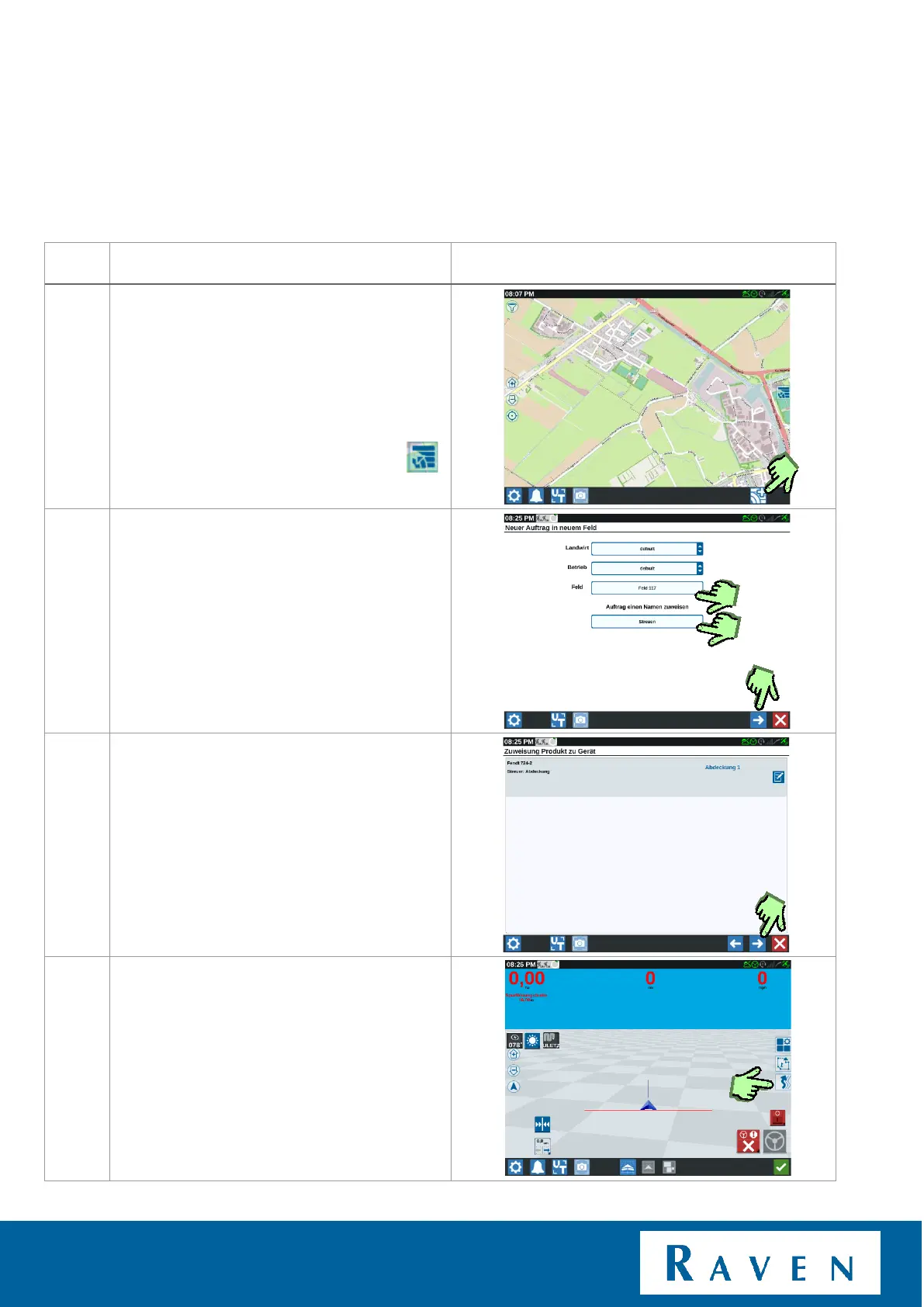
Press on icon: “New field + New line”.
When the list of fields is open, first close it.
After this the icon will appear.
Enter a field name, task can also be renamed
(Field name + current date and time is the
default name).
Press to next page.
An overview of the tractor and attached
machine.
Press to next page.
If the machine configuration is not correct;
Reference back to Chapter 2.
Now we’ve created a new field. A new
guidance line can now be created by
pressing ‘’lines’’.



 To Next Page
 Loading...








