ADD SECOND LINE OR ADD MULTIPLE LINES | CR7/CR12 | QUICK START GUIDE
PAGE 13/35 | User manual | 116-8000-017 | Rev. B2
5 ADD SECOND LINE OR ADD MULTIPLE LINES
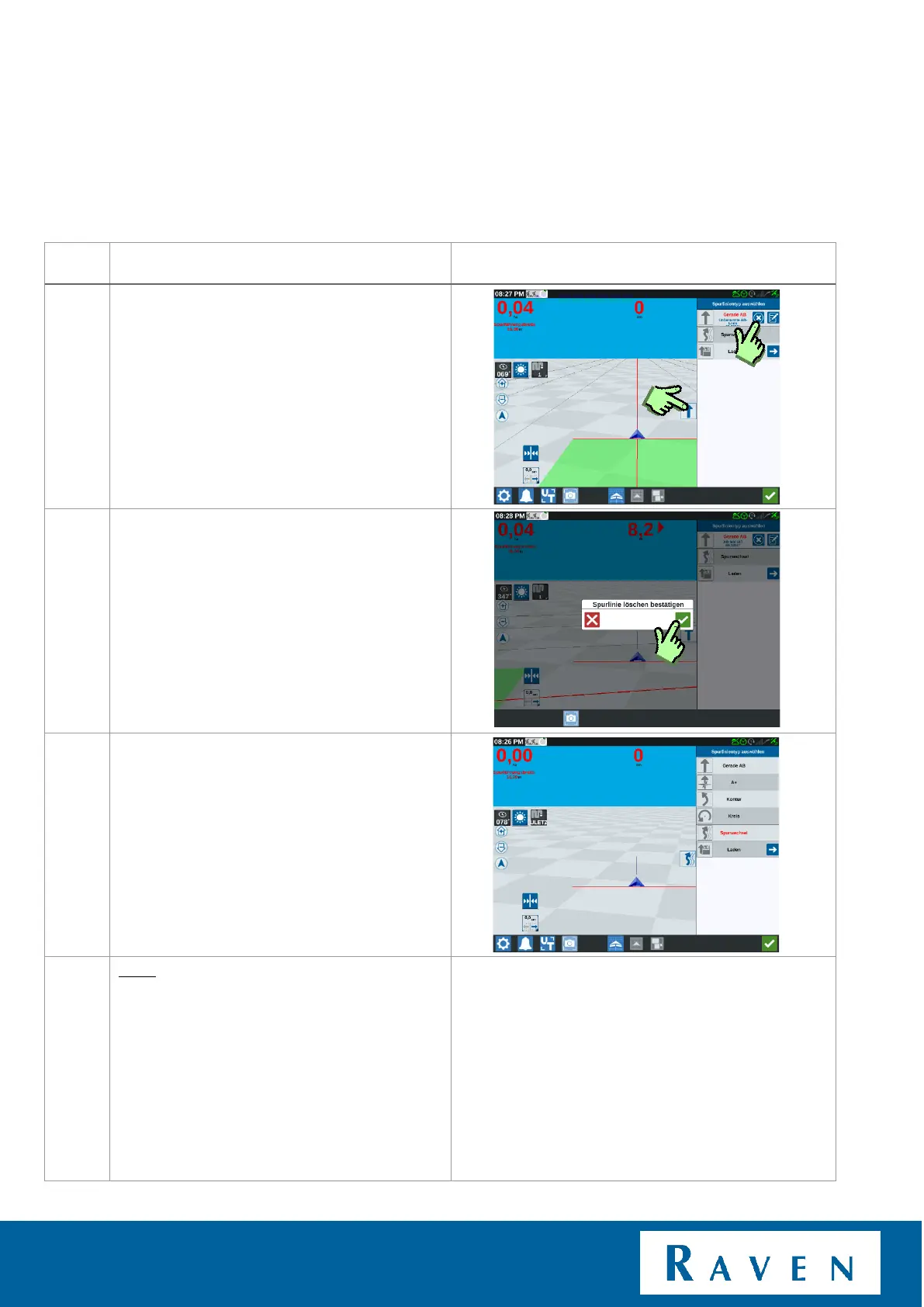
Open the tab "lines" (press the arrow on the
right, then the tab opens).
Deactivate the loaded line by pressing the X.
Don't worry, the line won't be deleted.
By confirming, the line is deactivated and
saved. Go back to "load" to use the line
again.
Now create desired line. (AB, A+, Curve).



 To Next Page
 Loading...








