RECORD FIELD BOUNDERY | CR7/CR12 | QUICK START GUIDE
PAGE 20/35 | User manual | 116-8000-017 | Rev. B2
Choose on which side of the machine the
field boundary should be recorded.
The size of the implement is used as
guidance width. Is the right implement
mounted? See chapter 2.
Also see the example of a field chapter
16.
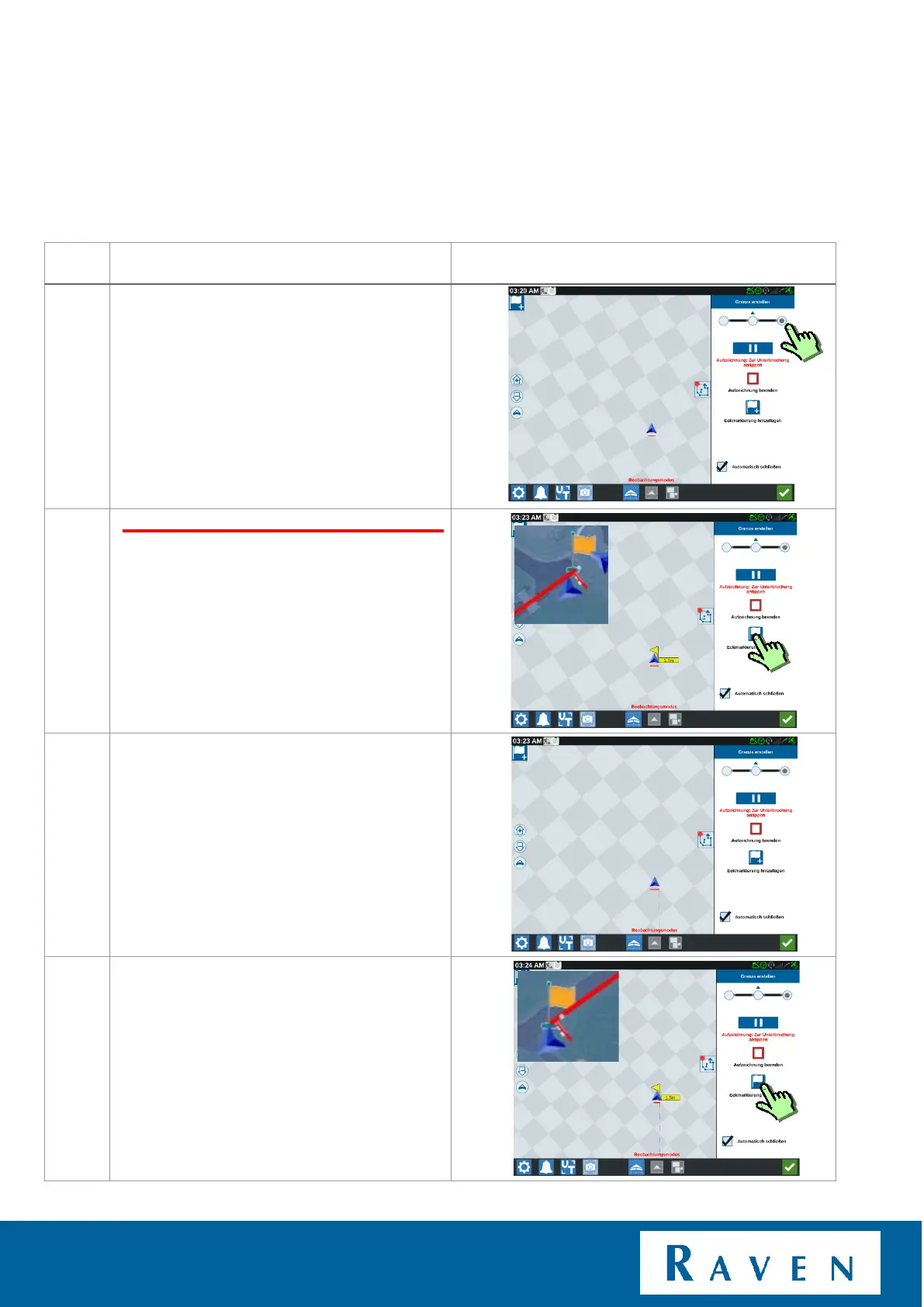
Select the side on which the field boundary
should be recorded.
Drive to the first corner of the field and press
"add corner flag".
Now drive to the other side of the field until
the end of the boundary.
Without pressing anything!
At the end press "add corner flag".



 To Next Page
 Loading...








