Module Selector: Switches between every function module. In patch edit mode, this knob
selects the module/parameter for operation.
VALUE knob (with enter button): Dial the knob for setting master level, or changing parameter
values. Press the button to switch effect type, ensure storing, etc.
EXP.PEDAL LED: Indicates the status of Expression Pedal.
LED Display: Shows bank and patch numbers, setting values, and other information for
operating.
[▼]/[▲] Footswitches: Selects patches, controls the tuner, start/stop drum rhythm, start/
stop/record phrases and other functions.
10
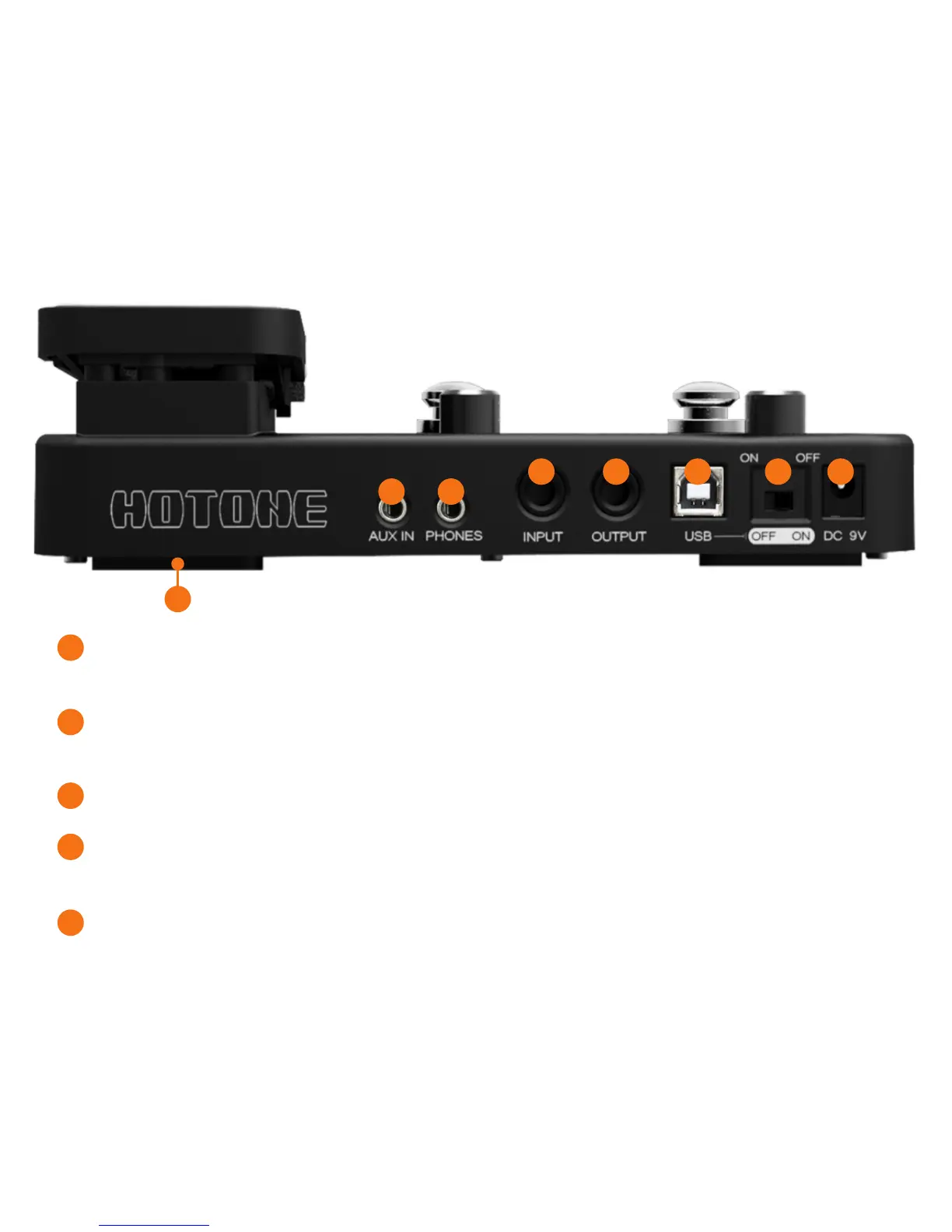
Rear View
7
8
9 10
11
12
13
14
1
2
3
4
5


 To Next Page