6.6Switchingonthesimulator—
Wi-Fish
™
app
Thesimulatormaybeusedtofamiliarizeyourself
withthefeaturesandfunctionsoftheproduct.
WiththeWi-Fish
™
mobileappconnectedtoyour
Wi-Fish
™
unitandrunning:
1.Select
.
2.SelectSettings.
3.SelectSimulator.
4.SelectOntoswitchsimulatormodeon,or
5.SelectOfftoswitchthesimulatormodeoff.
Insimulatormodetheappwillhavethesame
functionality,howeversimulatedsonardatais
displayedinsteadoflivesonardata.
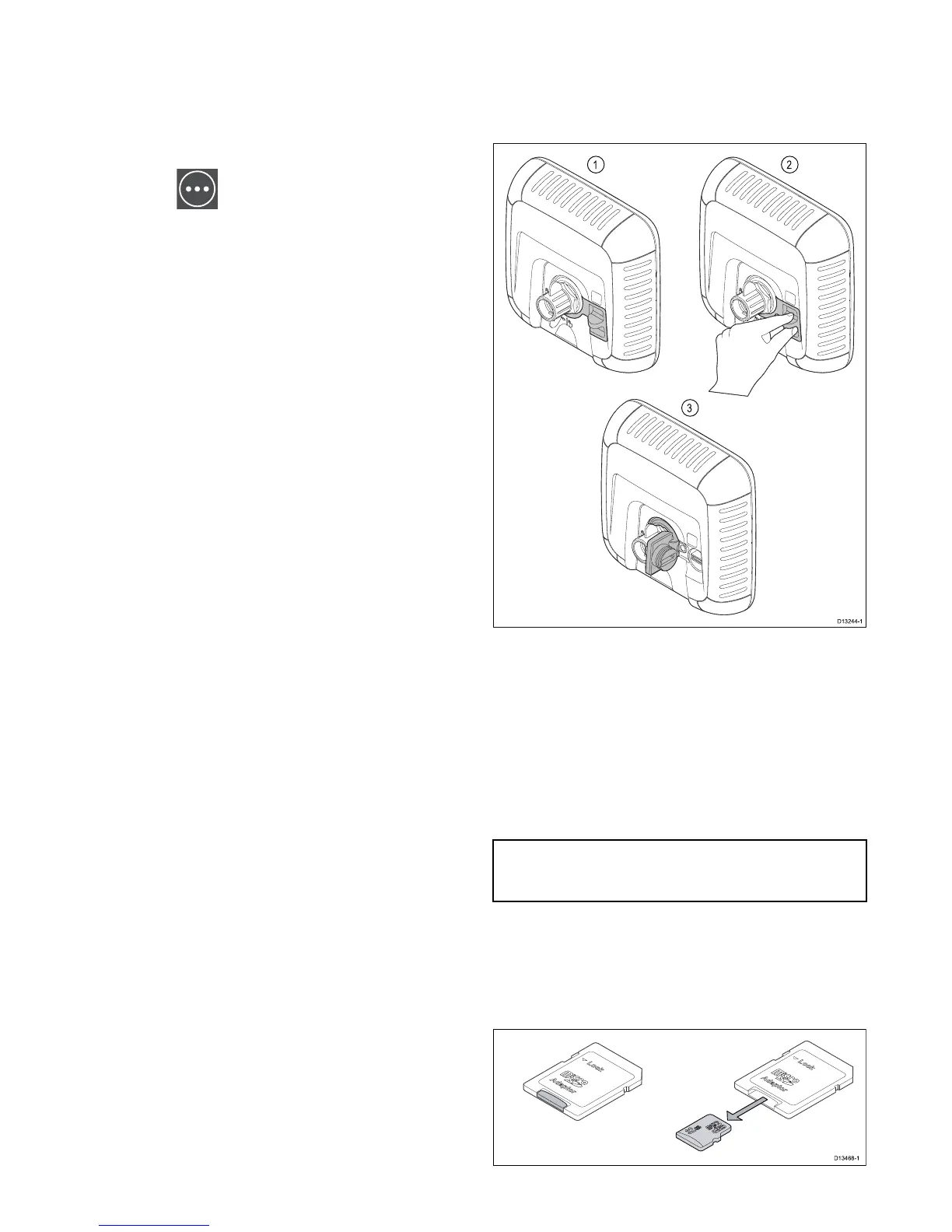
6.7OpeningtheMicroSDcardreader
cover
TheMicroSDcardreaderislocatedontherearofthe
unit.Thecardreaderisprotectedbyaweatherproof
cover.
1.Coverclosed
2.Openingcover
3.Coveropen
1.Openthecardreadercoverbypullingbackwards
onthecover’shandleuntilthecoverispositioned
asshownin(3)above.
Thecoverhasatighttandmayrequiresome
forcetoopenthecover.
2.Fullyclosethecardreadercover.
Important:Whenclosingthecoverensurethatit
isfullypushedinandsealedallthewayaround
theedge,thiswillprovidetheweatherproofseal.
RemovingMicroSDcardfromitsadaptor
MicroSDmemoryandcartographychartcardsare
usuallysuppliedinsertedintoanSDcardadaptor.
Thecardwillneedtoberemovedfromtheadaptor
beforeinsertingintoyourdisplay.




 To Next Page