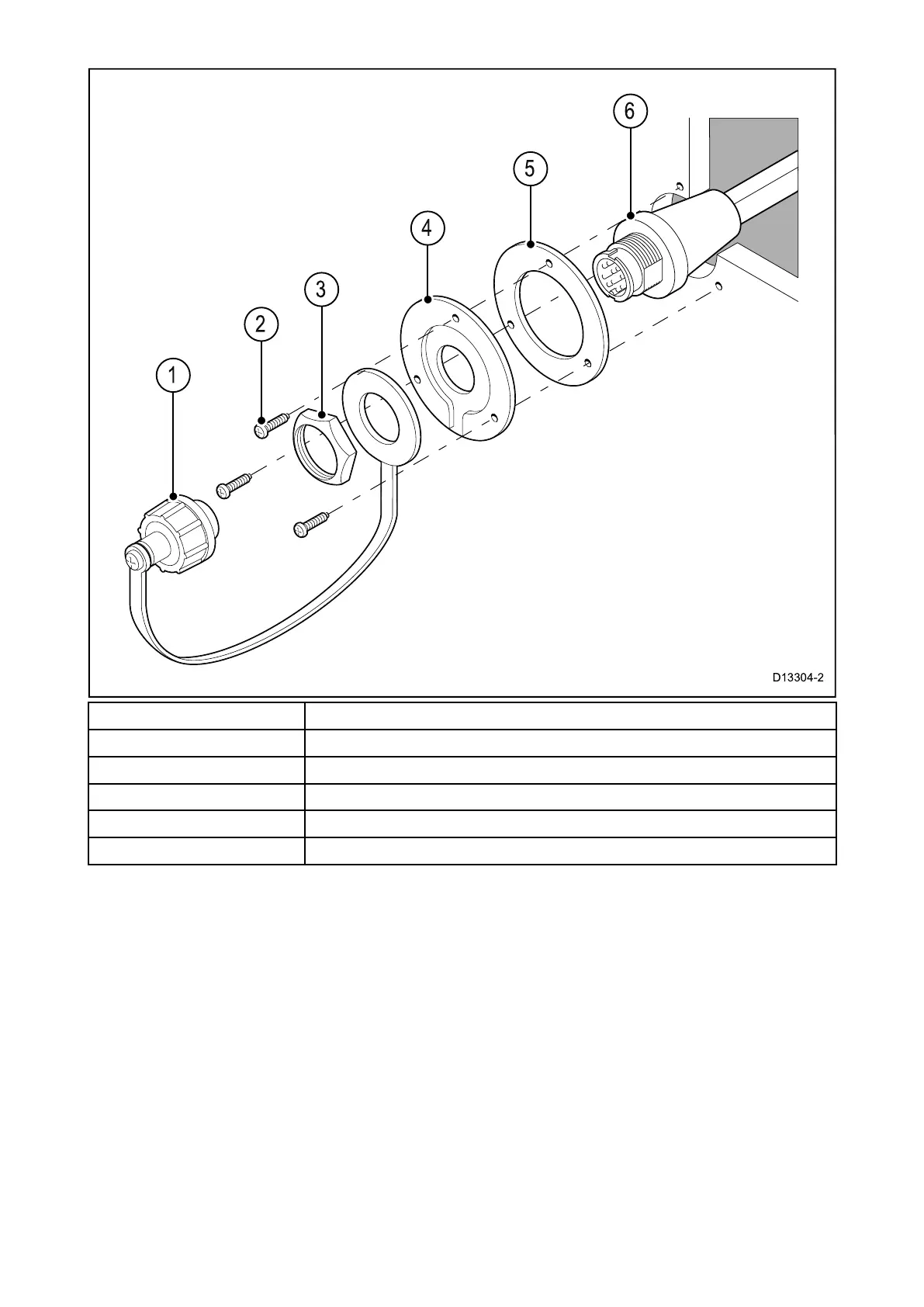
1
Splash-proofdustcapwithlanyard
2Mountingplatefixingsx3
3
Mountingplatenut
4Mountingplate
5Mountingplategasket
6
Extensioncable
1.ChecktheselectedlocationfortheMountingplate,aclearflatareaisrequired.
2.Usingapencil,offeruptheMountingplatetothedesiredlocationandmarkthelocationofthe
screwholesandthecenterholeonthemountingpanel.
3.Drillthemountingholesusingasuitablesizedrillbit.
4.Drillthecenterholeusinga25mm(1in.)holecuttingsaw.
5.Pulltheconnectorendofthecablethroughtheholeinthemountingsurface.
6.PlacetheMountingplategasketovertheendoftheconnector.
7.Withtherecessedsidefacingawayfromthemountingpanel,placetheMountingplateover
theendoftheconnector.
8.PlacethelanyardendoftheSplash-proofdustcapovertheconnector,ensuringthelanyardsits
intherecessintheMountingplate.
9.PlacetheMountingplatenutovertheconnectorandtightenclockwiseusinga13/16in.(21mm)
socketwrench,beingcarefulnottodamagetheplasticnutbyovertightening.
10.SecuretheMountingplatetothemountingsurfaceusingthesuppliedscrews.
11.AttachtheHandset/Fistmicconnectortothecableconnectorandrotatethelockingcollar
clockwisetosecure.
12.ConnecttheoppositeendofthecabletotherequiredconnectoreitherontheBasestationorto
anotherpass-throughpanelmountingplateconnector.
40



 To Next Page
 Loading...










