7.2Distresscalls
Makingadesignateddistresscall
WhenmakingaDistresscallyoucanspecifythenatureofthedistress,ifGNSS(GPS)dataisnot
availableyoumustalsospecifyyourcoordinates.
Note:
Y ourradiomusthaveanMMSInumbersavedbeforeDSCfunctionscanbeused.
FromtheDistresscallmenu:Menu>DSCCalls>Distresscall
1.Selectadistresstypefromthelist.
•IfyourradioisreceivingavalidGNSS(GPS)positionthenthedistresstypeandcoordinates
aredisplayedon-screen,otherwiseyouwillbepromptedtoenteryourpositioncoordinates
manually.
2.Ifprompted,enteryourpositioncoordinatesandlocaltimeusingthe
ChannelUpandChannel
Downbuttonstoentertherelevantdetails.
3.Whencompletepressthe
OKbutton.
4.Followthestepsfor
‘Making a Distress Call’
totransmitthedistress.
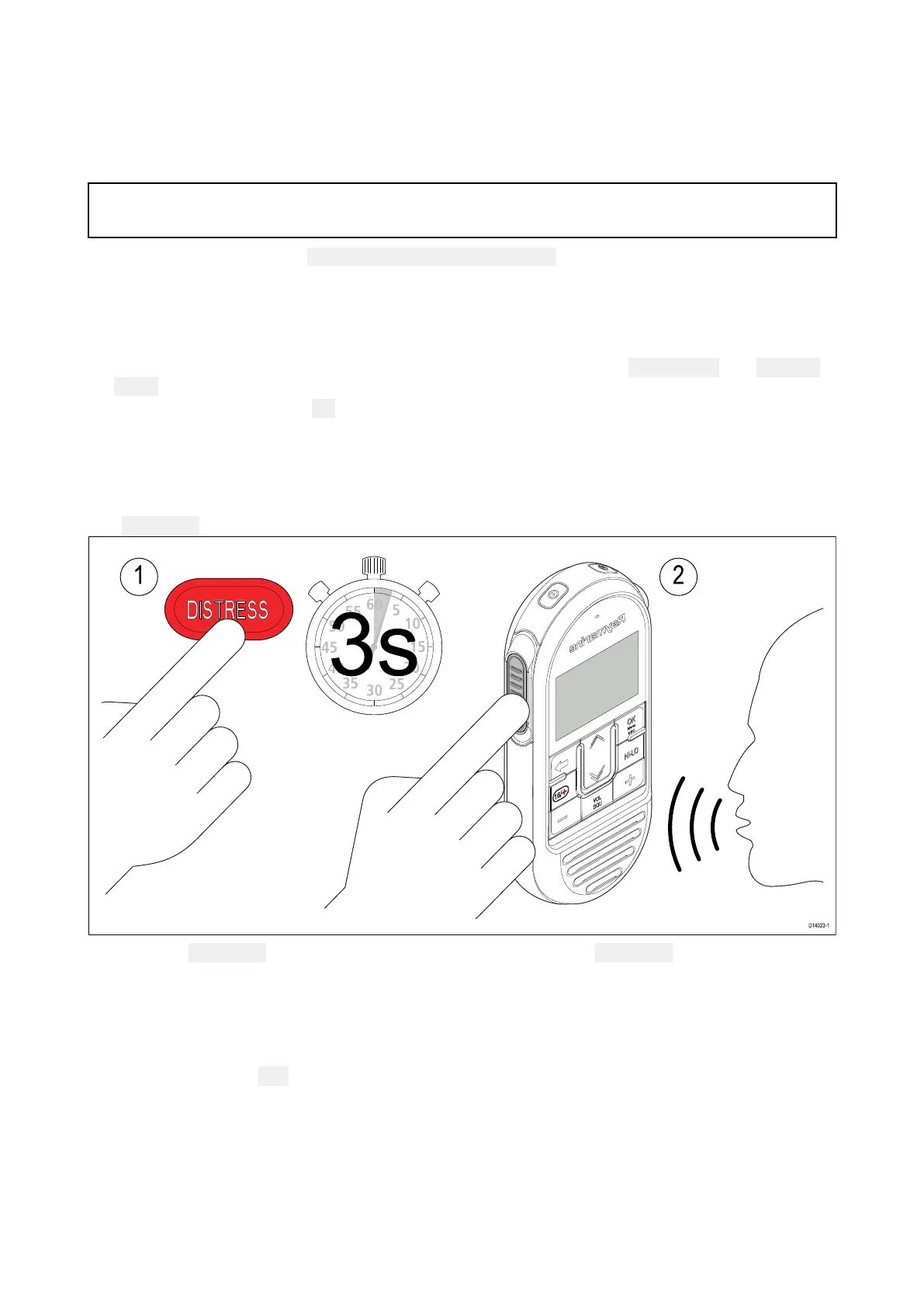
MakingaDistresscall
InanemergencyyoucanmakeanautomaticDSCdistresscall.
The
DISTRESSbuttonislocatedontherearofthehandset.
1.OpentheDISTRESSbutton’scoverandthenpressandholdtheDISTRESSbuttonfor3seconds.
Once the button is pressed a 3 second count down will begin, when the count down reaches zero
the DSC distress call is transmitted.
The Distress call is repeated automatically until it is acknowledged.
2.PressandholdthePTTbutton,thenslowlyandclearlyspeakthedetailsofthedistressinthe
followingformat:
MAYDAY,MAYDAY,MAYDAY
Thisis—statenameofvessel3times
MAYDAY—statenameofvessel1time
Mypositionis—statelatitudeandlongitude,ortruebearinganddistancefromaknownpoint
Iam—statenatureofdistresse.g.sinking,onfireetc.
Ihave—statenumberofpersonsonboardandanyotherinformation—drifting,flaresfiredetc.
102



 To Next Page
 Loading...










