34
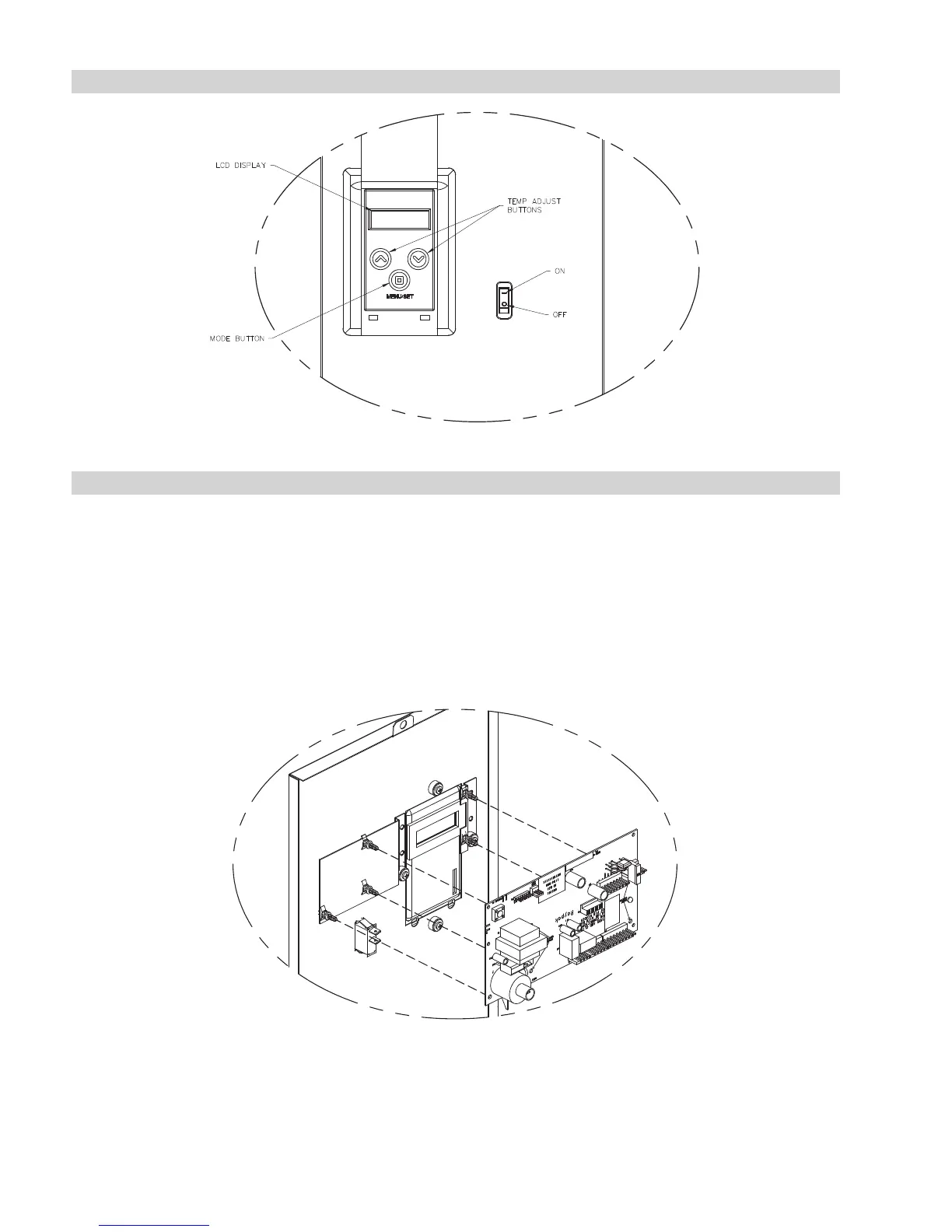
CONTROL ADJUSTMENTS
CONTROL PANEL REMOVAL
To remove the PC board from the heater, use the following procedure:
1. Turn off main power to the heater.
2. Remove front door to access wire harnesses.
3. Reaching underneath the PC board, carefully remove all connectors and wires from the PC board and
ON/OFF toggle switch.
4. Lift the front bezel lid and remove the two lower Phillips screws.
5. Carefully lift the control panel upwards and pull away from the heater.
6. The control panel can now be flipped around to remove or inspect the PC board.
7. Reverse procedure for re-installation.
Fig. 28: Control Adjustments
Fig. 29: Control Panel Removal



 To Next Page