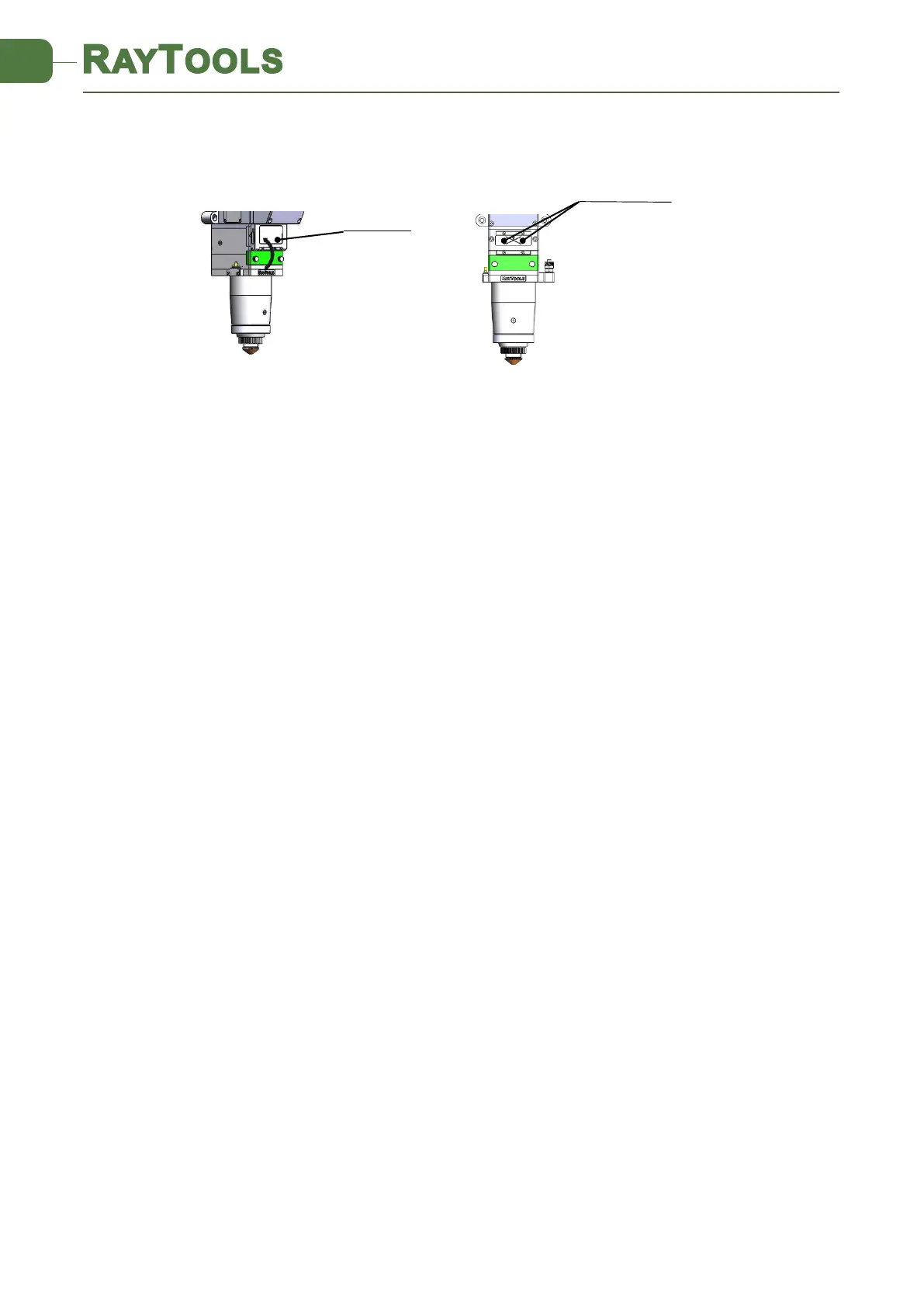
Pick a scotch tape, flatten it, and attach it to the nozzle tip;
Open the inner guiding red light of the laser. Find and observe the position of nozzle center that
the red light in the scotch tape relative to;
Next open and adjust laser generator at the range of 80W-100W and dot manually.
Tear off the tape and check the hole in the center of the nozzle;
Repeat the above steps to find the optimum relative nozzle center position of the beam;
This adjustment requires a series of adjustments, which is the basic operation of general laser
beam adjustment.
4.2 The Focus Position Adjustment
BM115 is equipped with automated focusing system. But it still needs dot manually to redefine
the focus position when it initially sets or lenses and lasers are replaced. For details about
operating system parameters, please refer to the system instructions.
Manual dot can refer to the following steps:
1. To attach one textured tape on nozzle tip and adjust the scale to biggest value, and set
laser power to 80-100w;
2. While moving each 0.5mm (as small as possible), shot a hole on the textured tape;
3. Dotting several times, finally compare and find out the scale corresponding to the
smallest hole is zero focus. The focus is just at the tip of the nozzle.
5 Maintenance
5.1 Cleaning Lens
It’s necessary to maintain lenses regularly because of the characteristic of laser cutting process.



 To Next Page