•
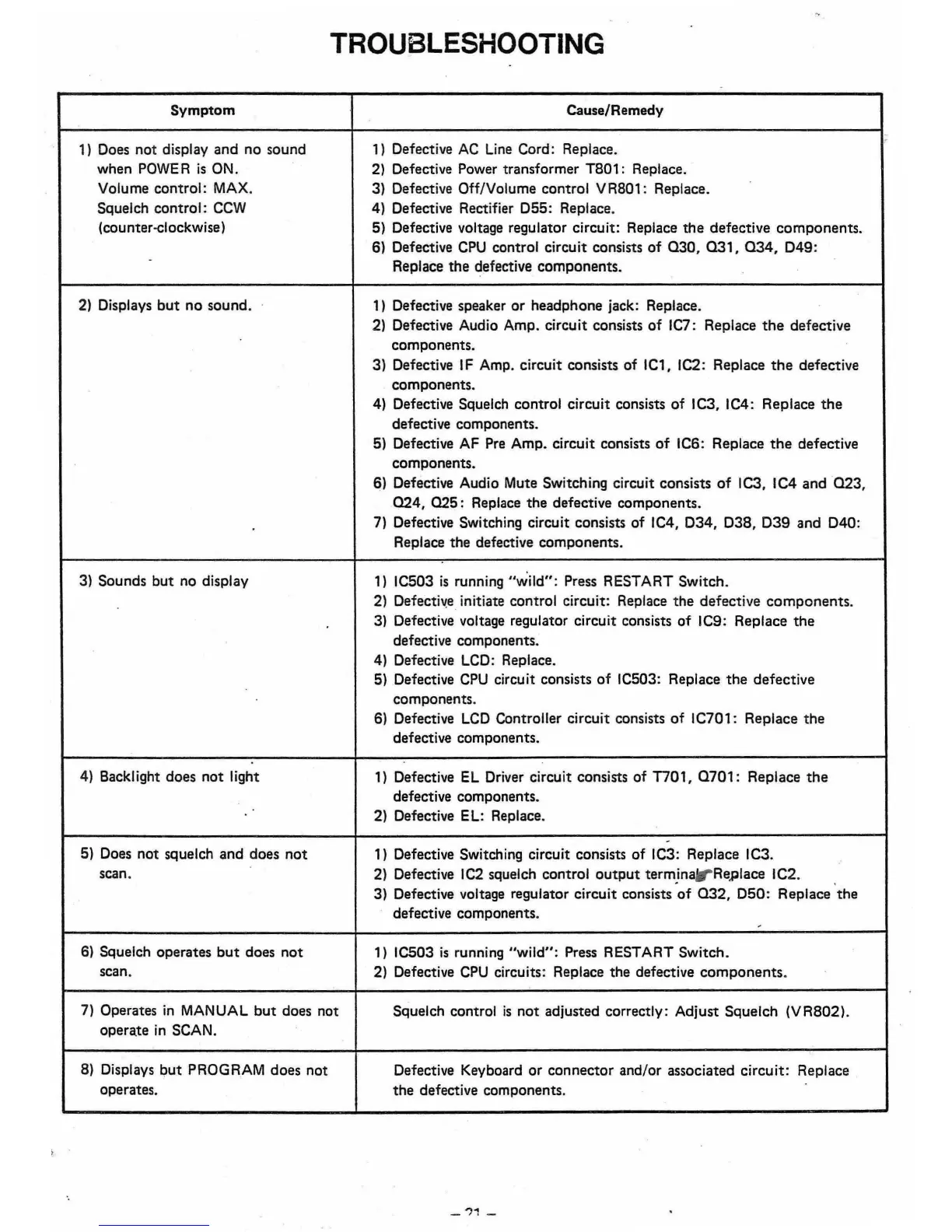
Symptom
1)
Does
not
display
and
no sound
when
POWE
R
is
ON.
Volume control: MAX.
Squelch control:
CCW
(counter-elockwise)
2)
Displays
but
no
sound.
.
•
•
3) Sounds
but
no display
•
4) Backlight does
not
light
•
5) Does
not
squelch
and
does
not
•
scan.
6) Squelch operates
but
does
not
scan.
•
TROUBLESHOOTING
Cause/Remedy
')
Defective
AC
Line Cord: Replace.
2) Defective Power transformer T801: Replace.
3) Defective Off/Volume control
VR80':
Replace.
4) Defective Rectifier
055:
Replace.
5) Defective voltage regulator circuit: Replace
the
defective
components.
6) Defective
CPU
control circuit consists
of
030, 031,
034,
049:
Replace
the
defective components. .
1) Defective speaker
or
headphone jack: Replace. .
2) Defective Audio Amp. circuit consists
of
IC7: Replace
the
defective
components.
3) Defective IF Amp. circuit consists of
IC',
IC2: Replace
the
defective
components.
4) Defective Squelch control circuit consists
of
IC3, IC4: Replace
the
defective components.
5) Defective AF Pre Amp. circuit consists
of
IC6: Replace
the
defective
components.
6) Defective Audio Mute Switching circuit consists
of
1C3,
IC4
and
023,
024,
025:
Replace the defective components.
7) Defective Switching circuit consists
of
IC4.
034, 038.
039
and
040:
Replace the defective components.
•
•
')
IC503
is
running
"wild":
Press RESTART Switch.
2) Defective initiate control circuit: Replace
the
defective
components.
3) Defective voltage regulator circuit consists
of
IC9: Replace
the
defective components.
4) Defective
LCD:
Replace.
5) Defective
CPU
circuit consists
of
IC503: Replace
the
defective
components.
6) Defective
LCD
Controller circuit consists
of
IC701: Replace
the
defective components.
')
Defective
EL
Driver circuit consists of
n01,
0701:
Replace
the
defective components.
2) Defective EL: Replace.
-
')
Defective Switching circuit consists
of
IC3: Replace IC3.
2) Defective
IC2
squelch control
output
terminarReplace
IC2.
• •
3) Defective voltage regulator circuit consists
of
032.
050:
Replace
the
defective components.
1) IC503
is
running
"wild":
Press RESTART Switch.
2) Defective
CPU
circuits: Replace
the
defective
components.
.
•
•
7) Operates
in
MANUAL
but
does not
opera.te
in
SCAN.
Squelch control
is
not
adjusted correctly: Adjust Squelch
(VR802).
8) Displays
but
PROGRAM does not
operates.
Defective Keyboard
or
connector
and/or associated circuit:
the
defective components.
Replace
•
•
_"1
_
•













 To Next Page