EasyManua.ls Logo

Realistic PRO-43 - A Look at the Keyboard.12

Realistic PRO-43
36 pages
Print Icon
To Next Page IconTo Next Page
To Previous Page IconTo Previous Page
Loading...
L/O
appears
when
the
channel
you
listen
to
is
locked
out
of
the
scan
mode.
See
"Locking
Out
Channels."
When
the
entire
display
blinks
and
the
scanner
beeps
every
2
seconds,
the
batteries
are
low.
A
LOOK
AT
THE
KEYBOARD
KEYLOCKS
£5
2-JS
SCAN
MANUAL
120
71.40
4t
GO
(P
CD
CD
CD
i•n
Ltvrr
et-w
mi-»oo
no
(P
CD
CD
CD
L'OUT
T
Ti.MO
1
41
160
(p
(^CDCS
©
OCLAY
16V-200
O-RECT
eNTEfl
CP
Cp
CD
CD
CD
iJGMT
mom
Muru
pc;m
Clear
^
o
o
o
o
—£.
fstrcz.
200
CHANNEL
DIRECT
ENTRY
AM/PM
PROGRAMMABLE
SCANNER
I
_/
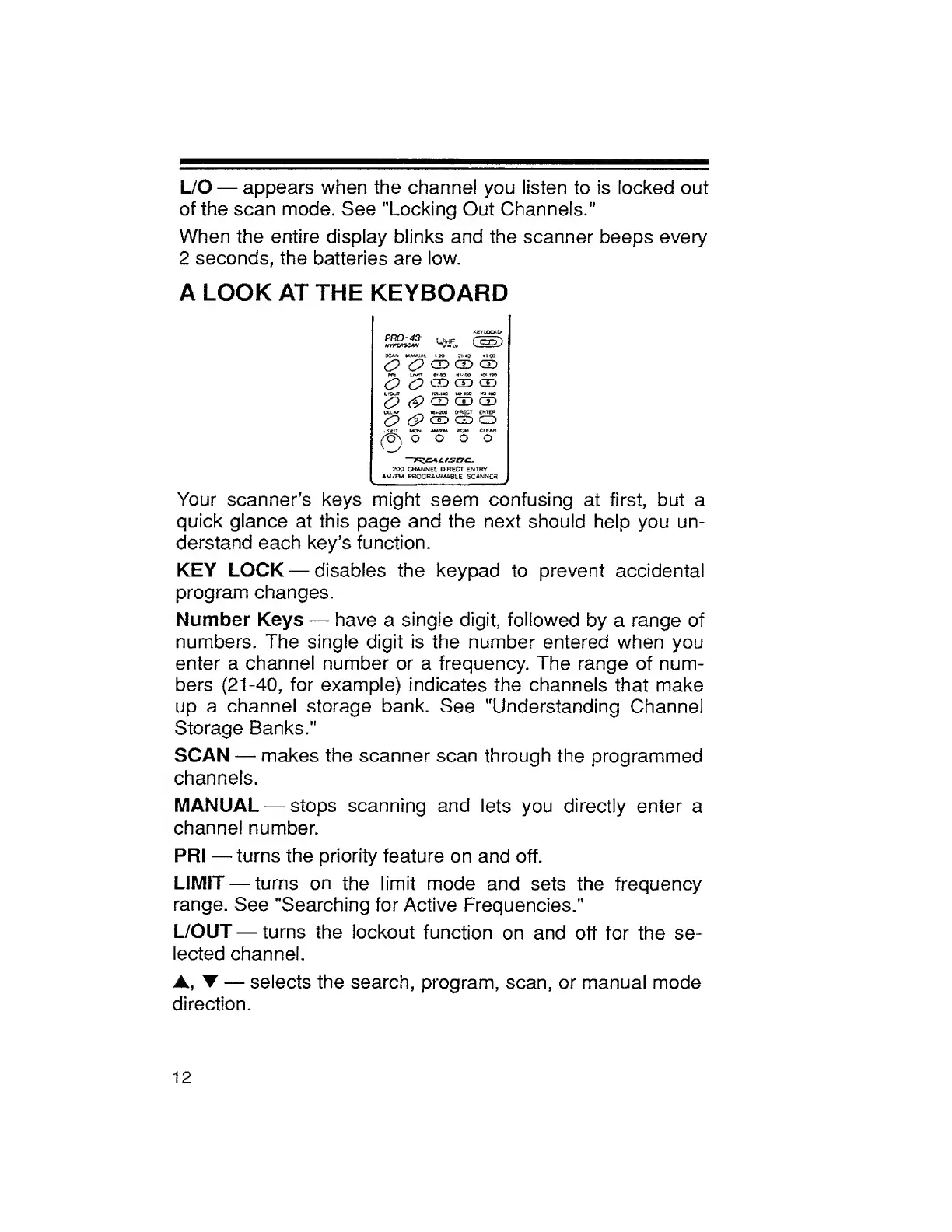
Your
scanner’s
keys
might
seem
confusing
at
first,
but
a
quick
glance
at
this
page
and
the
next
should
help
you
un¬
derstand
each
key’s
function.
KEY
LOCK
disables
the
keypad
to
prevent
accidental
program
changes.
Number
Keys
have
a
single
digit,
followed
by
a
range
of
numbers.
The
single
digit
is
the
number
entered
when
you
enter
a
channel
number
or
a
frequency.
The
range
of
num¬
bers
(21-40,
for
example)
indicates
the
channels
that
make
up
a
channel
storage
bank.
See
"Understanding
Channel
Storage
Banks."
SCAN
makes
the
scanner
scan
through
the
programmed
channels.
MANUAL
stops
scanning
and
lets
you
directly
enter
a
channel
number.
PRI
turns
the
priority
feature
on
and
off.
LIMIT
turns
on
the
limit
mode
and
sets
the
frequency
range.
See
"Searching
for
Active
Frequencies."
L/OUT
turns
the
lockout
function
on
and
off
for
the
se¬
lected
channel.
A,
T
selects
the
search,
program,
scan,
or
manual
mode
direction.
12

Related product manuals