EasyManua.ls Logo

Realistic PRO-43 - Using Monitor Frequencies

Realistic PRO-43
36 pages
Print Icon
To Next Page IconTo Next Page
To Previous Page IconTo Previous Page
Loading...
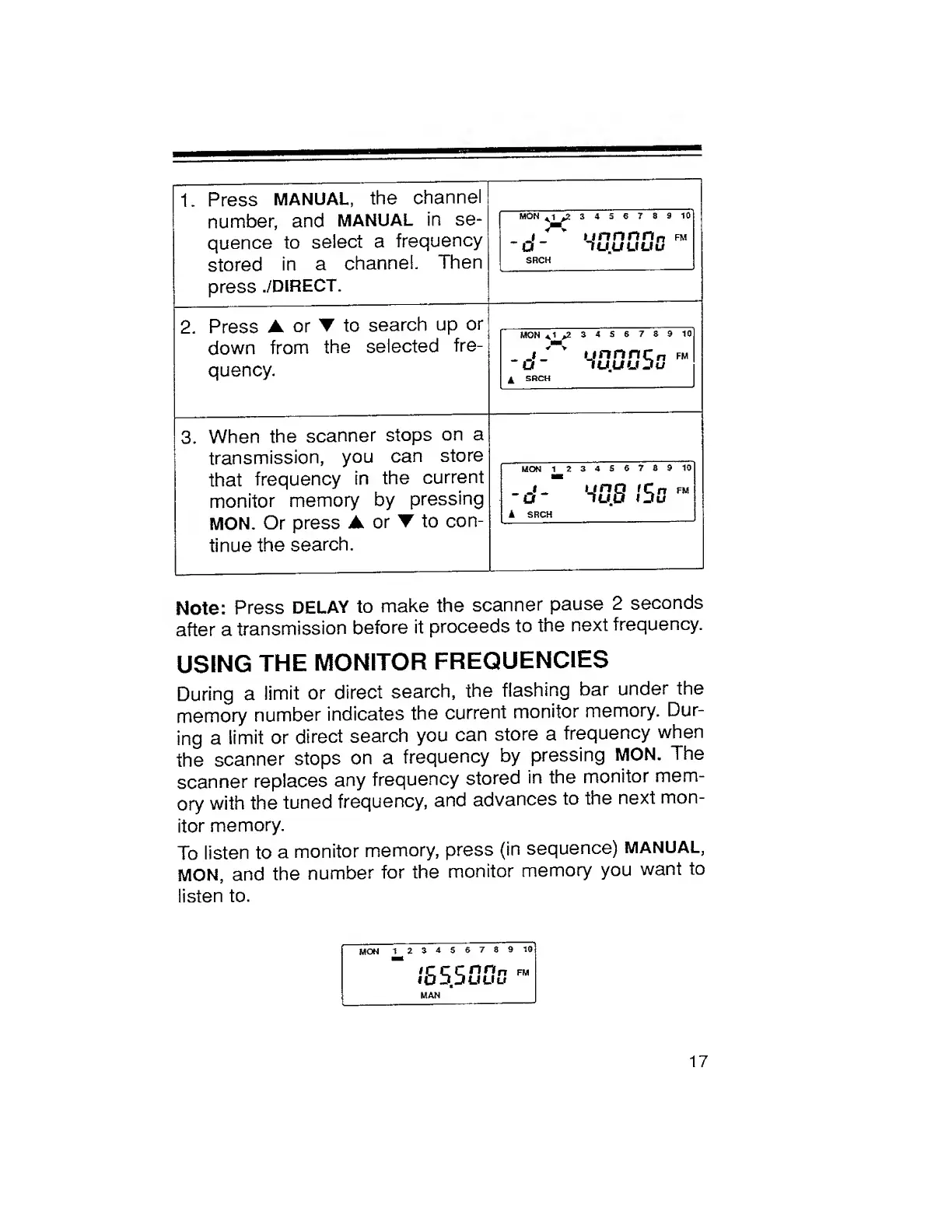
1.
Press
MANUAL,
the
channel
number,
and
MANUAL
in
se¬
quence
to
select
a
frequency
stored
in
a
channel.
Then
press
./DIRECT.
MON
^1
,23456789
10
j
*""
v
unnnn„
fm
O
lUUUUu
SRCH
2.
Press
A
or
to
search
up
or
down
from
the
selected
fre¬
quency.
MON
A
1
,23456789
10
_i
*
y
ijnnnCn
fm
O
~
lUUUJu
4
SRCH
3.
When
the
scanner
stops
on
a
transmission,
you
can
store
that
frequency
in
the
current
monitor
memory
by
pressing
MON.
Or
press
A
or
to
con¬
tinue
the
search.
MON
1
23456769
10
-o'-
H'S.S
.'So
i
SRCH
Note:
Press
DELAY
to
make
the
scanner
pause
2
seconds
after
a
transmission
before
it
proceeds
to
the
next
frequency.
USING
THE
MONITOR
FREQUENCIES
During
a
limit
or
direct
search,
the
flashing
bar
under
the
memory
number
indicates
the
current
monitor
memory.
Dur¬
ing
a
limit
or
direct
search
you
can
store
a
frequency
when
the
scanner
stops
on
a
frequency
by
pressing
MON.
The
scanner
replaces
any
frequency
stored
in
the
monitor
mem¬
ory
with
the
tuned
frequency,
and
advances
to
the
next
mon¬
itor
memory.
To
listen
to
a
monitor
memory,
press
(in
sequence)
MANUAL,
MON,
and
the
number
for
the
monitor
memory
you
want
to
listen
to.
17

Related product manuals